Photographers, archivists, and anyone sorting large folders can use Attribute Changer to correct file dates, adjust attributes, and rename items in batches. It adds its controls to the Windows right-click menu, so selected files and folders can be edited from File Explorer.
Which file dates can you change?
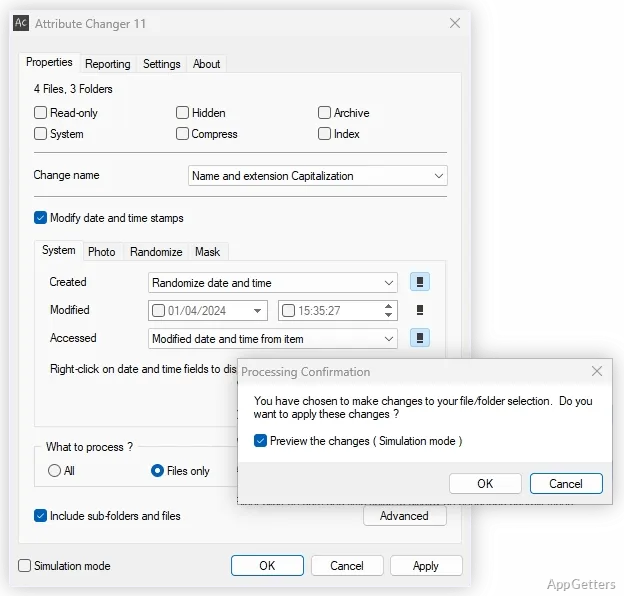
Attribute Changer can set absolute date and time values or adjust existing timestamps by adding or subtracting an amount. It can also randomize or synchronize dates, apply limits, and update only selected parts of a timestamp, such as its day or minute.
For photo workflows, the program can modify or add date and time information in JPEG EXIF metadata. Folder dates can also be set using the newest or oldest file or subfolder within the folder.
How do batch edits work?
Select files or folders in File Explorer and open Attribute Changer from the right-click menu. Its batch-processing options let you target particular items instead of applying every change indiscriminately.
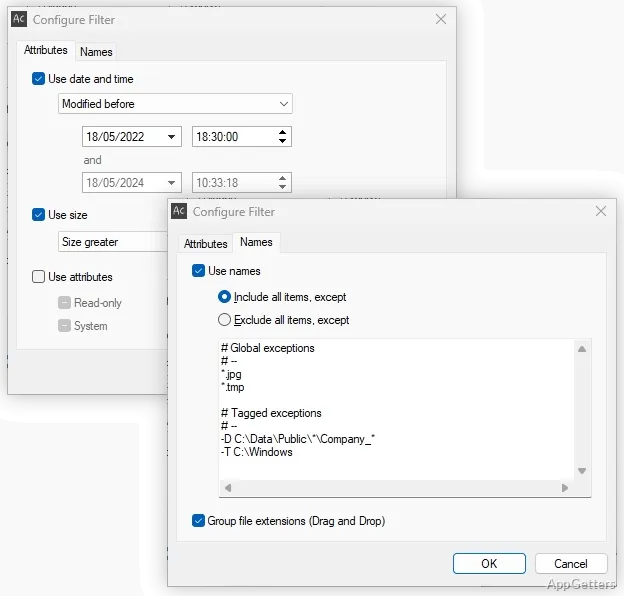
- Filter by attributes, date and time, file size, or name.
- Use wildcard patterns in name filters to match groups of filenames.
- Change filesystem attributes such as Read-only and Hidden.
- Change filename capitalization to uppercase, lowercase, or title-style capitalization.
Can you track what changed?
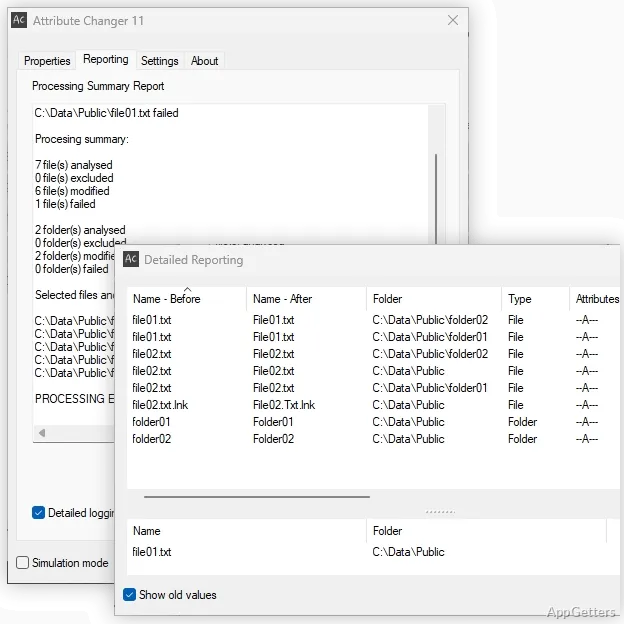
Simulation and batch-processing options support preparing larger operations. After processing, the Reporting tab records failed actions; a more detailed activity view shows old and new values side by side. Logs can be exported as comma-separated text for spreadsheet work or archiving.
Pros
- Batch edits for timestamps, attributes, and name capitalization
- JPEG EXIF date and time editing
- Filters for names, attributes, dates, and file sizes
- Activity logs with CSV export
Cons
- Supports only 64-bit Windows 10 and 11
System requirements: Windows 10, Windows 11 · ARM64 and x64
Can Attribute Changer update dates on a group of photos?
Yes. Select the files and use batch processing to adjust timestamps; JPEG EXIF date and time information can also be modified or added.
Can it change only some files in a batch?
Yes. Filters can select items by attributes, dates and times, file size, or filename patterns.
Does it show the previous and updated values?
The detailed activity view displays old and new values side by side, and logged activity can be exported as CSV text.