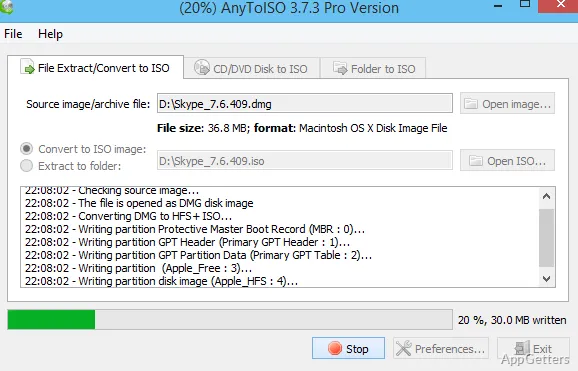
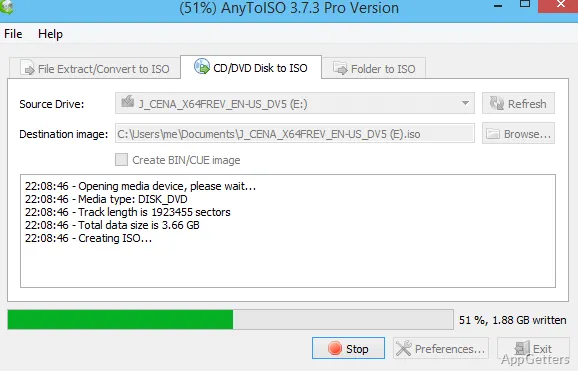
Got a DMG from a Mac, a pile of old discs, or a folder you want as a single image? AnyToISO turns CDs, DVDs, Blu-rays and folders into ISO files. It also converts or extracts supported disk images and archives, with options for standard and bootable ISO formats.
Create an ISO from a disc
Use the disc-to-ISO workflow for a CD, DVD, or Blu-ray. The resulting image retains the source disc’s filesystem, so the image reflects how the original disc was organized. AnyToISO can also create bootable ISO formats.
The finished ISO can be extracted with AnyToISO or burned onto another disc.
Convert an image or archive
AnyToISO can convert supported disk images and archives into a standard ISO, or extract their contents. The supported examples include DMG images and RAR, 7Z, and PKG files; the program handles more than 20 formats.
This workflow is for source files that are already packaged as an image or archive.
Build an ISO from folders
Select files and folders on the local disk to assemble them into an ISO image. For this type of image, AnyToISO offers filesystem choices that determine how the folder contents are represented:
- ISO 9660
- Joliet
- UDF
- A combination of these filesystems
Use the Windows workflow
Windows Explorer integration provides access to AnyToISO from the file-management workflow, and command-line support offers another way to run conversion tasks. The program also supports extracting ISO contents, alongside its image-creation and conversion tasks.
Pros
- Creates ISO images from CDs, DVDs, Blu-ray discs, and folders
- Converts DMG, RAR, 7Z, PKG, and other image or archive formats
- Offers ISO 9660, Joliet, and UDF filesystems for folder images
- Includes command-line support and Windows Explorer integration
System requirements: Windows 7, Windows 8, Windows 8.1, Windows 10, Windows 11
Can AnyToISO open Mac DMG files on Windows?
Yes. DMG images, as well as RAR, 7Z, PKG and other formats, can be converted to ISO or extracted.
Which filesystems can a folder-based ISO use?
ISO 9660, Joliet, UDF, or a combination of them.