Active Hard Disk Monitor tracks drive health, temperature, and performance using S.M.A.R.T. data. It can run in the background and alert you when critical conditions appear.
S.M.A.R.T. data shows drive health
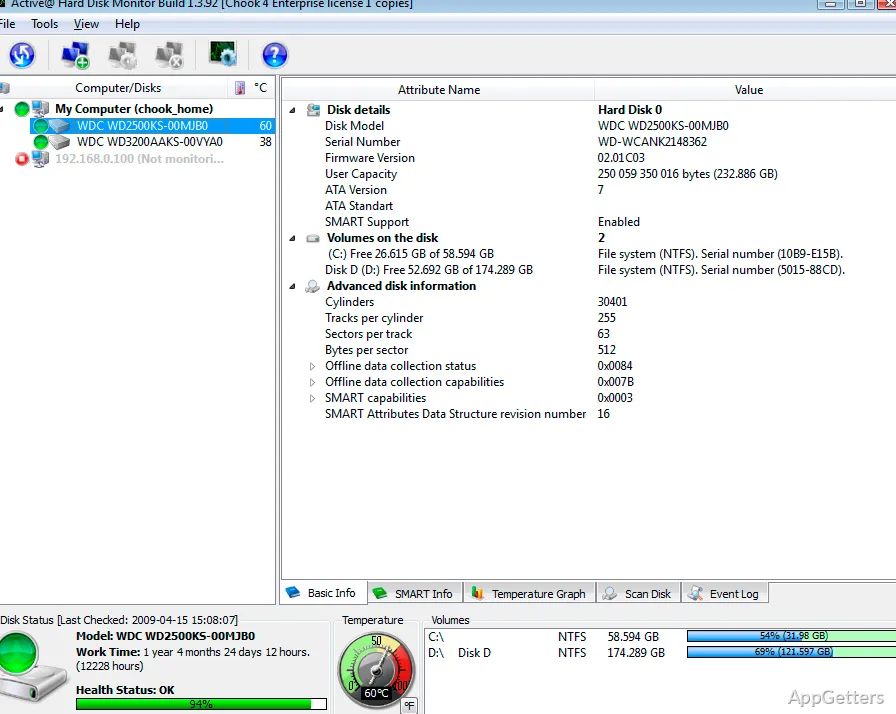
The program reads S.M.A.R.T. information to report a drive’s condition and monitor its performance. The main window also provides detailed disk information, including model and serial numbers and the number of cylinders.
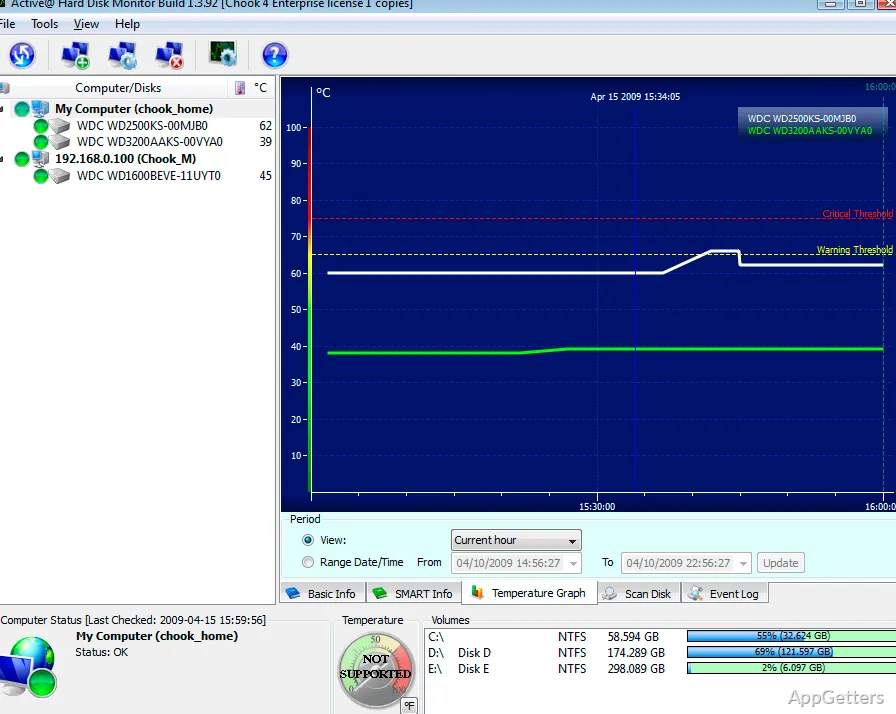
A System Tray icon displays the current disk temperature, so readings remain accessible while monitoring runs in the background. Temperature history is plotted as a graph.
Advanced Disk Scan checks for bad sectors
Advanced Disk Scan examines a disk surface and identifies bad sectors. This scan adds a surface check to the health information gathered through S.M.A.R.T.
- Run a scan to view detected bad sectors.
- Use the drive reports to see S.M.A.R.T. details and recorded events.
Alerts and logs record critical conditions
When critical conditions occur, Active Hard Disk Monitor can send a pop-up notification or an email. Event logs and S.M.A.R.T. reports preserve details about disk activity over time, while the temperature graph records changing readings.
The program can start with Windows and continue monitoring drives in the background. Remote administration and monitoring are available in the PRO version.
Pros
- Combines S.M.A.R.T. health data with surface scans for bad sectors
- Shows current drive temperature in the System Tray
- Creates temperature graphs, event logs, and S.M.A.R.T. reports
- Can send pop-up or email alerts for critical conditions
Cons
- Remote administration and monitoring require the PRO version
System requirements: Windows 7, Windows 8, Windows 10 · 32-bit and 64-bit · CPU: Pentium III 500 MHz or compatible · RAM: 256 MB · Disk space: 15 MB
What does Active Hard Disk Monitor check?
It monitors drive health and performance using S.M.A.R.T. data, tracks temperature, and can scan disk surfaces for bad sectors.
How does it notify me about a critical drive condition?
It can send a pop-up notification or an email when a critical condition appears.
Where can I see temperature and drive activity history?
The program displays temperature history in a graph and records disk activity in event logs and S.M.A.R.T. reports.