Tired of Windows restarting for updates at the worst moment? The free Windows Update Blocker lets you disable or re-enable the service with a button, without opening Windows Services.
Update service controls
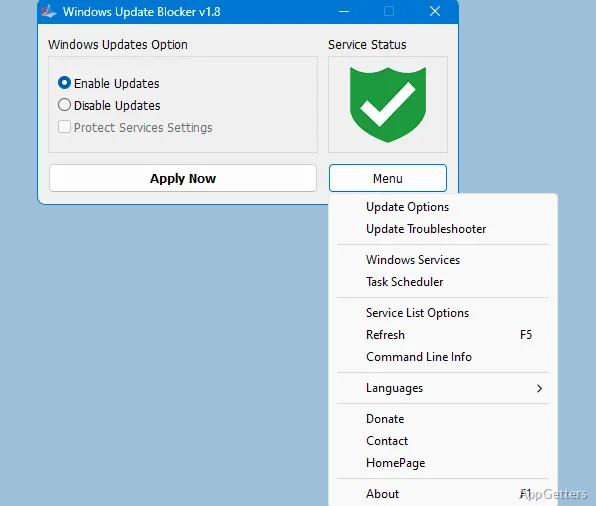
The main window displays an icon indicating the Windows Update service status. To stop automatic updates, pick the disable option and press Apply Now; choose Enable Service to restore the service. The Protect service settings option can guard the selected state against changes.
Because the tool changes the service itself, the controls apply to Windows Update’s ability to check for and install updates. If enabling updates does not restart the service, the developer recommends restarting Windows and trying again.
Additional service entries
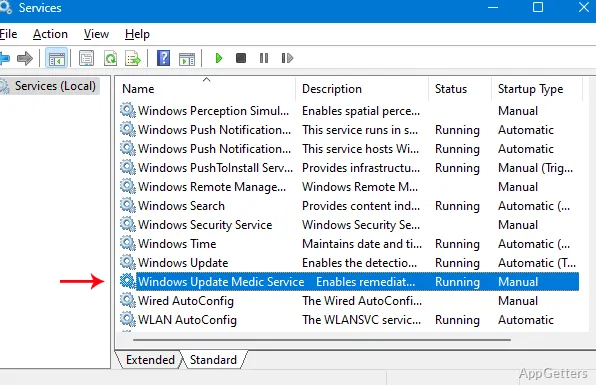
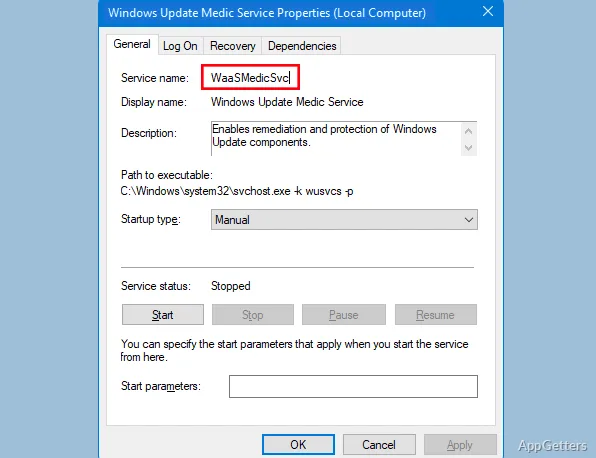
Windows Update Blocker can also manage services entered in its Wub.ini configuration file. Add a service name under the existing dosvc entry, then apply the change from the main window. The Service List Options window provides a graphical way to manage entries in the file’s Service_List section.
- Find the service name in Windows Services and enter it in Wub.ini.
- Use Enable Service before removing a custom entry, then apply the revised settings.
Command-line tasks
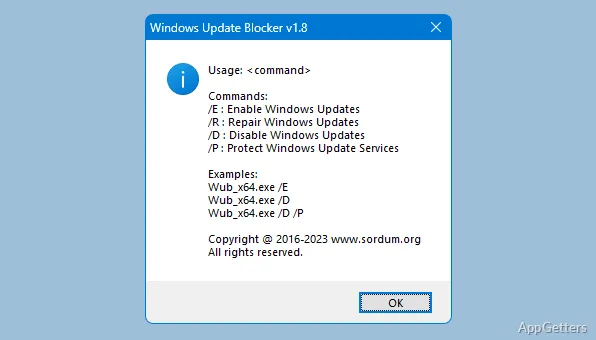
Command-line options let users automate Windows Update Blocker tasks.
Pros
- One-click controls for disabling and enabling the Windows Update service
- Status icon shows whether the service is enabled
- Protect service settings option
- Command-line support for automating tasks
Cons
- Does not block Microsoft Defender updates
System requirements: Windows 7, Windows 8, Windows 8.1, Windows 10, Windows 11
How do I turn Windows Update back on?
Select Enable Service in the main window, then click Apply Now. If the service does not start, restart Windows and try again.
Can Windows Update Blocker manage other services?
Yes. Add a service name to the Wub.ini file under the dosvc entry, then apply the settings. The Service List Options window also manages entries in the Service_List section.
Does blocking Windows Update also block Microsoft Defender updates?
No. Microsoft Defender updates are not blocked by Windows Update Blocker.