PC dozing off halfway through a long download or a presentation? The free Don’t Sleep provides controls for blocking selected power actions, including standby and shutdown, while the program is active.
Which Windows power actions can Don’t Sleep block?
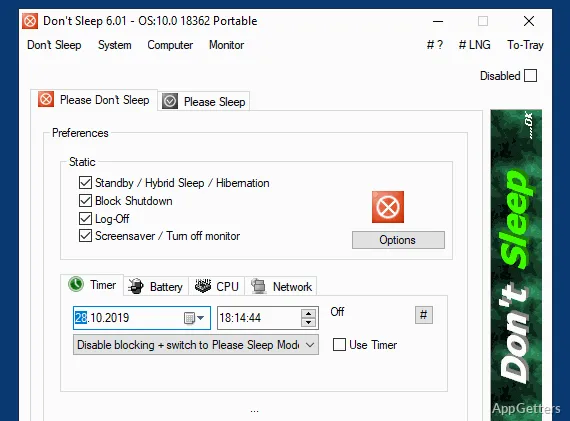
Don’t Sleep can prevent standby, hibernation, shutdown, and restart while its protection is enabled. Separate options cover turning off the monitor and activating the screen saver, so the display can stay on along with the computer when a task needs it.
For example, a presentation may need the display to remain active, while an overnight download mainly needs the computer to avoid sleeping.
How can the timer limit the active period?
A timer can put an end to the temporary protection after a chosen period. That suits a download or script expected to finish unattended: Windows can resume its usual power behavior afterward without requiring the program to stay in its active state indefinitely.
When should you enable it?
Turn on the relevant blocks before starting work that should not be interrupted by sleep, shutdown, or a blank display. When the task is over, protection can be turned off; for work with a predictable duration, set the timer to end it automatically.
- Keep the monitor on during presentations or other on-screen activity.
- Prevent standby or hibernation during long downloads and unattended tasks.
- Block shutdown or restart when those actions would interrupt active work.
Pros
- Can block standby, hibernation, shutdown, and restart
- Offers separate controls for monitor shutoff and the screen saver
- Timer can end the protection automatically
System requirements: Windows 7, Windows 8.1, Windows 10, Windows 11 · 32-bit and 64-bit
Can Don’t Sleep keep the monitor from turning off?
Yes. It has an option to block monitor shutoff, as well as a separate screen-saver control.
Can it stop Windows from restarting or shutting down?
Yes. Don’t Sleep can block shutdown and restart while its protection is enabled.
Can the protection end automatically?
Yes. Set the timer to end the temporary protection after a chosen period.