When several PCs need the same Windows setup, preparing one image with the right updates, drivers, and setup choices can cut repeated configuration work. NTLite edits Windows installation images and can also change an existing installation, then package image changes into a bootable ISO.
From image to bootable ISO
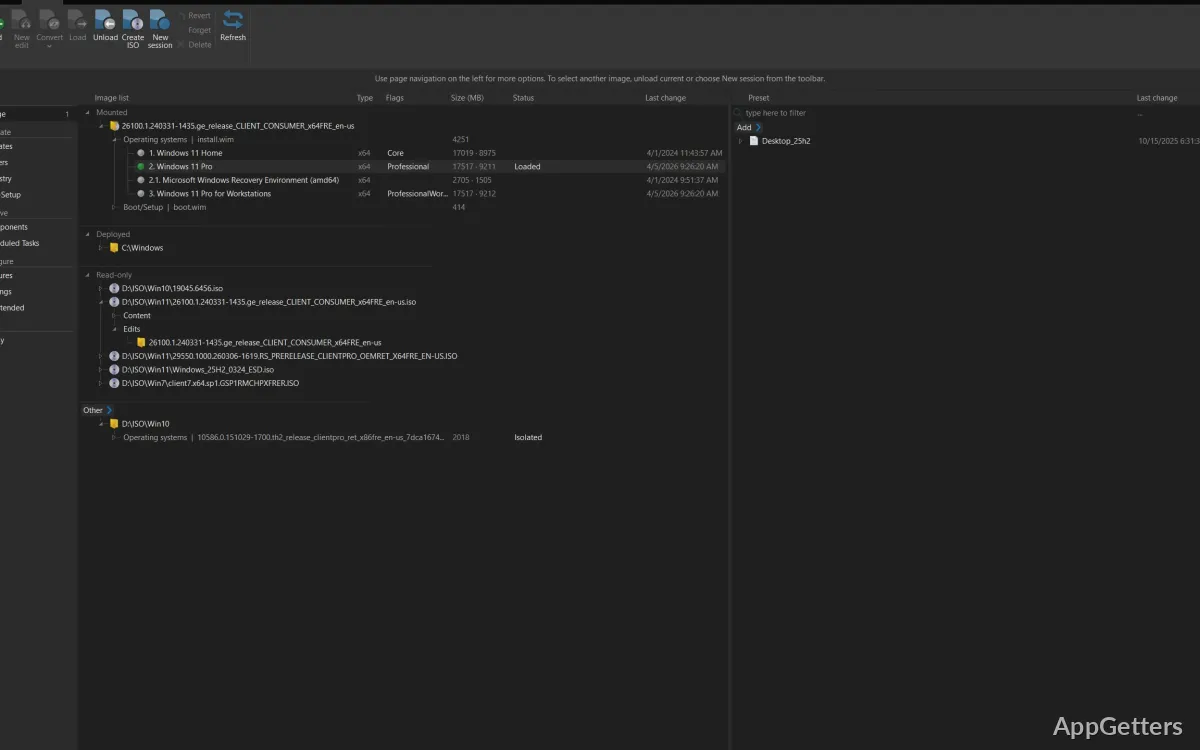
Load an installation image, choose the Windows edition to work on, and make changes before deployment. NTLite accepts ISO, WIM, ESD, and SWM files; it can also convert among image formats and create bootable ISOs. Official Windows images can be downloaded within the program.
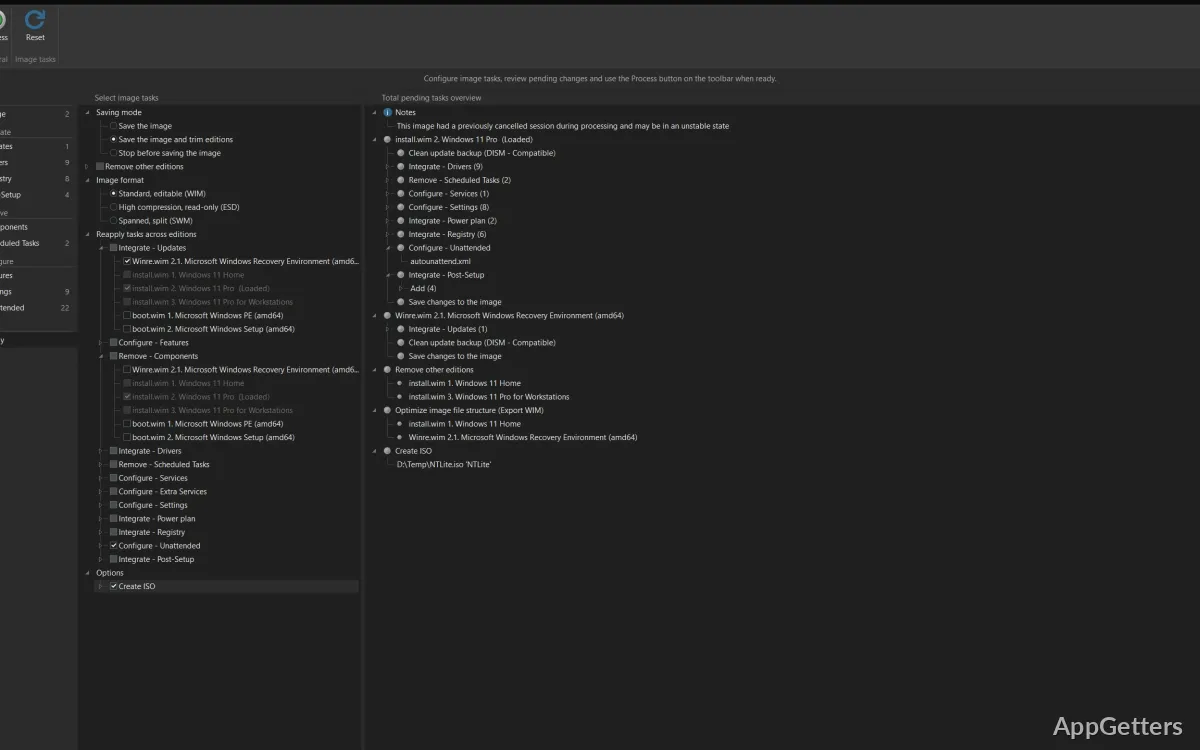
The workflow groups tasks into stages: integrate updates and drivers, remove components or scheduled tasks, configure Windows, then apply changes. A visual dependency tree shows relationships between components, while impact analysis estimates the changes’ effects. Presets save configuration choices for reuse, and profiles can be exported or shared.
What can be prepared before setup?
Update integration adds Windows updates to an image, with compatibility analysis and ordering. NTLite can import drivers from the host computer or target specific hardware; drivers can also be added to boot images for USB 3 or NVMe support.
Unattended setup can fill in installation choices such as disk partitions, user accounts, domain membership, and regional settings. Windows features, registry values, pagefile options, Explorer appearance, and other system behavior can be configured before deployment. Post-setup scripts are another option for automating work after Windows is installed.
Editing an installed Windows system
NTLite can edit the currently running Windows installation, another Windows partition, or a mounted VHD. This lets administrators apply configuration changes without rebuilding the installation media; changes to the live system take effect after reboot.
For image-based work, use component removal and configuration tools to shape the deployment before applying it. For repeated setups, save a preset so the same choices can be applied to another image. The program works offline, which suits image preparation on systems without an active internet connection.
Pros
- Handles ISO, WIM, ESD, and SWM images
- Combines updates and drivers with Windows image customization
- Presets and unattended setup support repeatable deployments
- Edits a running Windows installation or a mounted image
Cons
- Changes to a live installation take effect after a reboot
System requirements: Windows 7, Windows 8, Windows 8.1, Windows 10, Windows 11 · 32-bit and 64-bit · No dependencies; no .NET required
Can NTLite change Windows that is already installed?
Yes. It can edit the running Windows installation, another partition, or a mounted VHD. Live-system changes take effect after reboot.
Which Windows image formats can NTLite open?
It works with ISO, WIM, ESD, and SWM formats, and can create bootable ISOs.
Can NTLite automate Windows setup?
Yes. Unattended setup can define choices such as partitions, user accounts, domain membership, and regional settings.