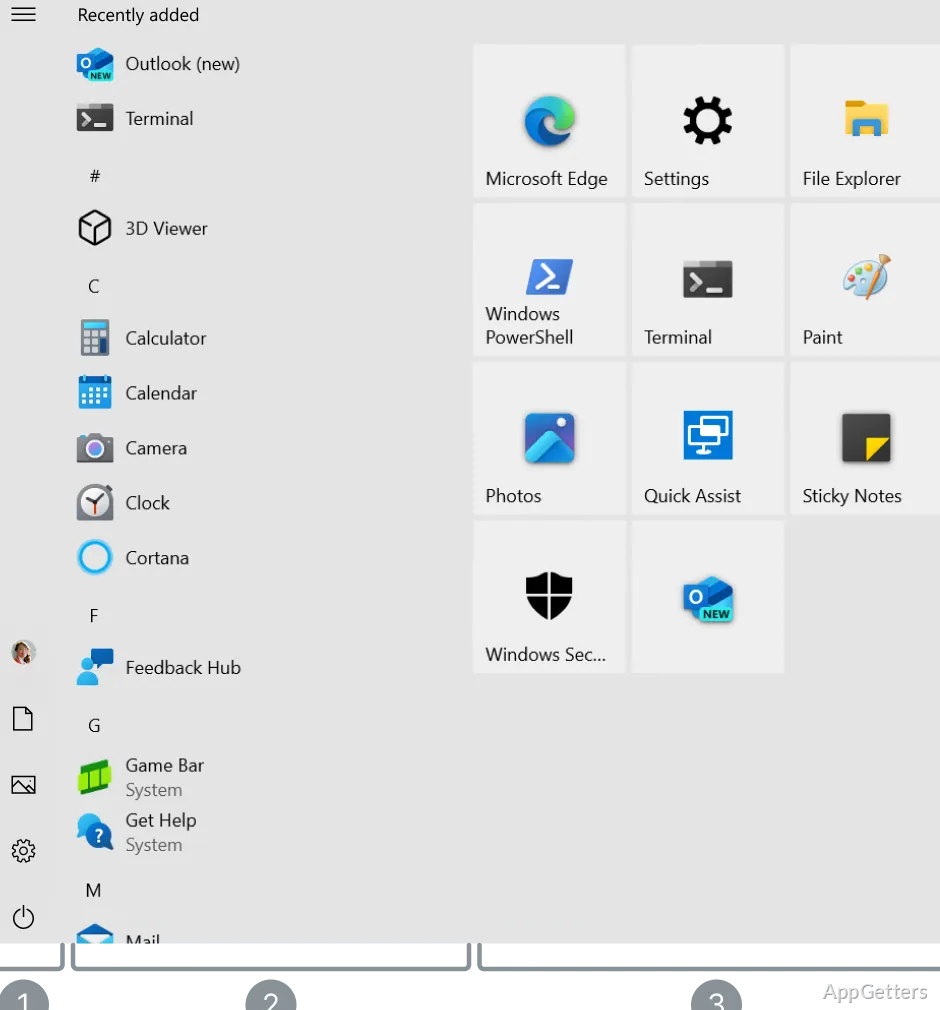
The Start menu brings pinned apps and an alphabetical app list together, with live tiles available for at-a-glance updates. Windows 10 also includes Task View, Snap Assist, and familiar desktop tools for everyday work.
How do Task View and Snap Assist work?
Task View shows open windows and lets you create separate virtual desktops, such as one for work and another for personal tasks. Switch between desktops from Task View without closing the apps you have open.
Snap Assist arranges windows against the edges of the screen. After snapping one window, Windows can show other open windows to fill the remaining space.
Start menu, taskbar, and File Explorer
The Start menu combines pinned shortcuts with a scrollable app list; supported live tiles can display changing information. The taskbar keeps frequently used apps within reach and shows running programs, while search provides a way to find apps, files, and settings.
File Explorer uses Quick Access for frequently visited folders and recent files. Its navigation pane and address bar provide routes through folders and drives, while the ribbon groups common file actions.
Settings and built-in security
The Settings app groups controls for devices, network connections, personalization, accounts, and Windows Update. Windows Security brings together built-in protections, including Microsoft Defender Antivirus and the firewall. Windows Hello can sign in with a PIN or, on compatible hardware, face or fingerprint recognition.
Windows 10 runs a broad range of desktop applications, making it a familiar environment for schoolwork, office documents, browsing, and media playback.
Pros
- Task View organizes work across virtual desktops
- Snap Assist arranges open windows side by side
- File Explorer provides Quick Access to frequently used folders
- Windows Security includes antivirus and firewall controls
Cons
- Standard support has ended; extended security updates require eligibility and enrollment
System requirements: 32-bit and 64-bit · Processor: 1 GHz or faster · RAM: 1 GB (32-bit) or 2 GB (64-bit) · Hard disk: 32 GB or larger · Graphics: DirectX 9 or later with WDDM 1.0 driver · Display: 800 × 600
What does Task View do in Windows 10?
It displays open windows and provides access to virtual desktops for separating groups of tasks.
How does Snap Assist arrange windows?
Snap a window to a screen edge, then choose another open window to occupy the remaining space.
Where are Windows 10 security controls?
The Windows Security app includes controls for Microsoft Defender Antivirus and the firewall.