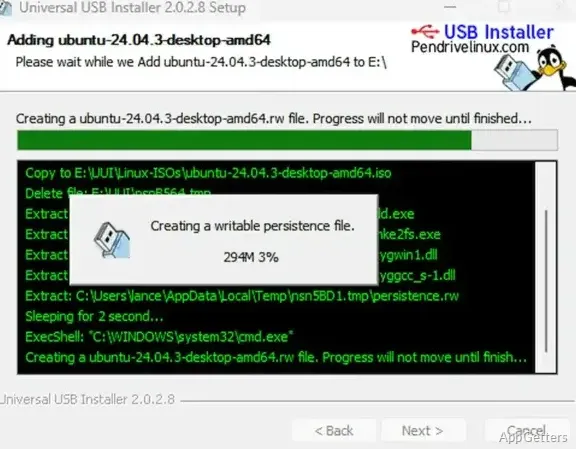
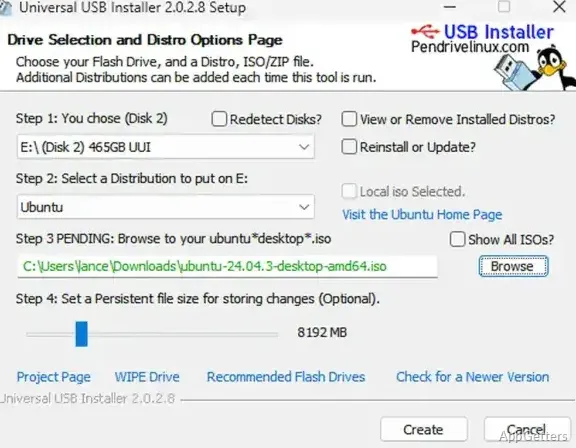
The main window lays out a three-part workflow: choose a distribution or tool, select its ISO and target USB drive, then start preparation. Universal USB Installer also offers a persistence setting for supported Linux live systems, so saved changes can remain on the drive between sessions.
How do you create a bootable USB?
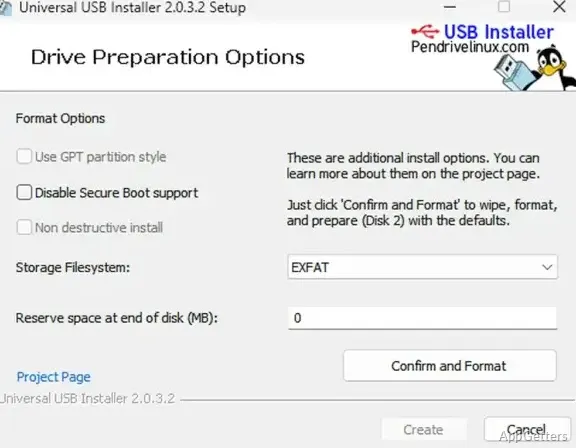
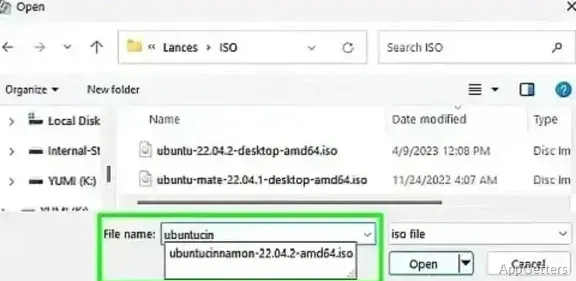
Choose an operating system or utility from the distribution menu, point the program to its ISO file, and select the USB device. The preparation controls include a checkbox to prepare the disk; starting the process formats the device and copies the boot files. Universal USB Installer supports media for Linux live distributions, Windows setup, recovery environments, antivirus tools, and other bootable utilities.
A prepared drive can hold multiple bootable items. After the drive has a UUI folder, additional ISO and other supported image files can be dropped into folders beneath it. At startup, the boot menu discovers newly added items, so adding another image does not require repeating the original setup workflow.
What does persistence save?
For supported Linux live distributions, the persistence control allocates USB storage for changes made during a session. Files and settings can then carry over to later boots. This is intended for distributions that support persistent live storage; the option is not a general setting for Windows installation media or every Linux image.
- Select a persistence size when preparing a compatible Linux live drive.
- Use the resulting USB to boot a live system and retain supported changes.
Can the drive boot on different firmware?
UUI prepares boot files for both legacy BIOS and UEFI systems. Whether a particular image starts depends on its boot configuration and the target computer. The drive preparation options also include a GPT partition-style choice for setups that require that partition scheme.
What happens to files already on the USB?
Preparing the selected device may remove its existing contents, including data on other partitions of that disk. Copy off files that need to be kept before starting the operation, and make sure the selected device is the intended USB drive.
Pros
- Creates Linux live, Windows installation, recovery, and diagnostic USB media from ISO files
- Offers persistent storage for supported Linux live systems
- Supports adding bootable files to an existing UUI drive by drag and drop
- USB media can boot on legacy BIOS and UEFI systems, depending on configuration
Cons
- Preparing a USB drive can erase its partitions and existing files
- The non-destructive install option is not functional
System requirements: Windows 7, Windows 8, Windows 10, Windows 11
Can Universal USB Installer make a Linux live USB?
Yes. Select a supported Linux distribution and its ISO, choose the USB drive, and optionally set persistence for distributions that support it.
Can I add more than one bootable image to a USB drive?
Yes. UUI supports multiple bootable items; additional supported image files can be added to folders inside the drive's UUI folder.
Will preparing the USB erase its existing data?
It can. Preparing the device may format it and remove data from its partitions.