Remote support software is usually considered a backup option when things start breaking down. For example, a family member may need help accessing some files. A student may get stuck with the software setup before an online lesson. A small business may require rapid troubleshooting without sending a technician on-site. Such situations are very likely to be made worse by the use of complex remote desktop software. Supremo differentiates itself in this very aspect.
Compared to more complex enterprise-grade solutions, Supremo on Windows prioritizes simplicity. It seeks to provide a couple of computers with the means of quickly connecting to each other with very few changes. This way, it can be brought nearer to users who rarely operate remote access software. First-time users are not going to be bombarded with numerous network configuration options or specialist terminology. Rather, they are taken down the path from “I need help” to “I can see your screen” with as few steps as possible.
Designed Around Speedy Remote Access
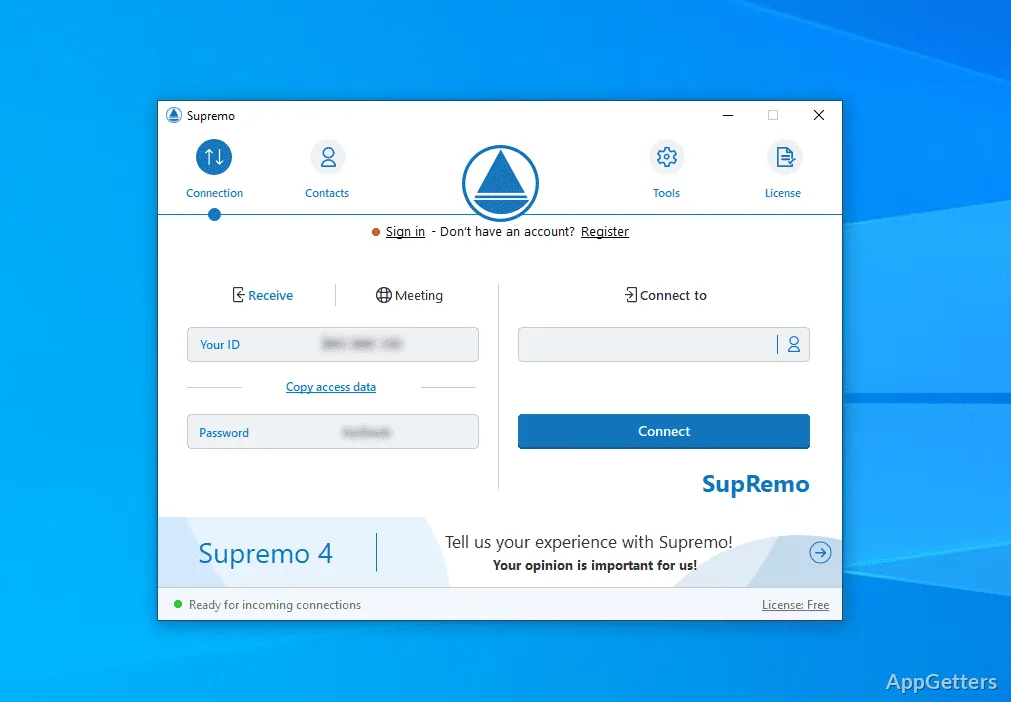
One of the truly handy features of Supremo is its ability to start operation practically at the snap of your finger. Supremo on Windows does not normally require very detailed router settings or a permanent installation. This is enough to start a session. This discovery has proven quite handy when the support was only needed for a short time. Home users or small office users should be aware of this feature. It is mostly responsible for eliminating the fear factor associated with remote desktop software.
Generally, the UI stays more or less basic. The ID-password way of secure connection is simple enough to allow even novices to share their access login info without any misunderstanding. There is no need to bring up the issue of confusion. This is especially true when people remotely help someone who is stressed out. It also applies to someone who hardly even understands a word of what is being said.
The system remains up and running even at a slow internet speed. The interaction with remote computers is sufficient for office work, help desk tasks, and casual file transfer. On the other hand, people such as graphic artists and gamers may find remote desktop operations limited. This is especially true for those who rely on the immediate response of the system.
A Great Choice for Support, but Not for Full Remote Work
Supremo is a piece of software that really excels during support-oriented workflows. It would be a mistake to expect a complete remote workstation environment from it. Small repair stores, IT experts, and freelancers would most likely be able to use it for short maintenance sessions or remote help.
Likewise, it works for rare remote access to your own devices. For instance, students could use it to get some files from a PC at home. A small team may use it for occasional remote control of the admin PC. At the very least, the steps leading up to ready-to-use are simple enough. It still does not discourage people who only need to do remote access every now and then.
On the other hand, more advanced enterprise settings will sooner or later be in need of features that ordinary users do not expect. A very strict compliance-wielding organization may stop using Supremo’s simple method of work. The same applies to organizations with very finely customized access settings. It also applies to those managing a large number of devices.
Extra Features Don’t Matter If You Can’t Serve The Purpose Every Day
Many remote desktop software products flaunt a very long list of features. However, practical reliability is what really moves things along every day. Supremo’s main feature on Windows is that it usually shuns superfluous complications during regular sessions. Starting up the app, exchanging credentials, and making a connection to another device normally feel like a well-established routine.
The program is quite simple to learn as well. Those who have never encountered remote support software before are able to grasp it on their own. They usually do not require any outside help. Most can learn it within a matter of a few minutes. It is this quality that leads to it being a good fit for households, independent professionals, and small offices. This is especially true where a dedicated IT person is probably not always on hand.
Security, however, should always be kept at the top of the users’ minds. Similar to any other remote access service, one has to avoid careless password distribution and improper session handling. Nobody should be giving out remote access credentials to just anyone. This is especially important when it is a support call that has not been requested and initiated by the user.
Besides, Supremo Offers:
Supremo is geared toward convenience, lightweight remote support, and simple setup. Therefore, limited enterprise-level complexity should not be an obstacle. Homeowners, students, freelance technicians, and small businesses are the ones most likely to derive the greatest benefits from its simplified modus operandi.
The overall experience on Windows is geared towards accessibility rather than technical depth. That balance has made the software suitable for the occasional support session and everyday troubleshooting. Speed and ease of use are of greater importance than advanced infrastructure controls.
If you just want a reliable way to connect to another computer, Supremo still functions as a reasonable and friendly option within the remote desktop category. This is especially true if you do not want to spend a lot of time on complicated configuration.