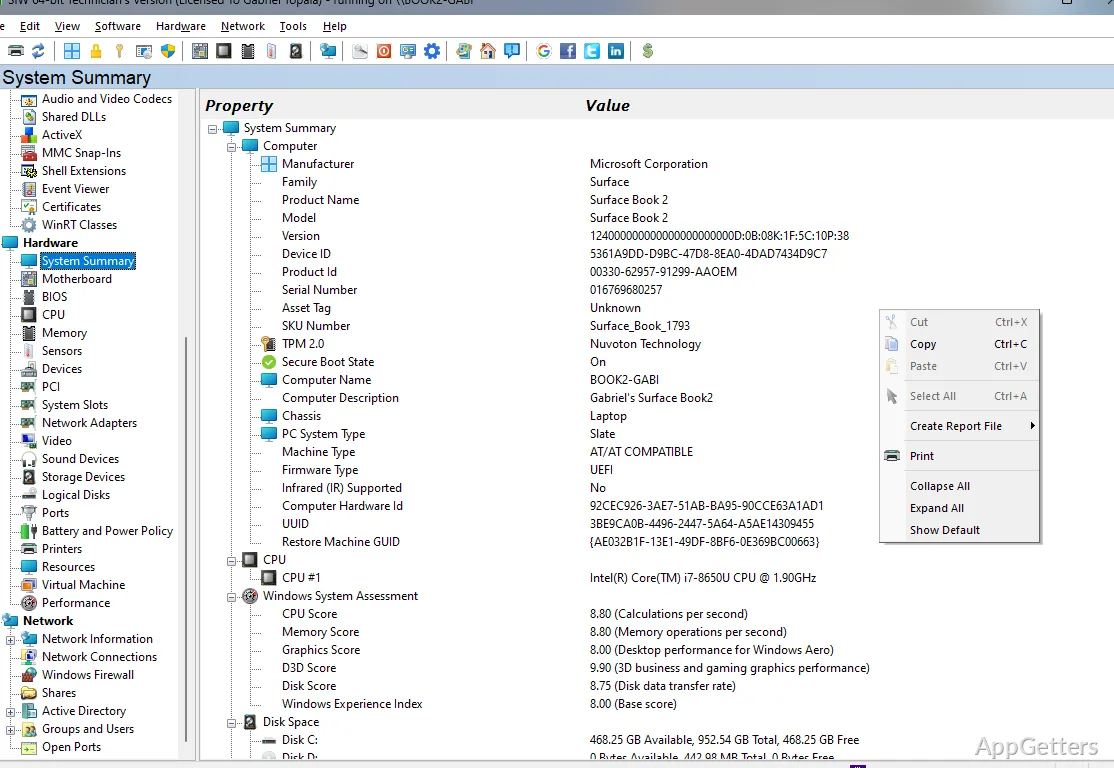
The System Summary panel brings core PC details into one view, with separate Hardware, Software, and Network categories for deeper inspection. SIW (System Info) gathers system data for diagnostics and inventory, including information about components, installed software, and network configuration.
What can you inspect in SIW?
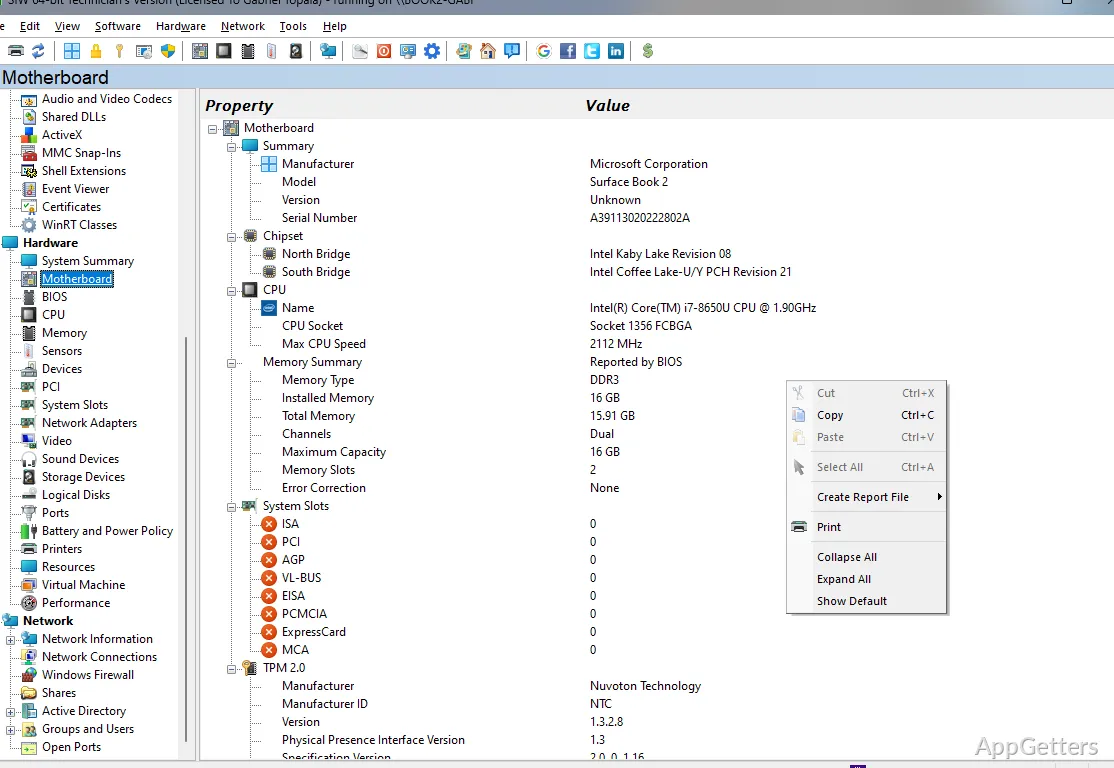
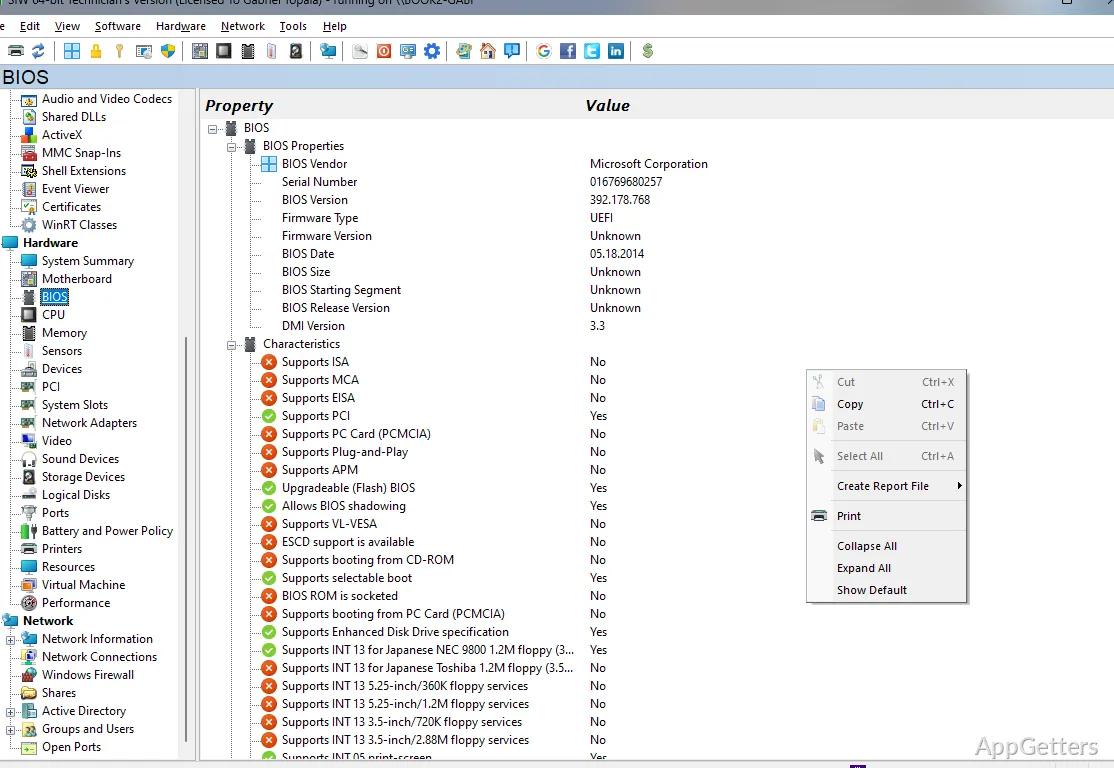
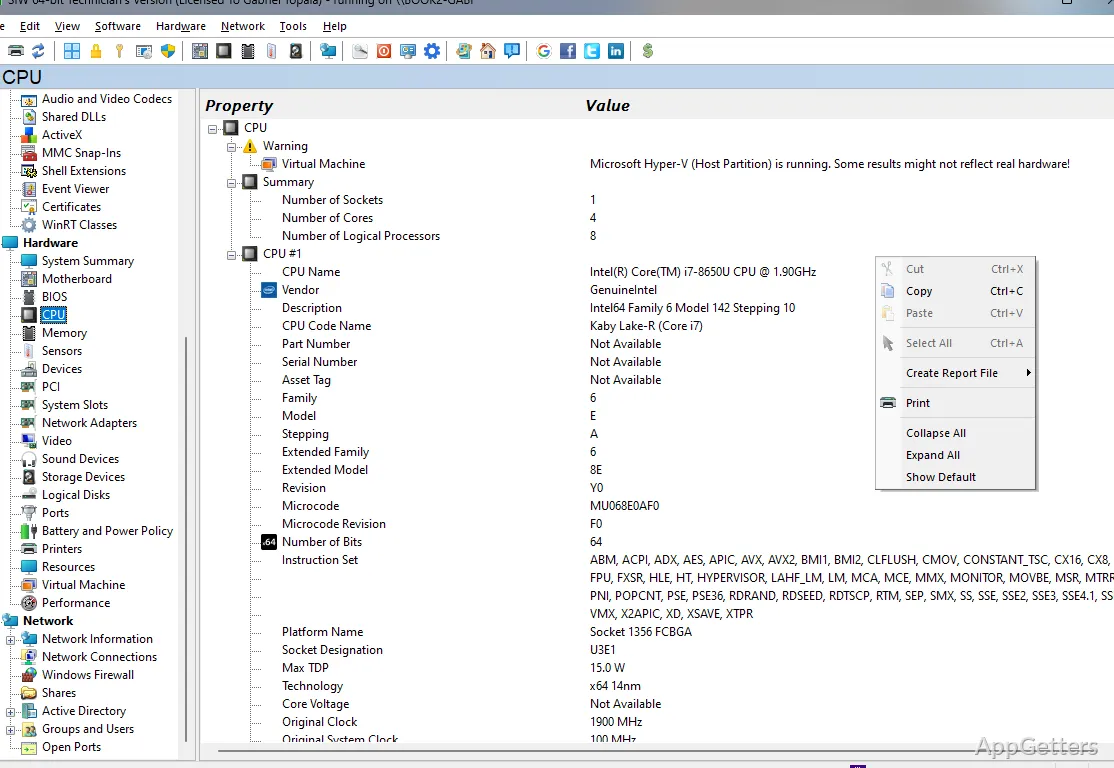
SIW organizes its findings into hardware, software, and network information. The hardware area covers the motherboard and BIOS, processor, memory, sensors, video and sound devices, storage, logical disks, ports, printers, and battery and power details. Device and performance entries provide additional views of the machine’s configuration.
Software categories include the operating system, installed programs, licenses, drivers, services, startup items, running processes, loaded DLLs, scheduled tasks, codecs, and certificates. A single detail, such as a running service or an installed application, can be traced here instead of in several separate Windows utilities.
Network details and utilities
Network views include configuration, statistics, connections, firewall information, shares, and open ports. SIW also displays network adapters and can show Active Directory computers, groups, and users. These entries give technicians and administrators a consolidated view of both the PC’s network setup and its related system records.
- Wake-On-LAN and MAC address tools are included.
- Additional utilities include shutdown or restart controls, a URL Explorer for cookies and browsing history, and a viewer for SIW data.
How do SIW reports work?
Choose the information needed for an inventory or diagnostic record, then generate a report for saving or printing. SIW supports HTML, JSON, CSV, TXT, XML, and ODBC output, so the same system details can be kept as a readable document or transferred in a structured format. Reports can cover hardware and software information.
Portable operation
The Technician’s Version runs standalone from a USB flash drive, a network drive or a domain logon script. That workflow suits technicians who need to collect system information on different PCs without installing the utility on each one.
Pros
- Reports can be saved as HTML, JSON, CSV, TXT, XML, or ODBC
- Hardware categories include CPU, memory, BIOS, sensors, and storage
- Software inventory covers services, running processes, drivers, and scheduled tasks
- Network tools include connection details, open ports, and Wake-On-LAN
System requirements: Windows 7, Windows 8, Windows 8.1, Windows 10, Windows 11
Can SIW create a report of a computer’s specifications?
Yes. It can generate hardware and software reports in HTML, JSON, CSV, TXT, XML, or ODBC format.
What network information does SIW show?
It covers network configuration, statistics, connections, firewall details, shares, and open ports, along with network adapters.
Does SIW include information about running Windows components?
Yes. Its software inventory includes running processes, loaded DLLs, drivers, services, and scheduled tasks.