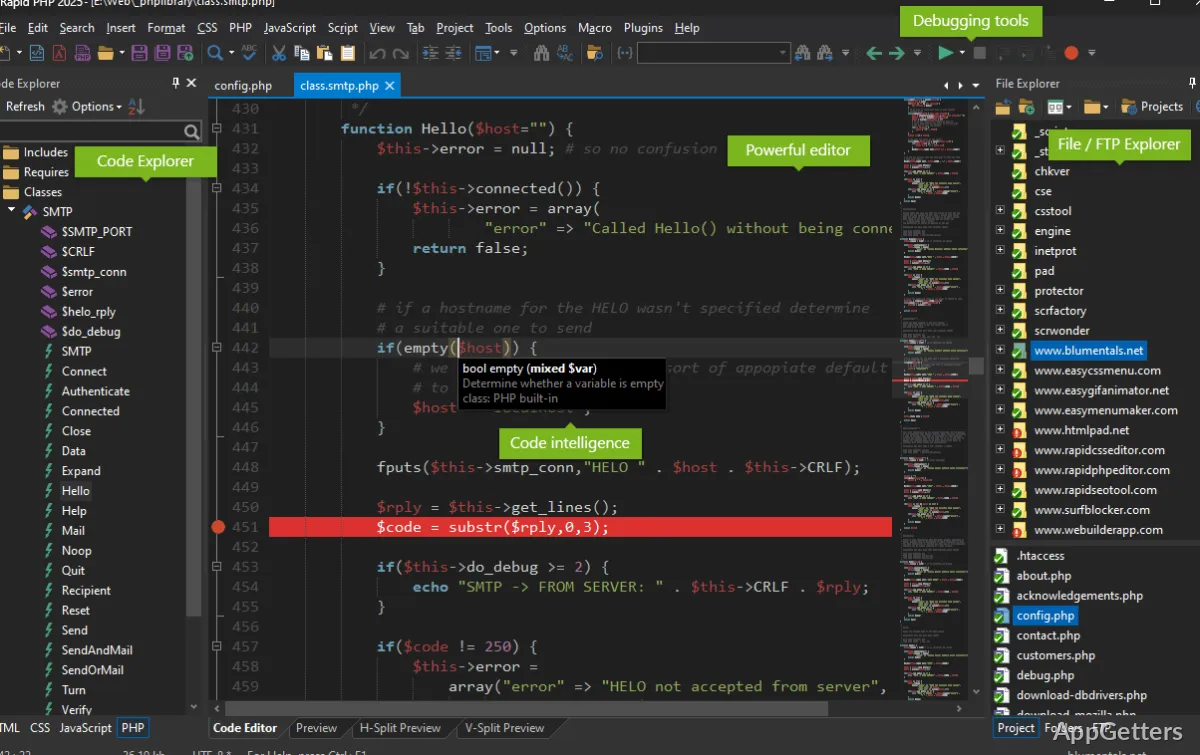
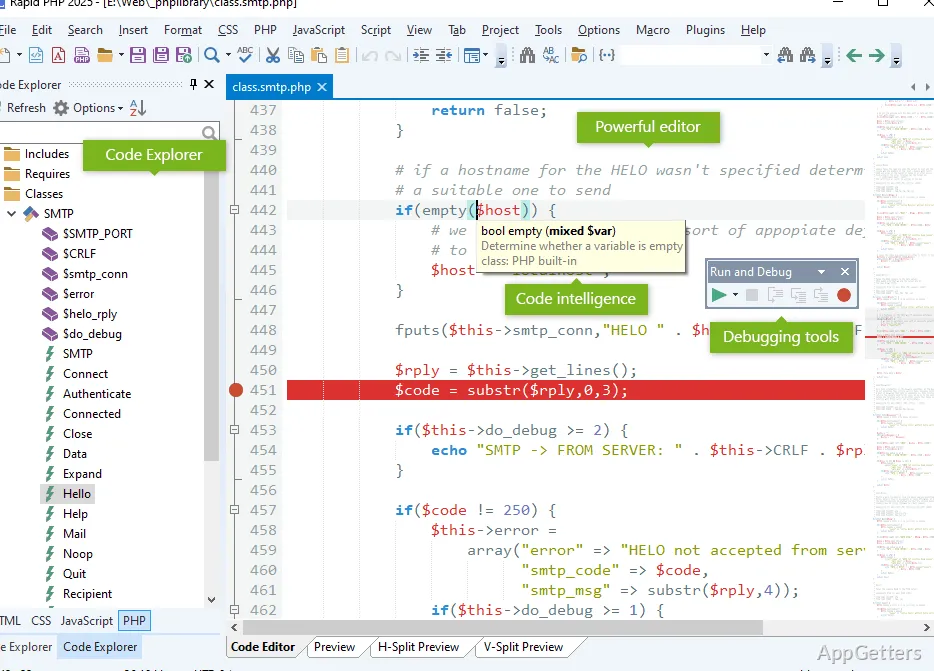
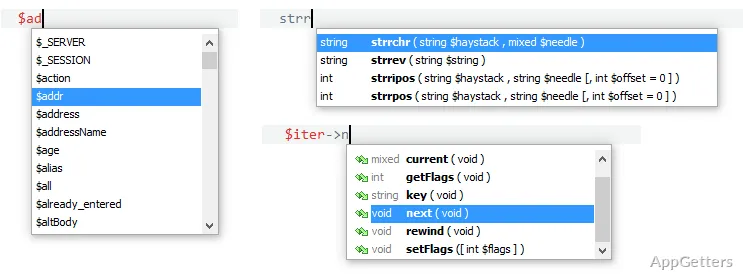
The code explorer and language-aware completion tools bring PHP, HTML, CSS, JavaScript, and Smarty work into one editing workspace. Rapid PHP Editor also includes an xDebug debugger, syntax checking, and tools for previewing and publishing web files.
Editing and finding code
Rapid PHP Editor combines a tabbed text editor with code navigation and project tools. Syntax highlighting covers PHP and web languages such as HTML, CSS, JavaScript, and Smarty. Code completion, bracket and tag highlighting, folding, and a minimap support work inside longer files.
Go to Anything searches across files, symbols, words, and lines, while regular-expression search can find and replace text in files. Bookmarks and quick jumps return to recent code locations. The built-in file explorer and project search keep related files accessible while editing.
What tools are included for testing and previewing?
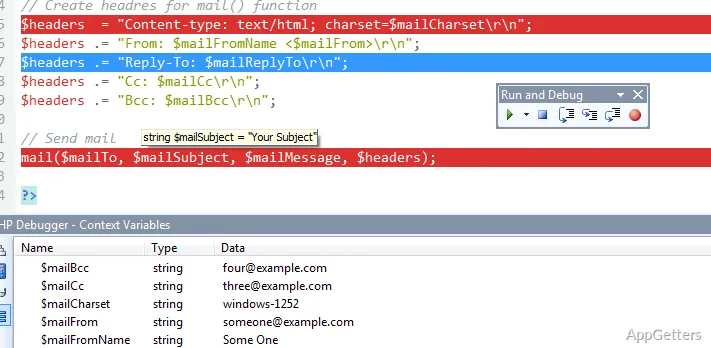
A real-time PHP checker flags syntax issues during editing, and the xDebug integration supports PHP debugging. HTML and CSS validation tools and a JSLint integration cover common front-end checks. Code beautifiers are available for PHP, HTML, CSS, and JavaScript.
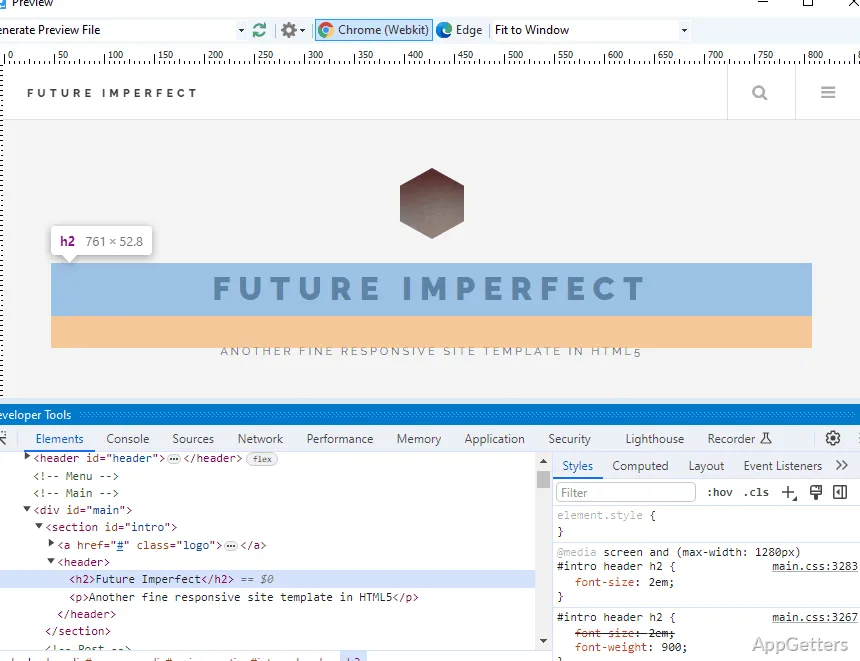
The built-in preview can render pages with Chrome or Edge and offers split-screen and screen-size testing. A web browser can also open a preview through a web server, including the editor’s built-in server.
Projects, publishing, and code reuse
The file tools connect to FTP, SFTP, and FTPS servers for direct editing or publishing changed files. For HTML publishing, the editor can upload linked assets such as images, stylesheets, and scripts along with the page. Separate project spaces support project-wide search, and SVN and Git integration works through TortoiseSVN and TortoiseGit.
Code snippets and templates store reusable blocks, with shortcuts available for inserting templates. The editor also includes a ToDo list with TODO, FIXME, and CHANGED markers, a color picker, and a code beautifier. An integrated AI assistant can generate, modify, explain, and validate code; its project-wide tools can work across project files.
Pros
- Code intelligence and navigation for PHP, HTML, CSS, JavaScript, and Smarty
- xDebug debugging and real-time PHP syntax checking
- Direct FTP, SFTP, and FTPS editing and publishing
- Built-in preview with Chrome and Edge rendering
System requirements: Windows 7, Windows 8, Windows 10, Windows 11
Can Rapid PHP Editor work with files on a web server?
Yes. Its FTP, SFTP, and FTPS tools support direct server editing and publishing local changes.
Which languages does the editor assist with?
Code intelligence and navigation cover PHP, HTML, CSS, JavaScript, and Smarty. Syntax highlighting also supports other languages, including XML, SQL, and Apache.
Can I preview a page without leaving the editor?
Yes. The built-in preview supports Chrome and Edge rendering, split-screen viewing, and screen-size testing.