EXE
Home » Desktop Customization » Monitorian for Windows
Monitorian for Windows

Monitorian for Windows

  • By emoacht
  • Free
  • Version: 4.14.0
  • 630.34 KB
  • Security Report:

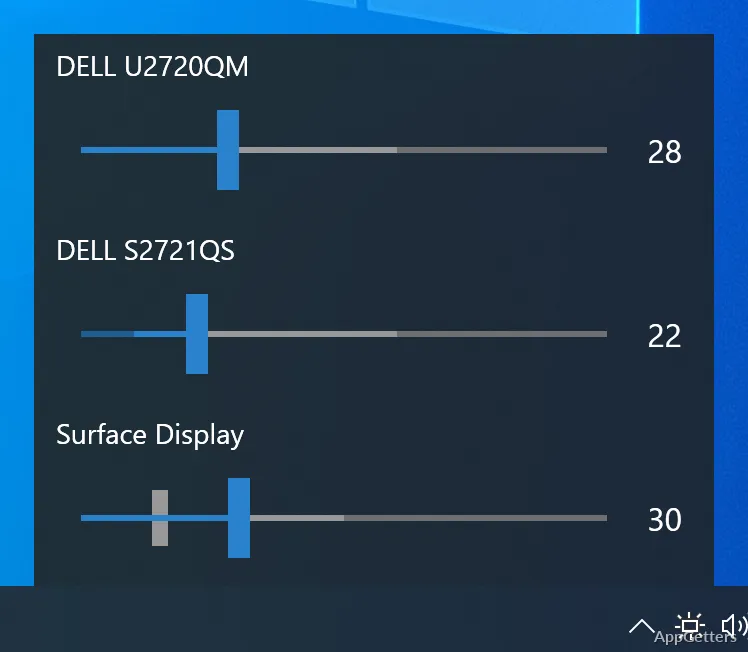
Monitorian is a small Windows app that intends to tackle a daily issue that is a source of annoyance among users with external monitors: adjusting the brightness of monitors. In most cases, a laptop comes with a built-in way to control the brightness. With desktop monitors, a user is often required to go through physical buttons and on-screen menus, which can be slow and cumbersome. The problem is even greater with multi-monitor setups when the brightness of the monitors has to be adjusted one by one. Monitorian solves this issue by pulling the brightness controls to Windows itself. It makes it possible for users to control compatible screens without having to get up and reach the monitor’s controls every time the lighting conditions change.

A More Convenient Way to Manage Display Brightness

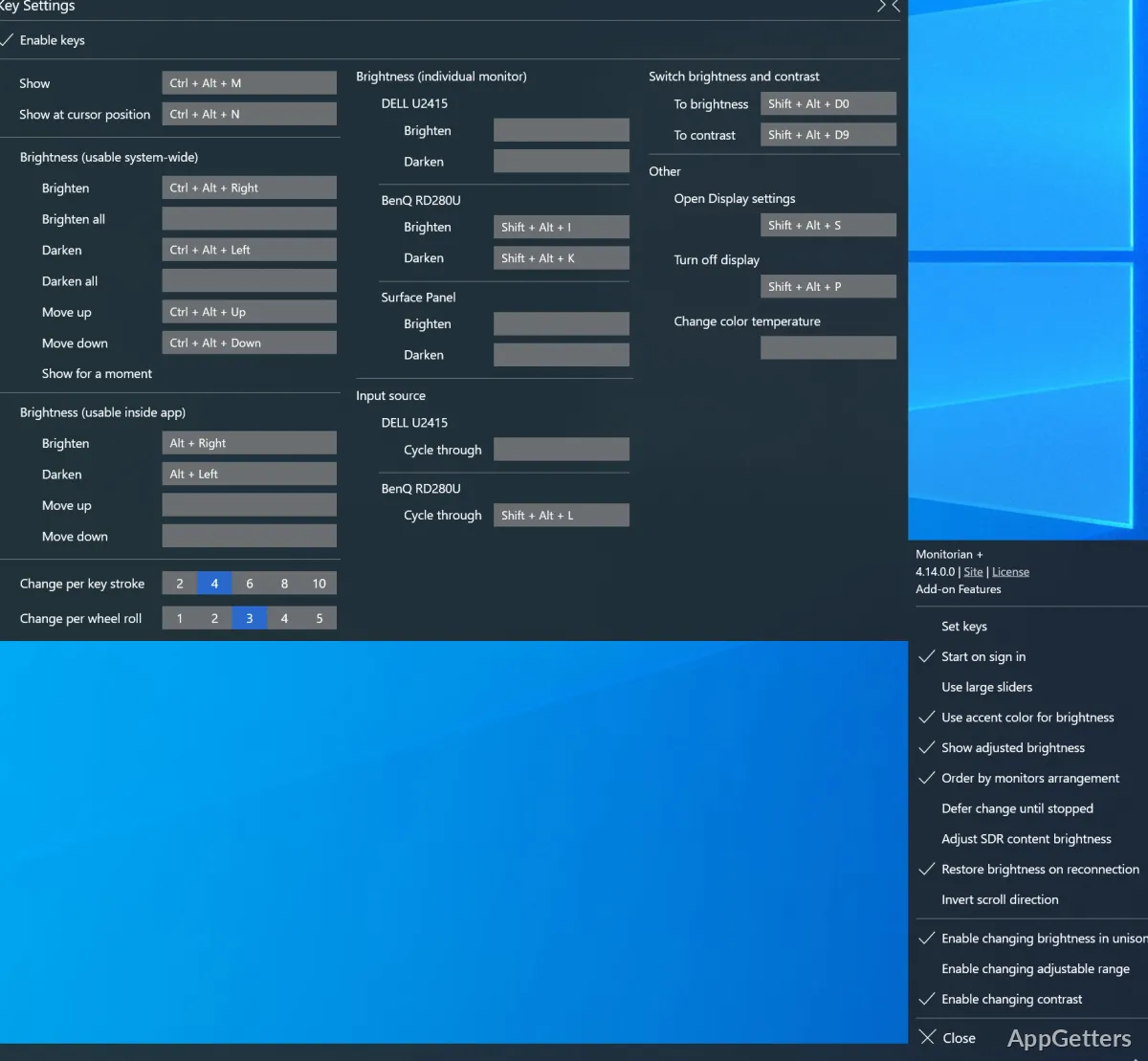
Monitorian aims to be easy to use and practical on a daily basis rather than providing broad configuration options. It sits in the Windows notification area and allows users to quickly control the brightness of their connected monitors. This is something that one might expect to be available since it is common knowledge that laptops have onboard brightness control. The ability to make adjustments within seconds without having to stop what one is doing is a feature this software can offer to its users at no extra cost.

For those who regularly find themselves going through bright and dim situations, changing the brightness of the display right from the desktop might be a feature that changes the computer experience. It makes it more pleasant. The fact that the software is so simple is one of the main factors that make it a hit among many users, especially those who want something that “just works” quietly without bothering them.

Useful for Multi-Monitor Workstations

For setups involving multiple monitors, Monitorian is a blessing in this regard. These days, students, professionals, and home-office workers mostly rely on 2 or more displays for their work. Imagine the hassle one has to go through to adjust the brightness of each monitor manually. This is especially true when each monitor will probably have a different system for its controls. With Monitorian, it is as if one has a remote control for one or more compatible displays, and the user can make adjustments from one interface only.

It is a good feature to have to make the visual environment balanced, lessening the strain on the eyes. This may come as a result of working with a series of screens for hours at a stretch. That being said, this feature is dependent on the support of monitors for the communication standards required. The level of compatibility may differ depending on the specific display model.

Reliability and Everyday Limitations

According to real users, the functionality of Monitorian is great in that it can do its very basic task quite well. Changes to brightness levels were done nearly instantaneously. Furthermore, the software is designed to be rather light. Due to this fact, it hardly ever gets in the way of normal system operation. Because it seeks to be focused on one function only, the user interface is quite simple. Consequently, the user can find his/her way around easily. Sometimes a user may try to use it, only to find that it does not work. This can happen on one monitor or another.

This is due to the fact that not all monitors support the software method of changing brightness. In these cases, there is a chance that the software will struggle to work. It may even be unable to detect the particular monitors. The software is actually limited in this way because of the hardware of the monitors rather than the software itself. With the right hardware, users may in fact enjoy a relatively simple and highly reliable mode of working.

Best Suited for Productivity-Focused Windows Users

Monitorian thus comes as a great gift to the few people who are hooked on their monitors. They spend a long time in front of them. They would value the rapidity they get in making brightness-related changes. The ones who get the most out of this software are office workers, grads, software engineers, people creating videos/animations, and home-office workers as well. It is not the software’s intention to overhaul Windows or offer some sort of professional display management tools. Instead, it focuses on one problem. That is the annoyance of having to constantly go to the physical controls of a monitor in order to adjust the brightness.

If the user has a compatible monitor, Monitorian will be able to do away with a small but frequent nuisance. It is part of daily computer-related activities. This allows one to more easily stay in the comfort range when working without stopping to be less productive.

Software Details of Monitorian 4.14.0

License
Free
Version
4.14.0
File Size
630.34 KB
Downloads
0
Language
English
Op. System
Windows
Developer
Last Updated
March 22, 2026

Version History

5 versions
4.14.0
Latest
630.34 KB
March 22, 2026
4.13.0
628.57 KB
August 5, 2025
4.11.1
626.36 KB
June 11, 2025
4.10.0
624.04 KB
December 30, 2024
4.9.1
481.07 KB
November 19, 2024

Leave a Comment

Your email address will not be published. Required fields are marked *

Software Icon
Security Report

Loading scan data...

Scroll to Top