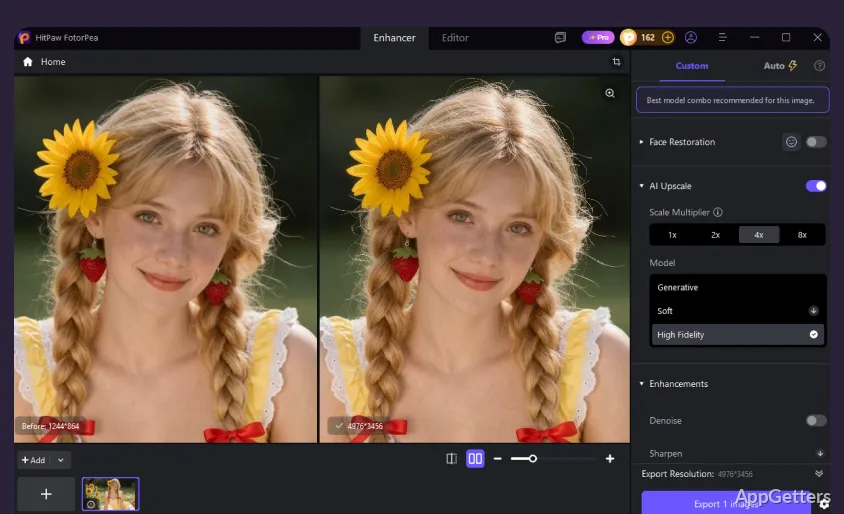
Photo enhancement, noise reduction, restoration of worn images, and artwork generated from text or images all happen in HitPaw FotorPea. Its AI models target tasks such as sharpening, face detail, colorizing, and scratch repair.
Which AI models can improve a photo?
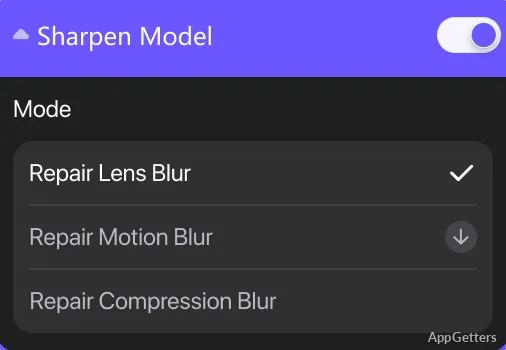
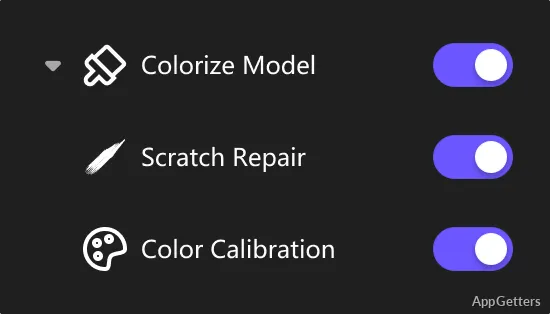
FotorPea provides task-specific models for common image problems. Face Model focuses on facial details, while Sharpen Model addresses blur. Denoise Model reduces grain and compression artifacts, and Low-light Model is intended for dim images. Colorize Model adds color to monochrome photos; Scratch Repair and Color Calibration address other restoration work.
For a basic enhancement workflow, import an image, choose a model suited to it, preview the result, then export the edited image. The program accepts PNG, JPG, JPEG, WebP, TIF, TGA, BMP, JFIF, NEF, and RAW files. Export options include PNG, JPG, JPEG, WebP, TIF, TGA, BMP, and JFIF.
Can FotorPea restore old or damaged photos?
Colorize Model can add color to black-and-white images, while Scratch Repair targets visible surface damage. Other restoration tasks include reducing noise in old scans and sharpening soft details. Results depend on the source image, so previewing an edit lets you compare the processed image with the original before exporting.
What else can it create or edit?
AI Generator turns text prompts or supplied images into artwork, with styles that include portraits, landscapes, anime, and digital art. AI Portrait Generator offers additional portrait styles. For image preparation, Magic Upscaler enlarges images, Background Remover separates a subject from its background, and AI Swap combines swapped features. The ID Photo tool crops and sizes a portrait for passport, visa, or ID use.
- Use Background Remover to save a cutout with a transparent or solid background.
- Use the ID Photo tool to prepare a cropped image for common identification formats.
Pros
- Separate models for denoising, sharpening, faces, and colorization
- Can colorize and repair scratches in old photos
- Generates artwork from text prompts or images
- Supports PNG, JPEG, WebP, TIFF, BMP, and RAW inputs
Cons
- Requires at least 8 GB of RAM and a supported graphics card
System requirements: Windows 10, Windows 11 · 64-bit only · Intel 4th-generation Core i3 or equivalent AMD Ryzen 3 processor or better · 8 GB RAM or more · 2 GB or more free disk space · NVIDIA GTX 950 or AMD Radeon 460 equivalent or better · OpenGL 3.3 or later and DirectX 12 · Display resolution of 1366 × 768 or higher
How do I enhance an image in HitPaw FotorPea?
Import the image, select an AI model for the task, preview its result, and export the edited file.
Can HitPaw FotorPea colorize black-and-white photos?
Yes. Its Colorize Model adds color to monochrome images.
Can it remove a photo background?
Yes. Background Remover detects and removes the background, with options to save a transparent or solid background.