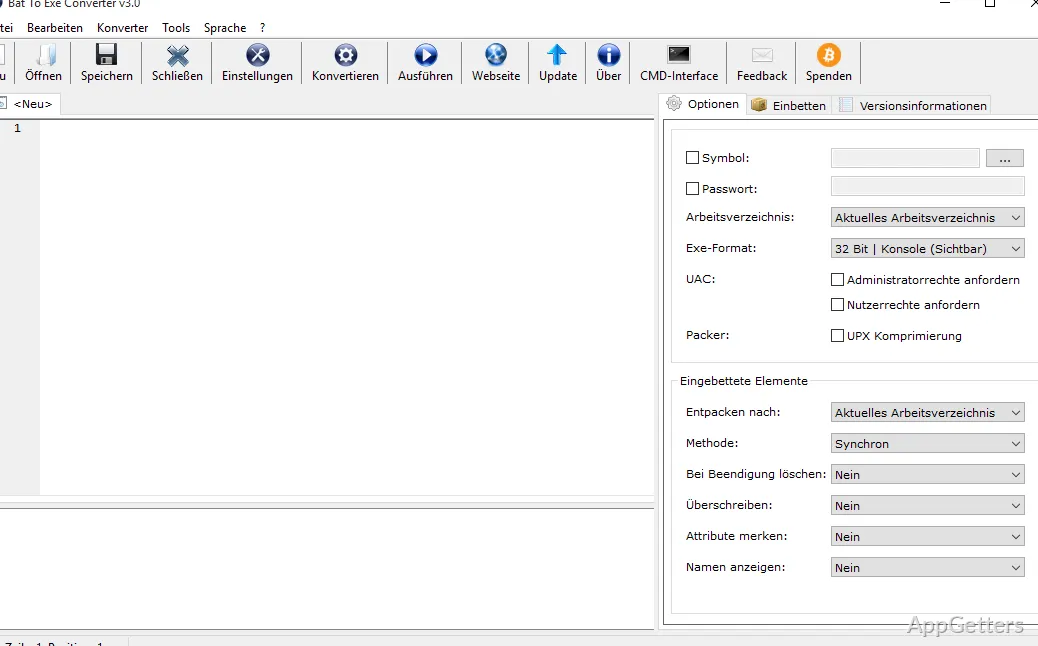
Batch files are a popular tool among Windows users for automating recurring tasks. These tasks include launching programs, file management, and system maintenance. Although batch scripts serve well for automation, distributing them might not always be the most convenient option. There are risks involved, such as accidental modifications to the script by the users. The users may also have an opportunity to check the contents of the script. In addition, they may receive security warnings when you share an automation tool with other users. For this reason, quite a few people want to know if it is possible to turn batch files into a different format. They can then carry them around more easily. Bat To Exe Converter is a tool that lets you turn your Windows batch scripts into executable files. In other words, it doesn’t really change your script at the functional level.
It just wraps it up in an EXE file format, which is more friendly for distribution and management. If you are a system administrator, a hobbyist, or a user who frequently depends on automation, this tool could help simplify deployment. It can also improve the appearance of your custom tools.
Making Script Sharing Easier
People who convert their batch files using Bat To Exe Converter mostly do this because they want to share batch files more comfortably. The contents of a basic BAT file are visible on the screen in the form of commands, so users can open the file and see what it contains. Changing a file to an executable format, on the other hand, presents the file as a one-piece item. Accidental changes may thus be less frequent.
For instance, an organization could benefit from using a tool like this when there is a need to circulate utility scripts internally. A person might want to share automation tools with their friends or family who are not so tech-savvy. The tool gives the functionality to make scripts an independent executable that acts much the same as regular Windows apps. Usually, this results in the user having a better experience. That is something that really matters when there is a need to distribute automation tasks across several machines.
Great for Admin and Automation Users
Bat To Exe Converter is highly likely to be installed in places where an ongoing devotion to automation is a natural part of the job. IT pros may periodically have to roll out maintenance scripts to computers. Users at home who are reasonably good at making use of the computer might fashion utilities. These can handle the automated side of the things that need to be done time and again. By dumping their scripts into EXE wrappers, they end up with prettier and tidier ways of operating their automation pipelines.
The tool doesn’t just have to be used by professionals. It also fits right in at places devoted to education and testing. Pupils getting to grips with Windows scripting might want to package their deliverables. Hobbyists are going to come up with executable tools for their own needs. The whole process is usually easy enough. One doesn’t have to pitch backward and forward between the script’s functionality and the deployment side of things.
This pragmatism has certainly helped the program keep its user base alive and well. It remains popular among those who are deeply into automation.
Where It Excels yet Where It Falls Short
Among the strongest reasons to try Bat To Exe Converter are that it is a small and simple tool. It gives you a way to package batch scripts without the requirement for advanced programming skills. Many will also find it quite friendly and intuitive to work with and be surprised by how little experience in scripting it takes to get results that are usable.
On the other hand, a realistic approach is required in order for one not to be disappointed by what this software is actually capable of. The most one can expect from it is that it rolls a BAT file into an EXE format. She/he should not mistake it for the capability to produce a compiled application. The script is still almost, if not completely, intact within the resulting EXE. Highly skilled users could probably reverse engineer how it operates. Furthermore, it is made specifically for the purpose of batch-file conversion, and it wouldn’t be fair to professionals to expect it to be a substitute for professional software development kits.
Actually, for quite a number of its users, such capabilities can appear somewhat elementary.
A Useful Windows Utility for Automation Fans
Ideal users of Bat To Exe Converter are system admins, IT guys, hobbyists, and PC users who depend on using batch scripts regularly. What makes it handy is how it takes batch script packaging and distribution off the user’s plate, not how it makes scripts do more stuff.
The tool can provide a production-standard experience in terms of deployment. It can thus also professionalize it through batch file conversion into an executable format of the kind understood by Windows systems. The ball is clearly not in its court if you want to use this as your main programming environment, but it occupies a specific, useful niche in Windows automation. Users who find batch scripting indispensable would do well to keep this solution in mind. Those who wish to distribute their tools more easily would also benefit from it.