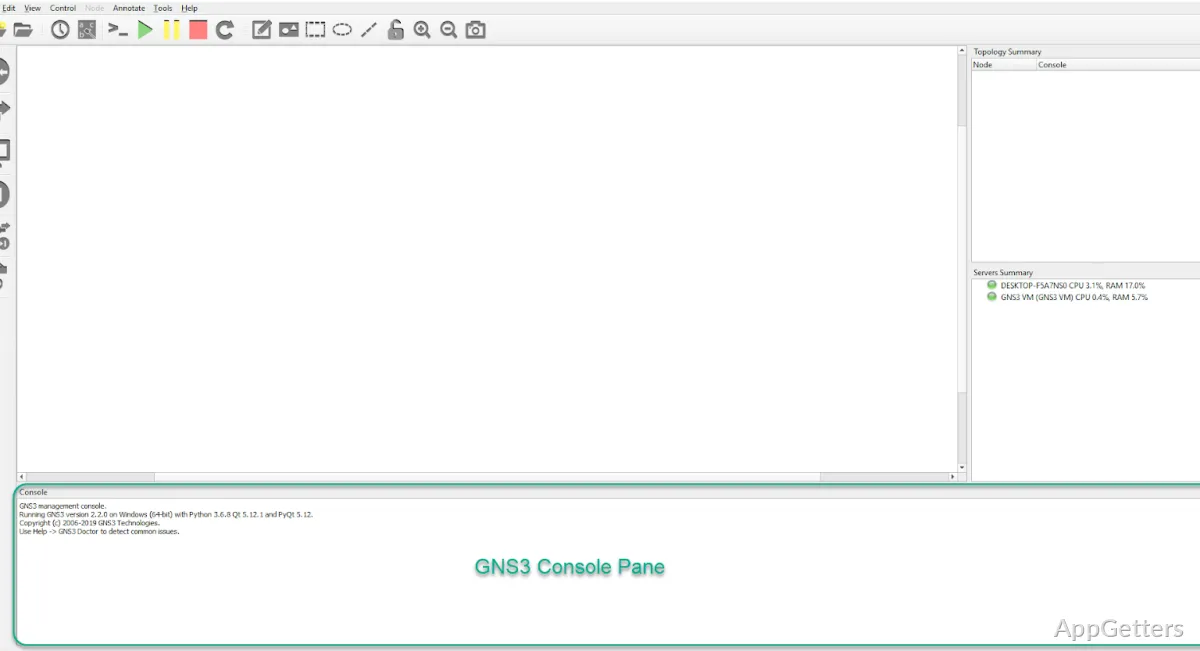
The topology workspace lets you place network devices and draw links between them. GNS3 turns that layout into a lab where students and network professionals can configure devices, test connections, and examine network behavior.
How do you build a network topology?
Create a project, then add devices to the topology workspace and connect their interfaces with links. Once the nodes are running, open their consoles to enter commands and configure the lab. The visual map shows how the devices are connected, so it is easier to see which part of a scenario a configuration change affects.
GNS3 projects keep a topology together for further work. You can use a lab to explore device behavior, reproduce a network arrangement, or try a proposed change before applying it elsewhere.
What kinds of devices can a lab contain?
GNS3 can combine network-device emulation with virtual machines and containers. Dynamips can run supported Cisco router images; QEMU and virtualization integrations can run other guest systems. The available devices depend on the images and virtualization software set up for the lab.
- Add virtual routers, switches, firewalls, and host systems where supported.
- Connect virtual devices to build multi-segment network scenarios.
- Use device images appropriate to the hardware or software being emulated.
How can you inspect traffic and test changes?
Start a packet capture on a topology link to inspect traffic crossing that connection in Wireshark. This gives troubleshooting labs a packet-level view alongside the device consoles. Engineers can adjust a configuration, run traffic through the lab, and check whether the resulting packets match the expected behavior.
Pros
- Build topologies by placing devices and connecting their interfaces
- Run labs with emulated routers and virtual machines
- Capture traffic on topology links through Wireshark
- Keep network experiments organized as GNS3 projects
Cons
- Cisco IOS labs require a separately obtained IOS image
System requirements: Windows 7, Windows 8, Windows 8.1, Windows 10, Windows 11 · 64-bit only · 2 or more logical cores · Virtualization extensions required · 4 GB RAM · 1 GB available space
Does GNS3 include Cisco device images?
No. Cisco IOS labs require an IOS image obtained separately.
Can GNS3 capture packets between devices?
Yes. Start a capture on a topology link to inspect its traffic in Wireshark.
How do you connect devices in a GNS3 lab?
Add devices to a project workspace, connect their interfaces with links, and start the nodes.