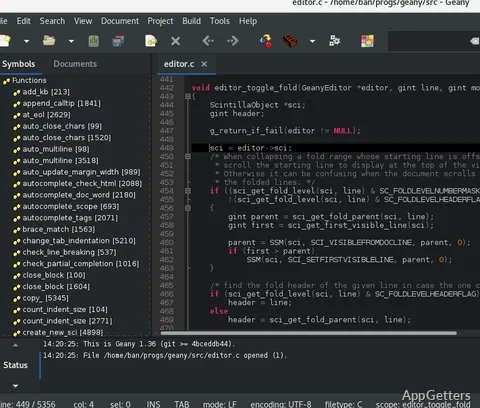
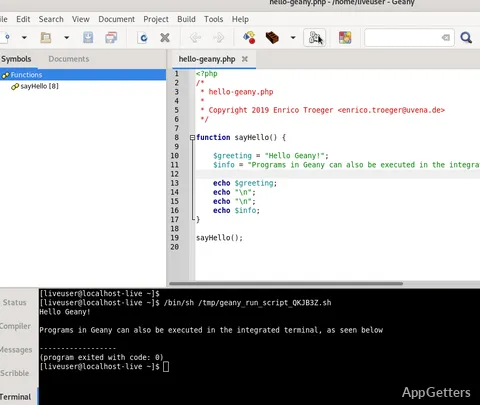
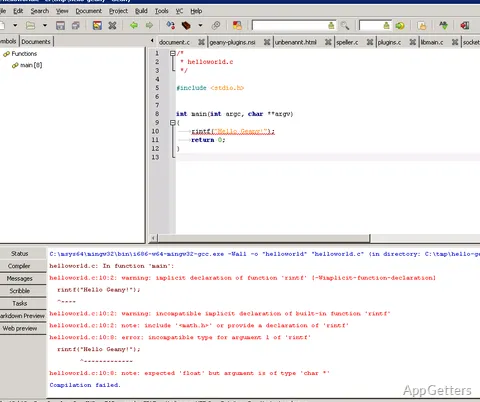
Eventually, many Windows users who want an editor for coding encounter a shared issue: development environments nowadays can be unnecessarily heavy. Large integrated development environments frequently consume a large amount of system resources and launch slowly. They also feature a bunch of things that everyday programmers or students probably will never use. It may be really hard for those who just want a simple place to write and organize their code to find a good balance between simplicity and functionality. Geany is a compact text editor and integrated development environment that comes as a good solution to those users who want coding essentials without the complexity of larger development platforms. It is a great option for programmers, students, and hobbyists who look for an effective environment that still works well even on a less performant Windows computer.
Development That Is Not Heavy
The first thing that pops up whenever Geany is mentioned is the ability to work fast. Installing it is almost instantaneous. After launching the app, you get your interface quickly, and it doesn’t get unresponsive even after working with many files. Making things prompt is the whole point of such a design, as it lets developers get on with their job and stop being distracted by software loading or processing of background tasks.
Geany, in practice, provides quite a few developers’ goodies such as syntax highlighting, code navigation, project organization tools, etc. Thanks to the use of a simple interface, even beginners do not have problems understanding what is going on. Experienced people can use it to do their work as well. Hitting this state gave a pretty good result because it is the perfect solution for learning programming concepts and being used in actual development as well.
The minimal hardware demands of this program are definitely a great plus for Windows machines that are getting old and on which large development environments run with difficulty.
Workflow Advantages
It is Geany that easily adapts to any kind of programming workflow. Whether students do their homework with it, hobbyists make their dream software, or workers use it for quick programming or light work, the basic fact that it does not go over their heads means everyone saves time. They are not dragged into various lists of menu commands and are able to focus directly on their code.
Its project management tools are quite efficient without becoming intrusive. Editing and managing files always feel like a nice breeze. This is very important to sustain concentration throughout long programming sessions. Users dealing with several programming languages will be glad to learn that Geany supports a lot of languages. You do not have to get additional tools for your various projects. In a way, this functional approach leads to clean personal productivity. It is free of distraction and options overload.
Pros and Cons of Geany
Simplicity is the main advantage of Geany. It has full-fledged developer-friendly features, yet is not comparable in size and complexity to full-fledged integrated development environments. Without a doubt, for most, this means a fresh experience of a clean and fast operation.
On the other hand, the same simplicity can be a shortcoming in advanced scenarios of development. Big enterprise projects quite often depend on experienced deep debugging and advanced integrations. Dedicated IDEs cover these things many times better. For developers who are working within very huge software ecosystems, it will be quite likely for them to get a more feature-rich environment eventually.
Nevertheless, Geany is a great tool for any kind of programming. Its faultless operation and very low use of resources usually surpass the lack of certain power-user features. This is especially true for smaller developers and projects.
An Excellent Choice for Simple Coding
If you are a student who needs a doing-the-job and learning tool, a home user who is a coding newbie, or a developer looking for a flexible and light code editor, then most probably, you will be delighted by the features of Geany.
Geany does not want to become a replacement for the whole of development tools. Instead, it has its own path to be a trusted environment for writing and handling code. That kind of focused development makes it doable to hold on to the software. It does so without it becoming complicated and at the same time keeps the useful things. Windows users who want a neat code working experience without adding all kinds of complexities would be well served with Geany. It provides a straightforward solution. It is a practical choice for many developers.