Tired of rows of identical yellow folders? Folder Colorizer adds color choices to a folder’s right-click menu in Windows.
Folder right-click color menu
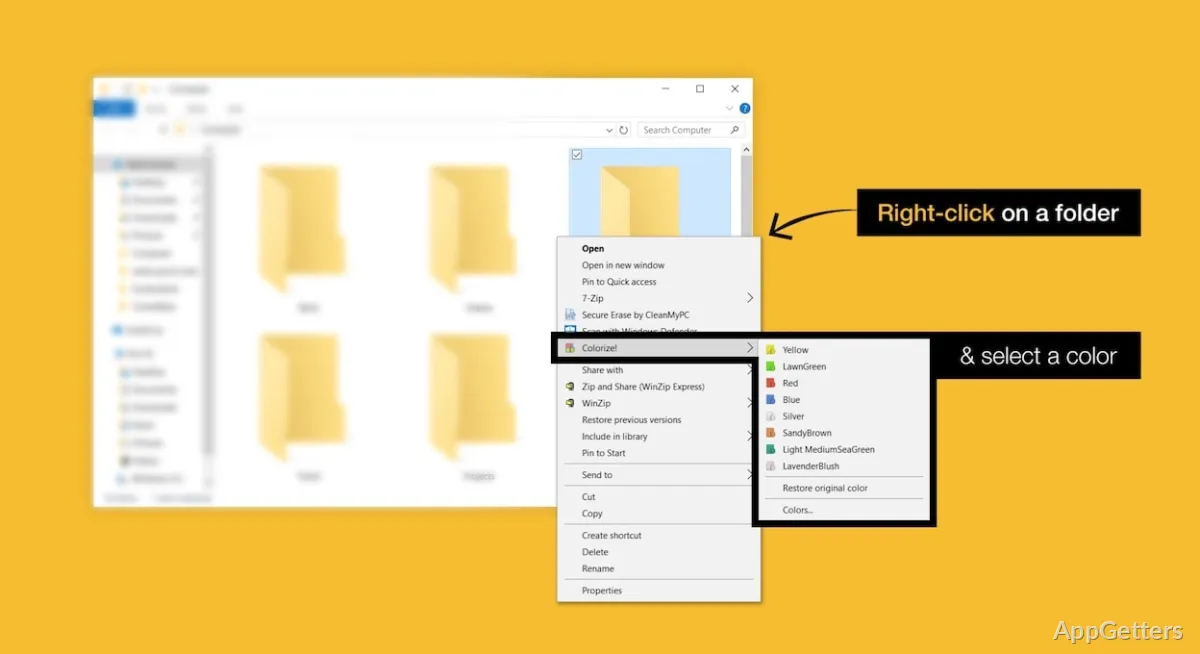
To recolor a folder, right-click it in Windows and choose a color from Folder Colorizer’s menu. The change applies to that folder, so marked directories are easier to pick out while browsing a collection of folders.
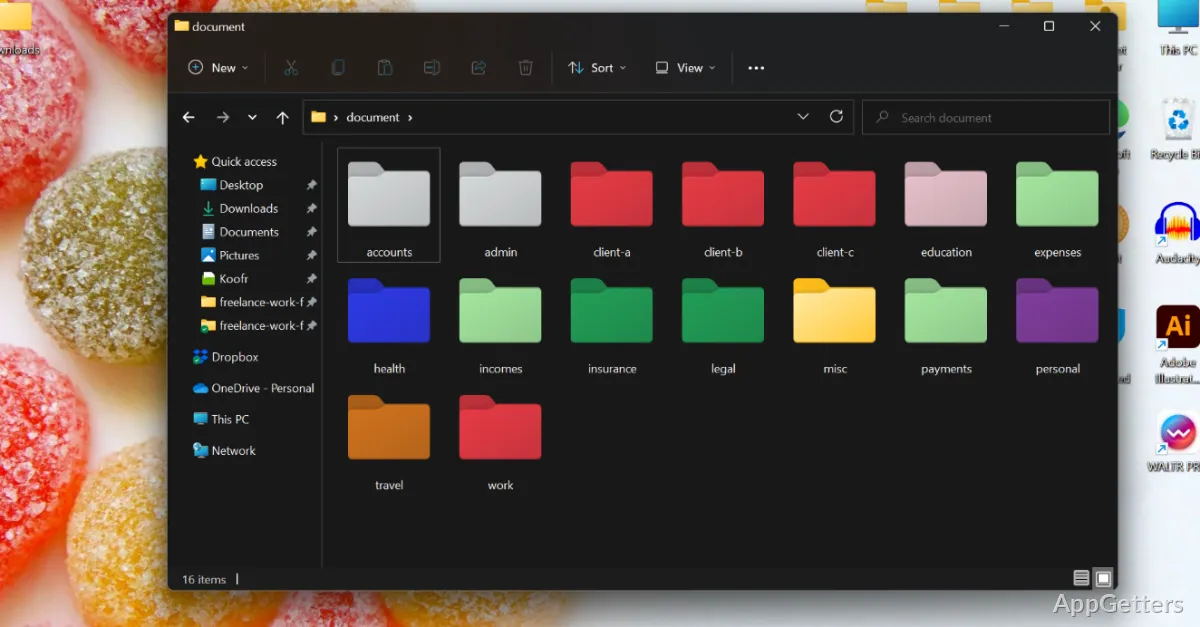
- Use colors to mark folders by topic, task, or urgency.
- Apply a color directly from the folder’s context menu.
Custom colors and HEX codes
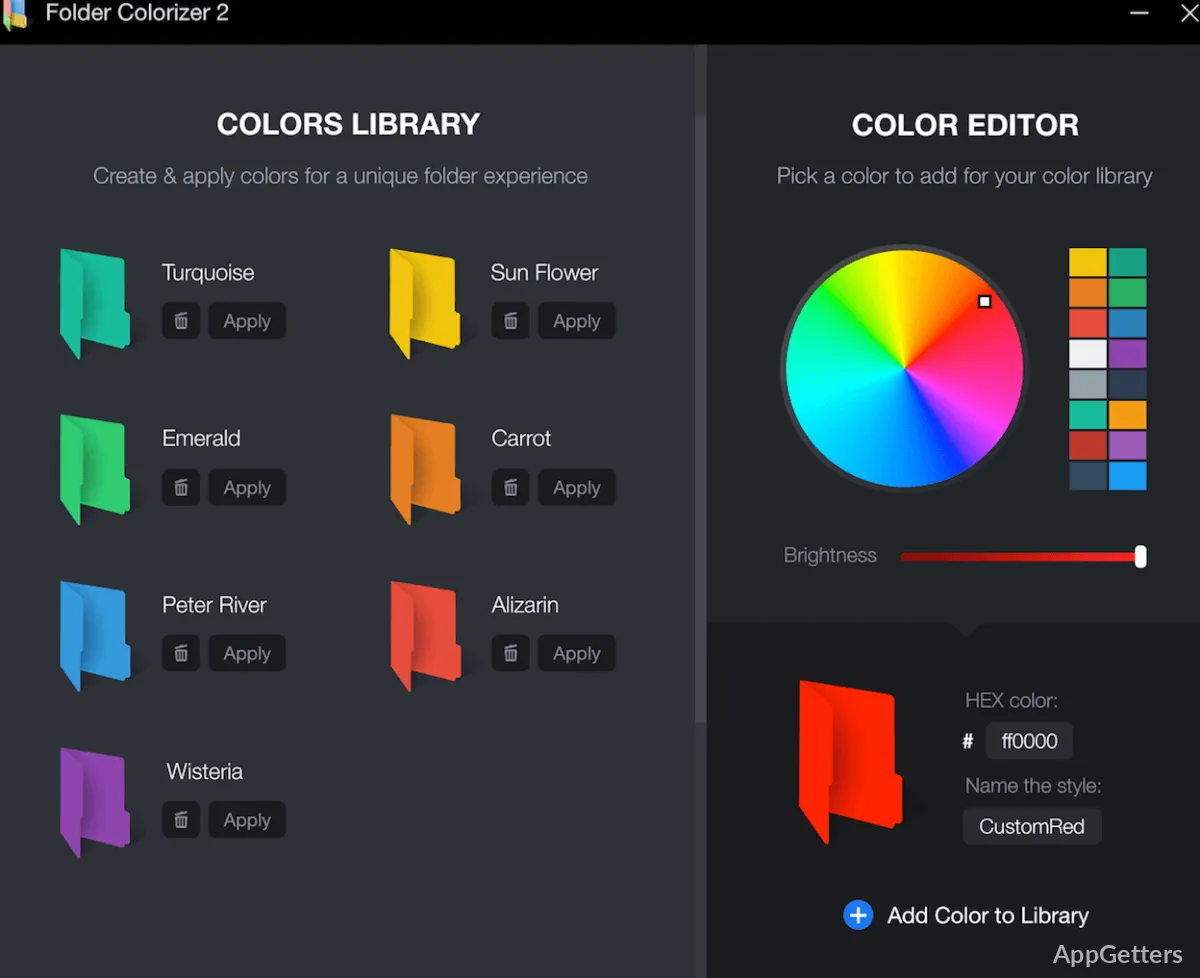
The built-in color editor supports HEX codes for choosing a particular shade. Folder Colorizer provides 16 million color options, so colors can be selected to suit a personal labeling scheme, including shades beyond the menu’s standard choices.
Persistent folder colors
Colors remain on folders after Folder Colorizer is closed. To undo a change, right-click the folder and choose Restore original color. Note that a colored folder may no longer show the usual thumbnail preview of the pictures inside it.
Pros
- Changes folder colors from the right-click menu
- HEX codes let you choose custom colors
- Folder colors persist after the app closes
Cons
- Colored folders may lose their picture thumbnail previews
System requirements: Windows 7, Windows 8, Windows 10, Windows 11
How do you change a folder’s color?
Right-click the folder and select a color from the Folder Colorizer menu.
Can Folder Colorizer use a custom color?
Yes. Its built-in color editor supports HEX codes and offers 16 million color options.
Do folder colors remain after the app closes?
Yes. Applied folder colors persist when Folder Colorizer is closed.