Ever printed a web page and got two extra sheets with nothing but a footer? FinePrint catches print jobs from Windows programs and opens a preview where you can fix the pages before they reach the printer. The preview tools include page removal, layout changes, and ink-saving options.
How does FinePrint change a print job?
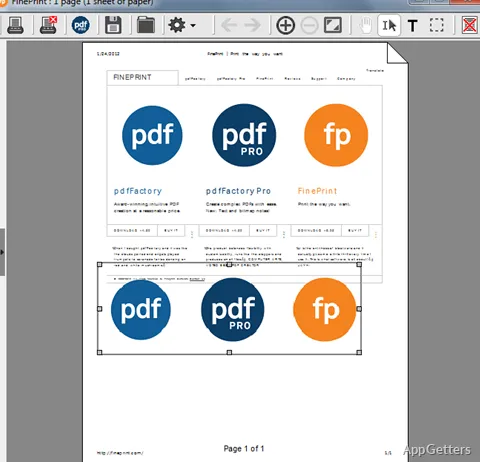
Choose FinePrint as the destination when printing from an application. Its preview window shows the job’s pages before they are sent to the printer, with controls for changing the output.
Remove pages that do not belong in the final copy, including blank sheets, or crop content at the page edges. FinePrint can also delete selected text and images from a job. These edits apply to the print output without requiring changes to the original document.
Which layouts and ink-saving tools are available?
FinePrint can place several document pages on one sheet or arrange pages as a booklet. It also offers grayscale conversion and controls for lightening printed content. These options can cut down on color use and paper for drafts, articles, or reference copies.
- Choose pages for printing and remove unwanted material.
- Use page cropping to trim excess margins or surrounding content.
- Add electronic letterhead to a print job.
Can FinePrint mark up or keep print jobs?
The preview includes tools for editing text and adding signatures or annotations to a print job. FinePrint can archive jobs as well, allowing them to be retained for later reference. Its PDF viewer can open PDF files through the FinePrint icon, and FinePrint can be set as the default PDF viewer.
Pros
- Preview print jobs from different applications in one window
- Arrange multiple pages on a sheet or create booklet layouts
- Remove blank or unwanted pages and crop page content
- Add signatures, annotations, and electronic letterhead
System requirements: Windows 7, Windows 8, Windows 10, Windows 11
Can FinePrint remove blank pages from a job?
Yes. The preview tools can remove blank pages as well as other unwanted pages.
Can FinePrint put more than one page on a sheet?
Yes. It can arrange multiple pages on one sheet and create booklet layouts.
Can FinePrint open PDF files?
Yes. Load a PDF through the FinePrint icon; FinePrint also includes a PDF viewer.