For a majority of Windows users, malware problems are one of the unscheduled events. Besides, a user’s system might already be infected, running slow, or preventing the installation of antivirus software at all. This naturally makes it difficult for users to rely on traditional security tools. During these times, portable, on-demand scanners have the upper hand. Users of Emsisoft Emergency Kit don’t have to run a fully installed security suite. Instead, they can use this tool immediately, usually with a USB drive. They can do a virus check on the computer without changing the system’s main configuration.
This method, from a technical point of view, relates to those users who are looking for a prompt solution to the problem. It is a priority over the long-term fixing of the system. It is actually a single-minded solution aimed at one problem: disinfecting the computer after it has been infected.
A Portable Approach to Malware Removal
Portability is definitely the one feature of Emsisoft Emergency Kit that is hard to miss. It doesn’t go the usual way of being installed. The program should simply be unpacked, and the user is able to use it immediately. This actually frees the user from any impediments due to installation. This is especially on systems where the user doesn’t have installation rights or where it represents a security risk.
Such a model makes the tool very handy for users who take care of several PCs at once, or simply computer technicians. While traveling, they have such a toolkit ready for use on an external device. They can simply connect it to any machine they want to check or clean. At the same time, they are sure that the toolkit will not always find itself in a state of system conflict. This is because it does not deeply integrate itself into the system.
On the other hand, this inserted portability leads to the loss of some functionality. As real-time protection is not present, there is no chance for this mode to be available or effectively work without installation. The program is, after all, intended to be used only after the incident has happened. This means that it is designed to be a remedy rather than a preventive measure in the security system.
Scanning Experience and System Impact
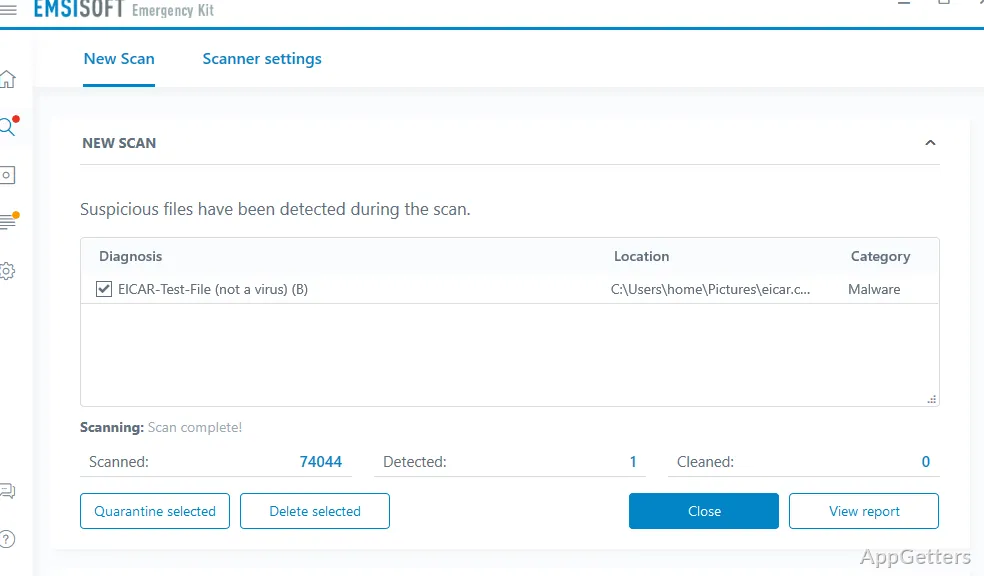
Use-wise, the procedure of scanning with Emsisoft Emergency Kit is perfectly simple, but you cannot really call it fast. Major, comprehensive scans will largely depend on the speed of the hardware. They also depend on the storage volume of the system. Hence, the older or slower-performing the computer you have, the more time it will take for the scanning. However, scanning itself is sufficiently thorough, and detection is quite accurate, at least according to the tests done so far.
It’s not that the tool hogs your resources; it does so just moderately. However, don’t be surprised if your PC experiences drops in overall performance while scanning. This is because the program, during its work, occasionally reaches the top of CPU and memory usage. Overall, you may still go on to do light work while the scanner is running. But if you pay attention, you might notice the decline.
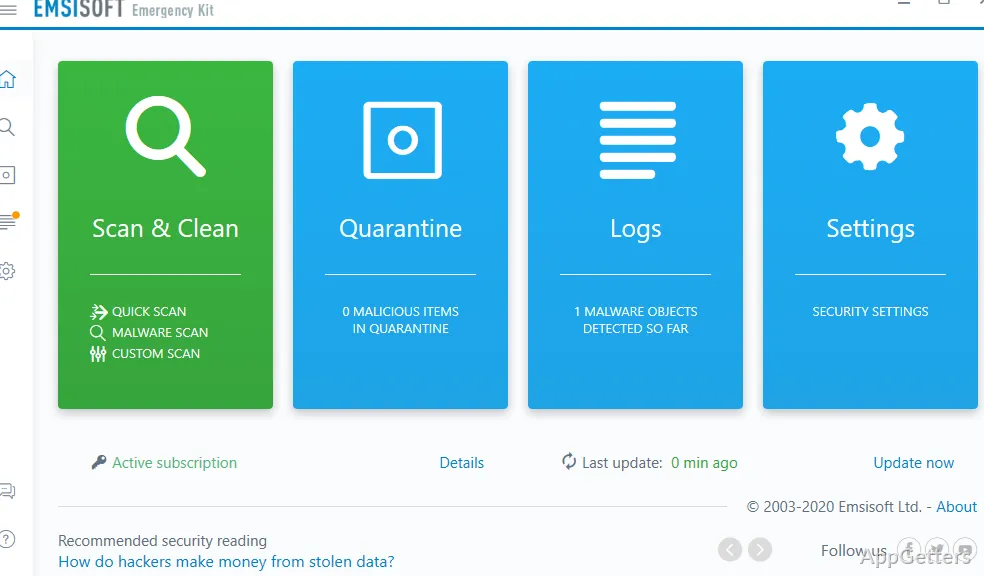
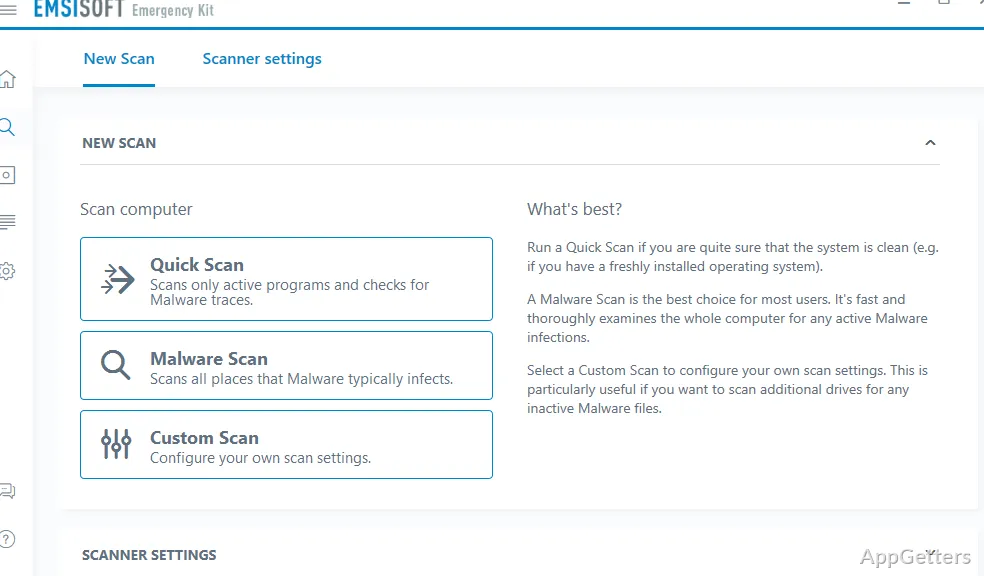
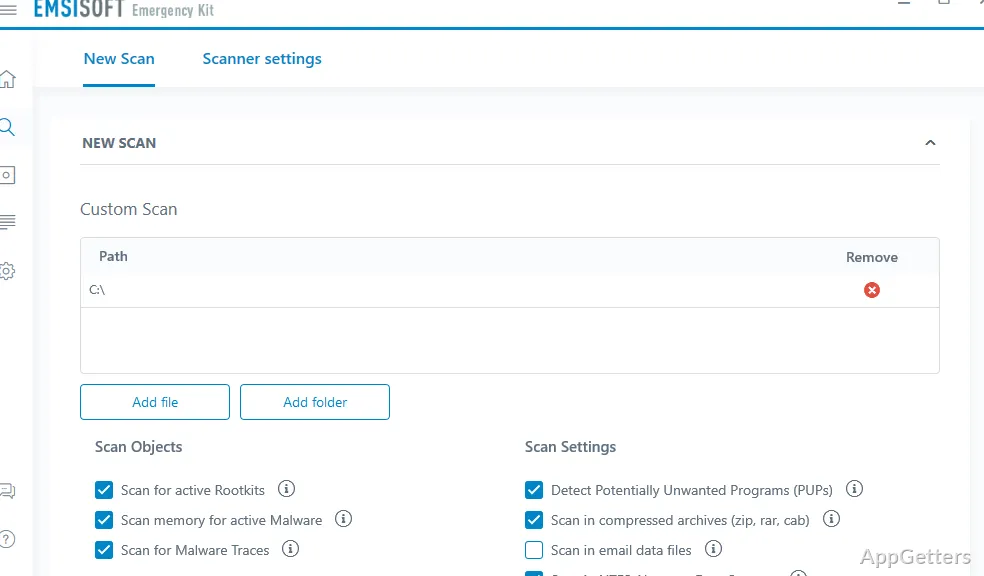
The user interface is practical rather than sleek. It makes the main features, quick scan, full scan, and custom scan, available simply and without cluttering the screen. This is actually a good thing for novices, but the more seasoned ones will probably see the absence of very detailed options as a limitation.
Practical Use Cases in Common Situations
Most probably, it is the right tool in the right place that really makes the difference for Emsisoft Emergency Kit. To have it working side by side with the main antivirus as a second opinion certainly makes sense. This applies to a number of home or school users who keep on wondering why their computer is acting weird. It also applies when they are about to open a suspicious file or website.
What helps in these situations is this: if the system is heavily compromised and the most common antivirus programs have trouble either getting installed or running, this program is generally capable of doing its job well. That is, scanning and detecting. In such cases, it proves to be a very trustworthy last resort.
On the other hand, it is ill-equipped to serve you as a full equivalent of your antivirus suite. There is no real-time protection, no updates in the background, and no communication with system-level defenses. It is an addition, not a substitute.
Where It Fits in a Windows Security Routine
Emsisoft Emergency Kit is not going to be your main security software. However, it can very well be a companion tool in your overall security framework, working without causing distractions. Users who simply want extra assurance without burdening their system with an additional installed program will find it ideal. For IT professionals, it has become a trusted hub for diagnostics and clean-up. They can use it wherever the need arises.
For the regular user, having such a tool can be very empowering. It means you don’t need to panic about how you will have a malware scanner at the moment when you urgently need it. When you get infected, internet access or system operation is compromised even before you realize the infection. The point is, it works for a very specific purpose: a trusted, portable scanning tool for malware detection and cleanup on the user’s demand, not a full, always-on security solution.