EXE
Home » Software » Windows » Antispyware » Emsisoft Anti-Malware for Windows
Emsisoft Anti-Malware for Windows

Emsisoft Anti-Malware for Windows

  • By Emisisoft
  • Trial
  • Version: 2026.1.0.12700
  • 3.08 MB
  • Security Report:

Windows today rarely crashes as dramatically as it did in the past due to malware. Most of the time, it is the subtle degradation of the system that causes the most trouble today. For example, a user’s browser may become progressively slower, the user notices unexplained background activity, or a downloaded file acts strangely without triggering any clear sign. Many install antivirus programs expecting them to be automatically protective. But they only later find out that sluggishness of the system through loads of extraneous notifications and false positives is an issue of its own. Emsisoft Anti-Malware is precisely trying to be the solution in such a context. In fact, it focuses less on unnecessary features and marketing and more on controlled security. This can preferably be managed by the user rather than having the whole computer be a maintenance task regularly.

A Security Environment Built Around Monitoring

One of the first things users notice about Emsisoft Anti-Malware is that it relies very much on the behavior analysis of programs rather than only their recognition by signatures that have already been defined. In fact, it is constantly monitoring the processes and activities on a computer. This is very handy when it is too early for the malware databases to include the particular malware to which the system is exposed.

Methodologically, using this behavioral approach, the program spends most of its time trying to anticipate rather than respond to a threat once it has materialized. It is indeed the case that suspicious activity causes the program to ask questions before the system is actually affected. For instance, students who are downloading utilities and compressed archives, remote workers, and other users are effectively protected from relevant threats in a changing Windows scenario. As a result, they feel safer as well.

Nonetheless, it remains true that the tool generally refrains from interrupting the user for every single routine operation. The great majority of security suites show their efficiency by constantly disrupting users’ work. However, secondarily, Emsisoft operates in a more discreet manner once the first configurations have been made.

Performance and Daily Workflow Impact

Security software that wins technically but also destroys the user experience via excessive system usage is a problem of its own. This is made clearer, especially in older laptops and mid-range systems. There, multitasking, online meetings, and browser-heavy work are unsuitable scenarios. With respect to this point, Emsisoft Anti-Malware is doing quite well. During background scanning, the computer will continue working with numerous applications under minimal disruptions. The boot time will also cause little, if any, inconvenience. This is because it is less aggressive in loading additional services during startup, as opposed to some other security suites.

On the other hand, the potential customer who has complete inexperience with computers may find themselves confused. This is because different user actions may cause certain alerts. There is a possibility that they will be unable or unwilling to reach well-informed decisions about allowing or blocking applications. This point is not necessarily the major drawback of the product. But it only means that it is reasonably expected that users will have a certain level of knowledge and awareness of computers. It is quite typical for modern security programs to perform thorough in-depth analyses that take significant time during full system scans. This is especially true on a computer with very large storage drives.

Interface Design and Usability

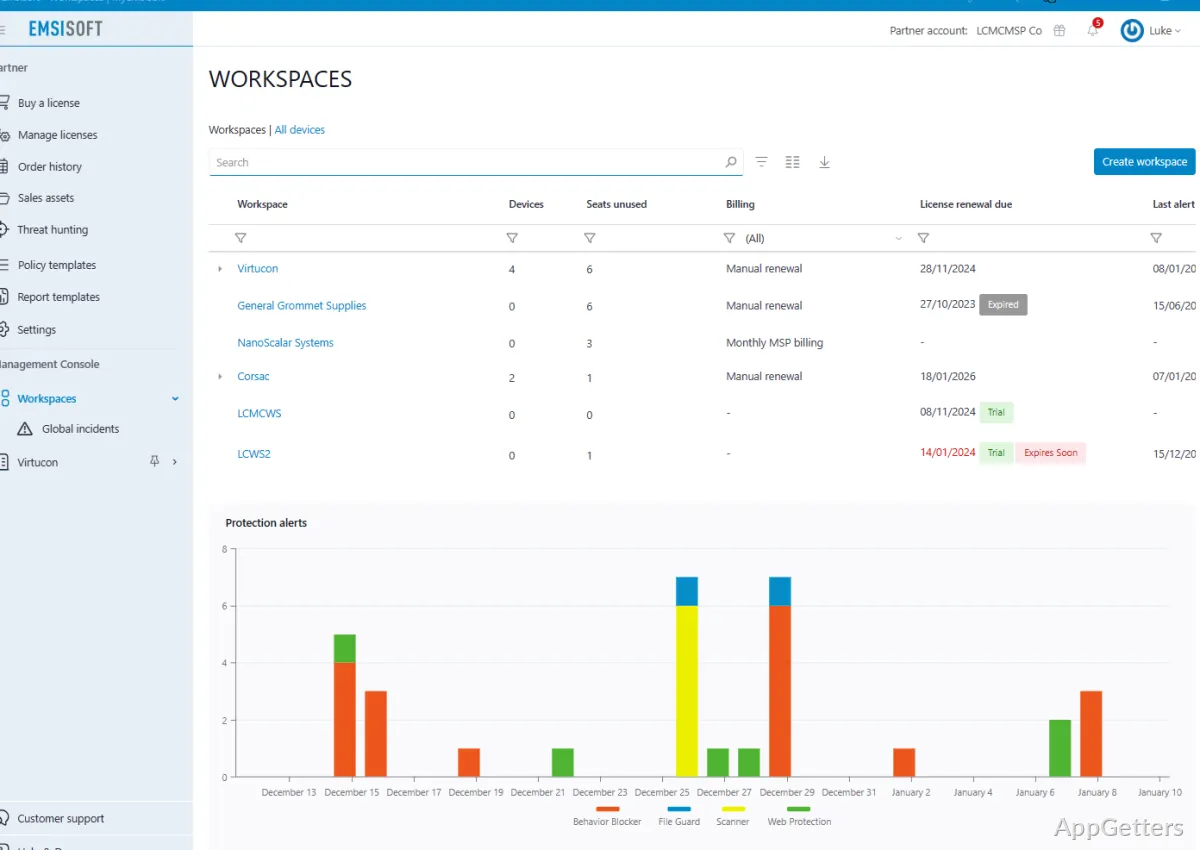
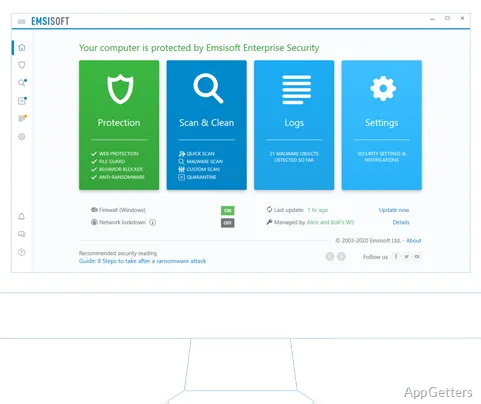
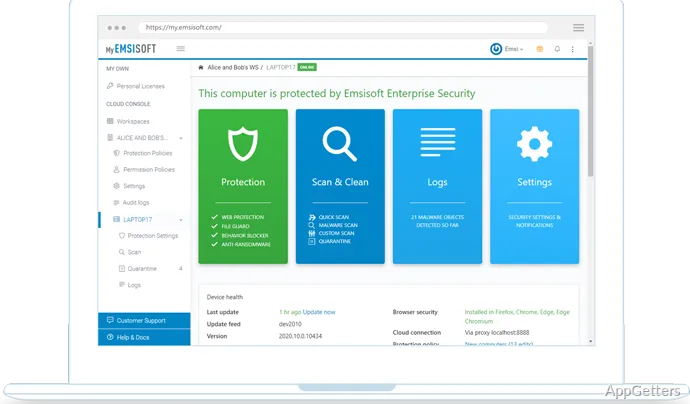
Emsisoft mainly goes for a practical rather than an aesthetically pleasing interface. Instead of trying to look like a typical consumer lifestyle application, the program is rather simple and intuitive. Typical operations, such as quarantine management, scan settings, and protection history, can be accomplished without much effort.

Security-conscious users will find such a setting quite helpful to serve their needs. The detailed security events and detection logs information can be accessed without difficulty. They are presented with enough information for further analysis and understanding. Users with advanced computer skills/programming skills have much more freedom to configure and change the antivirus settings than the simplified ones.

However, the interface, for some people, might be somewhat challenging and unfamiliar, especially if the product has highly simplified ones. Those users looking for a completely automated “set and forget” experience might be puzzled by the product. And they may find it motivating to do some manual task rather than having the product finish the work for them. The program version that focuses on transparency over simplification is not a big problem, but a considerable characteristic.

Where Emsisoft Anti-Malware Fits Best

Most of the time, Emsisoft Anti-Malware can be considered as an alternative to the Windows security solution. This applies if the user’s computer is always filled with downloaded files and testing various types of software. It also applies to users doing other activities via the Internet without wanting an overly loaded security suite running in the background.

Freelancers, students, creators, and regular home users will likely get used to its mode of operation. This especially applies to users who are used to reading complex security information rather than only getting a simplified message of good/bad. Emsisoft is a nice mix between continuous protection and minimum interference with the computer. It can be effectively installed on workstations that are mainly meant for productivity.

The product, however, will not be the first choice for those who expect a completely automated experience. They may prefer absolutely no decisions to be made at their end during the use of the software. But, for those who appreciate reliability, moderate use of resources, and behavior-based protection, Emsisoft Anti-Malware will be a justifiable option. It is neither too light an antivirus nor too heavy a one, resembling an enterprise-level security suite.

Software Details of Emsisoft Anti-Malware 2026.1.0.12700

License
Trial
Version
2026.1.0.12700
File Size
3.08 MB
Downloads
3
Languages
English English, Arabic, Chinese, Czech, Dutch, French, German, Italian, Japanese, Korean, Polish, Portuguese, Russian, Spanish, Swedish, Turkish
Category
Op. System
Windows
Developer
Last Updated
February 23, 2026

Version History

2 versions
2026.1.0.12700
Latest
3.08 MB
February 23, 2026
2025.9.0.12689
3.08 MB
February 19, 2026

Leave a Comment

Your email address will not be published. Required fields are marked *

Software Icon
Security Report

Loading scan data...

Scroll to Top