EXE
Home » Software » Windows » Screen Recorders » Debut Video Capture for Windows
Debut Video Capture for Windows

Debut Video Capture for Windows

  • By NCH Software
  • Trial
  • Version: 13.01
  • 3.53 MB
  • Security Report:

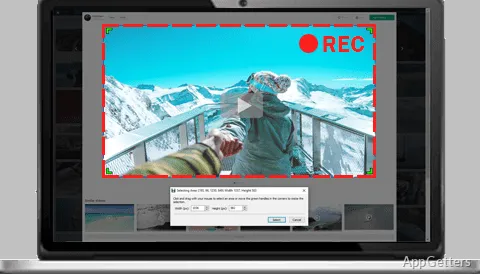
Nowadays, recording on a Windows computer has turned into more than simply a good idea; it has turned into a requirement for work, education, problem-solving, and content creation. Many screen recorders, in fact, are so specialized that they serve only very specific kinds of production, and those can also be quite complex. On the other hand, the really basic types miss the controls needed for everyday practical use. Debut Video Capture has come to a point where it offers a range of recording features. These serve our different daily requirements without putting the user in a situation of having to figure out complex software. Also, the software is so well equipped with different kinds of capturing that it can fulfill a myriad of roles in both private and employment settings.

Flexible Recording for Different Situations

Debut Video Capture makes a strong case for itself by being a piece of software that a user could use to engage in multiple recording activities through a single screen. This is without having to refer to other software. The user can either record the computer screen, spy on the camera connected, or make videos from the external devices, depending on the setup. This type of functionality gives the software a great advantage, as it can be used for varied tasks, aside from just simple screen capturing.

From an operational point of view, the user interface offers a wide range of recording configurations without ever becoming hard to use. Generally, users who can switch from time to time between recording presentations, preparing tutorials, or using a webcam can achieve their goals. This is without the steep learning curve that comes with whole new apps. Actually, this multifunctionality goes a long way in smoothing a person’s work, especially those who frequently deal with media content.

Useful Across Education, Work, and Home Use

Debut Video Capture is at home, wherever recording of data seriously forms an integral part of the day’s activities. The primary beneficiaries, though, are the students and the teachers– one getting to record lectures and the other preparing teaching materials. At the same time, office workers can use the tool to record software tutorial sessions, presentations, or even “walkthroughs” in troubleshooting for their colleagues and clients.

Besides the mentioned main users, the software can also be a helper for the home user who is willing to source video material, make personal videos, or keep a historical record of computer activity. Besides this, having different recording mechanisms in one program de-escalates the situation. It prevents you from downloading multiple tools for different jobs. A win-win for everyone, the convenience can also be a motivating factor. It encourages users to focus on shorter content creation times.

Performance and Pragmatic Limitations

Debut Video Capture proves to be a good and reliable program when used on a timely basis. It performs especially well on modern Windows platforms. There are very rare instances when the user recording session freezes. The app does not create any problems with the user’s desktop activity. Even better, the software still has enough options for the users to choose from. This is in order to satisfy their recording needs that are of different kinds. Based on the user’s recording intentions, one can always tweak the parameters to get their desired quality and file size.

Conversely, the wide range of features might put off a few users. As a result, these simple screen recorders may still involve some learning curve to some extent. New users, for example, may need some time to familiarize themselves with the different settings and recording modes. These are offered by the software. In addition, the software is equipped with handy capture features. However, users wanting thorough editing of their videos will most likely have to resort to external editing software. This is even after the recording phase.

An Effective Option for Multi-Purpose Recording Needs

If you want a simple screen recorder, your best bet is not Debut Video Capture. It offers way more features than a basic screen recorder does. Though it provides video editing tools, it is not a complete professional suite. It is, however, great for educators, trainers, students, office workers, and home users, among others. They will most definitely enjoy and benefit from the software’s flexible features.

What makes this a great software is that it not just supports one type of recording scenario. It supports multiple scenarios under one roof. This is while still having a manageable and effective (that is, everyday use compatible) workflow. It is able to be used for a variety of recording needs. Not only are Windows users who frequently use screen recording, webcam capture, and content creation for instructional purposes suited to use this software. It is a powerful, multi-functional, and ultimately comfortable solution to a variety of different workflows.

Software Details of Debut Video Capture 13.01

License
Trial
Version
13.01
File Size
3.53 MB
Downloads
0
Languages
English English, Russian
Category
Op. System
Windows
Developer
Last Updated
May 11, 2026

Version History

5 versions
13.01
Latest
3.53 MB
May 11, 2026
12.04
3.52 MB
December 10, 2025
12.00
3.52 MB
October 24, 2025
10.20
3.47 MB
October 11, 2024
10.15
3.46 MB
September 13, 2024

Leave a Comment

Your email address will not be published. Required fields are marked *

Software Icon
Security Report

Loading scan data...

Scroll to Top