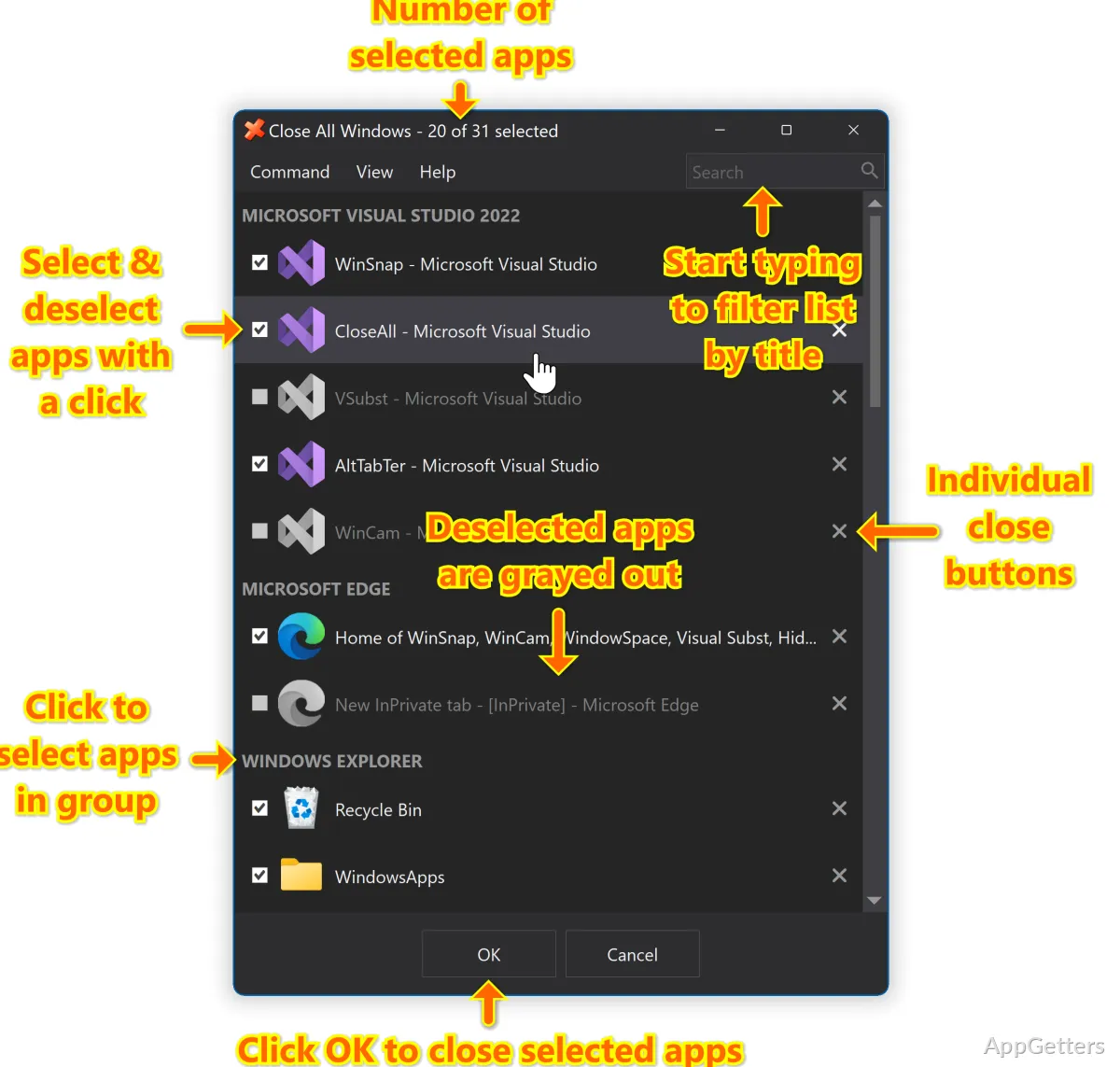
Want to clear a crowded desktop without closing each app window separately? Close All Windows sends a close signal to open windows in one action, then exits after the task is complete.
Closing a group of windows
Close All Windows is a small utility for sending a close signal to the windows open on the desktop. Use it when you are finished with a group of apps and want to clear the workspace without closing each window individually.
The signal asks each window to close; it does not describe a forced shutdown of every process. An app may respond with its own prompt, such as asking whether to save an unsaved document. What happens after the request depends on how that app handles closing.
What happens after the signal?
Close All Windows does not remain open to manage your desktop. It sends the close signal and unloads after completing the task, so there is no ongoing window-closing process to leave running between uses.
- Use it to close a group of open apps when switching to a fresh workspace.
- Expect individual apps to handle their own unsaved work or other closing prompts.
A quick desktop reset
The workflow is centered on one task: trigger Close All Windows when you want the open windows to close, then continue working from the cleared desktop. It suits a transition between activities, such as wrapping up a set of documents before moving to another task.
Because the signal goes to open windows, this is a broad close action, not a selection workflow for choosing particular apps to keep open. Save work that matters before using it; an app's own prompt may interrupt the close process.
Pros
- Closes multiple open application windows with one action
- Sends a close signal instead of staying open in the background
- Exits when the close task finishes
System requirements: Windows 7, Windows 8, Windows 8.1, Windows 10, Windows 11 · 32-bit and 64-bit
How does Close All Windows close apps?
It sends a close signal to open windows on the desktop. Each app handles that request, including any save prompts it needs to show.
Does Close All Windows keep running afterward?
No. It unloads after sending the close signal and completing its task.
Can I choose specific windows to close?
The described action sends a close signal to open windows as a group; it does not provide a selection workflow.