EXE
Home » Software » Windows » Desktop Themes » Cairo Desktop Environment for Windows
Cairo Desktop Environment for Windows

Cairo Desktop Environment for Windows

3 Downloads

Most Windows users, at some point, feel the default desktop offering is not enough. Making a neat arrangement of shortcuts, opening the same few programs, and the general handling of daily tasks can really turn out to be a chain of boring and repetitive work. This is particularly true if one is already a heavy user. Although Windows comes with an array of its own tools and interface, some people seek alternative desktop environments. These not only give a new way of working but also do not require changing the whole operating system. The Cairo Desktop Environment is one of these projects. It was meant to be a Windows shell replacement that could bring additional efficiency through a friendly PM workspace. It relies heavily on quick access, good organization, and a high level of accessibility.

A Different Approach to the Windows Desktop

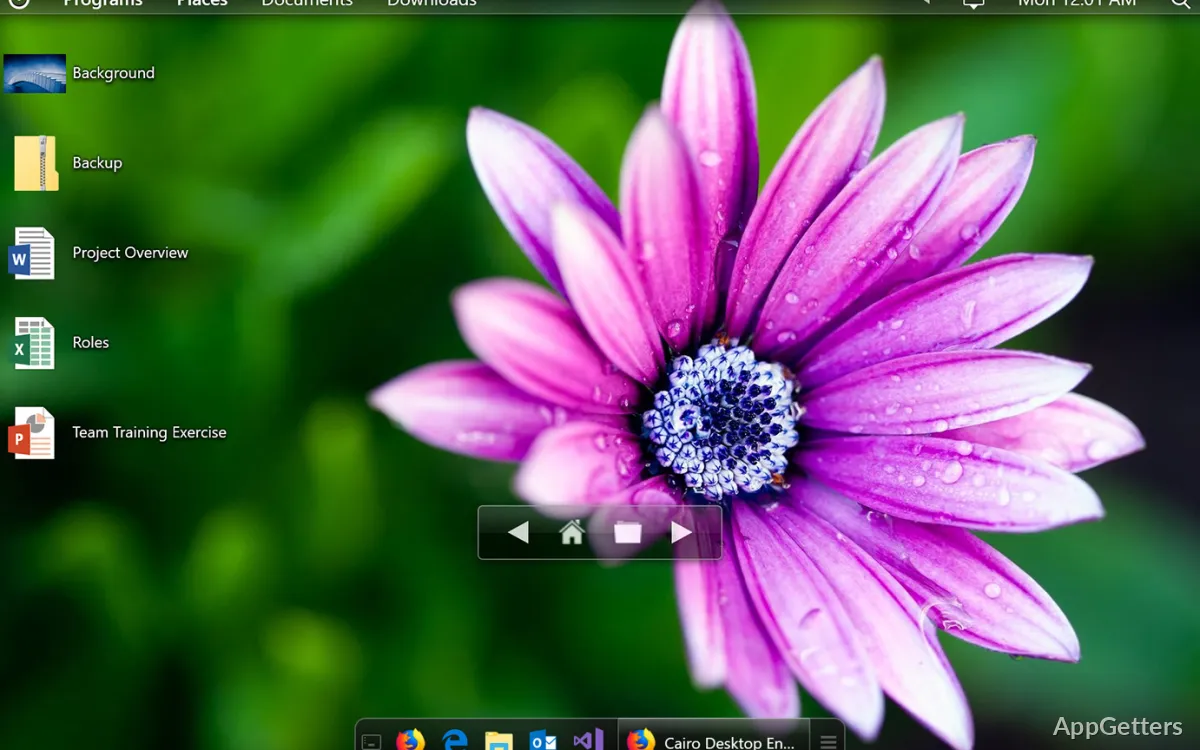
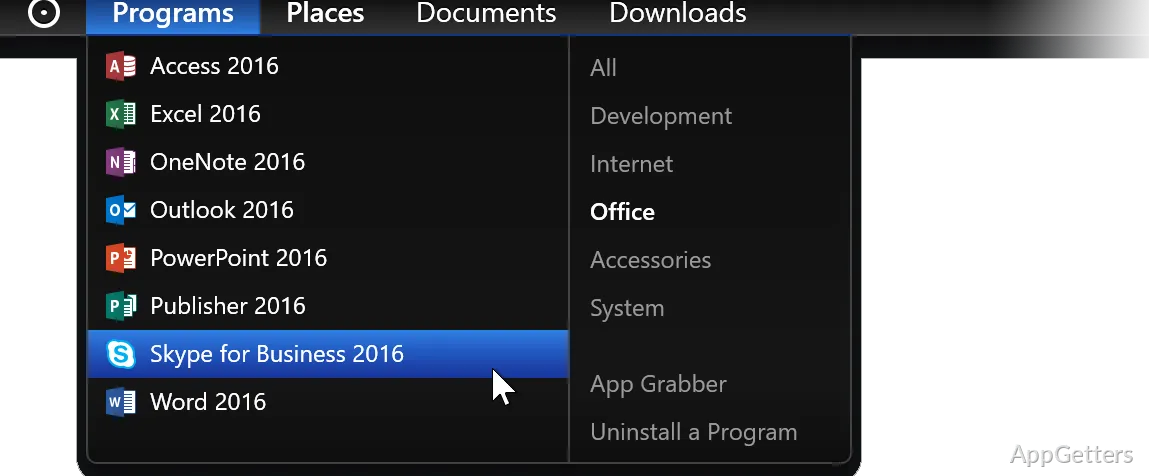
First of all, the popular Windows desktop customization utilities mainly deal with changing the visual look. But the Cairo Desktop Environment completely changes the way users work with Windows. It substitutes the standard shell with a design entirely based on menus, task management, and desktop widgets. The system is actually pretty closed and well done, so you hardly need to reach for any other applications to get your work done. Simply put, it’s pretty perfect for the users who want easy access to all their apps, folders, and system tools.

Mainly, the developers intended for it to be a practical tool aside from just being a pretty face. The different navigational bits are there for ending the lengthy searches through the network of menus as much as humanly possible. This way, any user can switch to another app with minimum fuss. Besides a short phase of getting used to it, most users will still find the whole idea quite simple.

Everyday Productivity and Organization

Among others, this is one of the strengths of the Cairo Desktop Environment: organization. If you are the type to work a lot with various folders, documents, and applications, you may even prefer having the desktop totally clean of icons. This may be the case if the main criterion is the usual Windows setup. After some time of use, what you used to consider to be your common tasks, e.g., program launching, file accessing, or multitasking, will seem pretty easy and natural for you.

The structured pattern will please the students, home users, or even those professionals who spend their whole day mostly in the file system. The desktop might be the second main workspace in this case, where users can quite plainly see all the needed resources and keep them within reach. Keeping drama out and focusing on the essentials of managing the desktop is a trait of Cairo that users who want results, not frills, will appreciate.

Performance, Stability, and Learning Curve

Actually, from the user’s perspective, it’s the mass of the component that determines whether it runs as a new shell alongside Windows or by itself as a separate operating system. Cairo Desktop Environment is mostly a lightweight software that runs alongside Windows rather than a big-change fork of the OS. So, retaining the usage of Windows’ core functions becomes a user’s reality, besides their rushing excitement for the new desktop experience.

Nevertheless, one has to consider the pros and cons of such a decision, and therein lies the challenge. Being a community project, Cairo is still on a development path. This is why compatibility difficulties with some Windows versions or other configurations of the system may present from time to time. Besides changing habits, users who depend on the standard Windows interface might experience some disorientation. This may occur while getting to know the new navigation system. Although the workflow is primarily the same, users may experience some disorientation as they get used to the new environment and integrate it as part of their daily routine.

Where Cairo Desktop Environment Fits Best

Simply put, Cairo Desktop Environment is a sweet spot for getting a neat and goal-oriented desktop without quitting Windows at all. This also applies to those who feel stuck and limited by the default desktop and want faster access to files, programs, and the work area.

With the set of features that Cairo brings to the table, students can be their own task managers, and home users can organize their personal projects better. Professionals can simply get a clean and energizing desktop when they need one. The main point is not to turn Windows into a different OS but instead, to change the way the user and the OS interact. Consequently, the number of visual changes is going to be low. However, the creation of a structured environment supporting the daily use of the computer will be a huge plus.

Software Details of Cairo Desktop Environment 0.4.434

License
Owner
Version
0.4.434
File Size
79.18 MB
Downloads
3
Languages
English English, Afrikaans, Amharic, Arabic, Armenian, Belarusian, Bulgarian, Catalan, Chinese, Croatian, Czech, Danish, Dutch, Estonian, Farsi, Finnish, French, German, Greek, Hebrew, Hindi, Hungarian, Icelandic, Indonesian, Italian, Japanese, Kazakh, Korean, Latvian, Lithuanian, Malay, Norwegian, Polish, Portuguese, Romanian, Russian, Serbian, Slovak, Slovenian, Spanish, Swahili, Swedish, Tagalog, Thai, Turkish, Ukrainian, Vietnamese, Zulu
Category
Op. System
Windows
Last Updated
November 12, 2025
SHA256
dc22970c3b80af4298aab1a664f0785fcef906adb0eb897a14d814916d0625c5

Version History

2 versions
0.4.407
79.18 MB
July 4, 2025
Download
0.4.370
79.12 MB
January 17, 2025
Download

Leave a Comment

Your email address will not be published. Required fields are marked *

Software Icon
Security Report

Loading scan data...

Scroll to Top