Want to clean registry errors without installing a utility on the PC? Wise Registry Cleaner Portable scans the Windows registry for invalid entries and runs from a portable package.
Registry Cleaner finds entries to remove
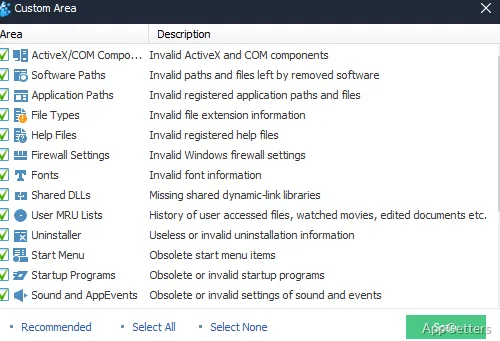
The Registry Cleaner scans for invalid or obsolete registry entries, then displays its findings for selection before cleanup. Results are grouped by registry area, so you can see what the scan found and choose which items to remove.
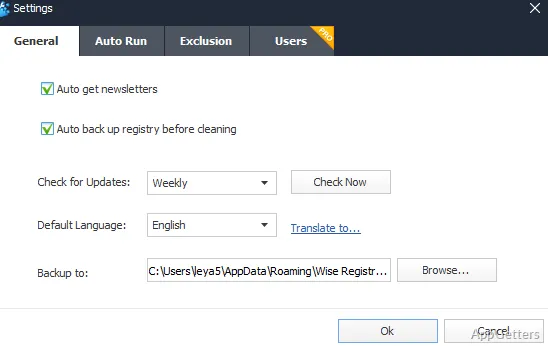
Cleaning changes the Windows registry, so Wise Registry Cleaner includes backup and restore tools. A saved backup gives you a way to return to the earlier registry state if a cleanup causes a problem.
System Tuneup adjusts Windows settings
System Tuneup provides options for changing Windows settings related to system behavior and performance.
Registry Defrag reorganizes registry data
The Registry Defrag utility analyzes registry fragmentation and reorganizes the registry data. This is a separate maintenance operation from removing invalid entries; it may require restarting Windows to complete the work.
The portable edition runs without installation
The portable package does not require a conventional installation on the computer. It can be kept on removable storage and launched when registry maintenance is needed.
Pros
- Scans for invalid registry entries and lets you choose what to clean
- Provides registry backup and restore tools
- Includes System Tuneup and Registry Defrag utilities
- Runs without a conventional installation
System requirements: Windows 7, Windows 8, Windows 8.1, Windows 10, Windows 11 · 32-bit and 64-bit · CPU: Pentium 1 GHz or above · RAM: 4 GB or above · Disk space: minimum 20 MB
Can Wise Registry Cleaner restore registry changes?
Yes. Its backup and restore tools can return the registry to a saved state.
What does Registry Defrag do?
It analyzes and reorganizes registry data to address fragmentation.
Does Wise Registry Cleaner Portable need to be installed?
No. The portable edition runs without a conventional installation.