EXE
Home » Software » Windows » Tools » Winxvideo AI for Windows
Winxvideo AI for Windows

Winxvideo AI for Windows

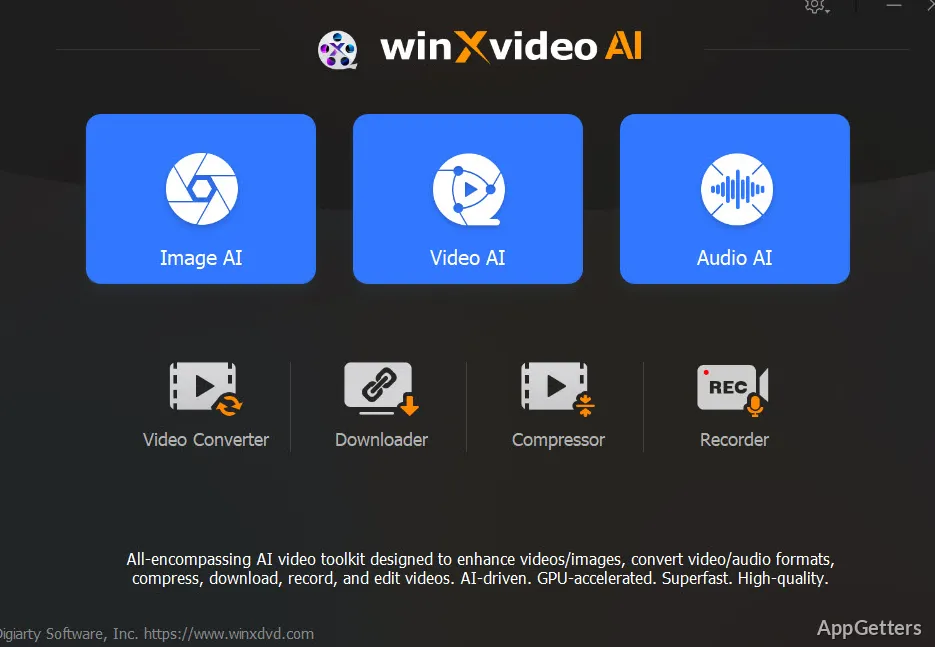
If you are a Windows user dealing with old footage, compressed downloads, or videos recorded with low-end phones and cameras, you are likely to face video quality issues. Noisy images, unsteady movement, and low resolution are just some problems that can make a video you intended to be useful and enjoyable to watch hard to tolerate and hard to reuse. Many video editing tools come with enhancement features. However, they require technical skills at a higher level or a powerful computer. Winxvideo AI wants to help you with the difficulty of the process. It gives you AI-based video enhancement, together with conversion and editing tools, when you download their easy-to-use desktop application.

When trying the program, it appeared to me that it is intended for those users who seek good results and work practically. They are not longing for professional, cinematic control. The program is mostly about bringing back visual sharpness, increasing resolution, and making videos appropriate for contemporary displays. That is done in a very non-complicated and non-disruptive way for users. As such, casual creators and home users will find work with the program fitting into social media content production and other such media-related tasks.

AI Enhancement Focused on Everyday Footage

What really gets people interested in Winxvideo AI is its capability to enhance lower-quality video without users having to make manual modifications to the frames one by one. The users are enabled to make higher-resolution versions of their old clips, get rid of noise, and get sharper images very easily with AI automatic processing. They say it is a lot easier to do this on your Windows PC rather than struggle with a professional editing suite of tools.

The first time you watch an upgraded mobile recording or compressed online download that used to not show very well on a big modern screen, you will seriously notice the difference. This happens if you choose to enhance them using Winxvideo AI. The software is able to bring out the detail in the image enough that the resulting video becomes a more viable option. This is useful if you want to share the footage or use it for a presentation.

However, one has to be realistic with the expectations. Yes, AI enhancement can change the way you see details, but it cannot create something completely new. That is, it cannot relate information missing from very badly damaged or very low-resolution footage. If too much sharpening is applied, the video may look as if it has been processed artificially.

For the average user, the automated method does away with a lot of the difficulties usually encountered in video restoration projects.

Windows Performance and Workflow Experience

On relatively recent Windows PCs, the usage of Winxvideo AI does not slow down the work on a standard enhancement and conversion project for a video. Support for graphics processing unit acceleration is a plus. It makes it possible to cut down processing time on bigger exports, mostly when dealing with high-def footage.

Instead of giving a lot of space to the users to play with the parameters and make their own personal changes requiring professional skills, the interface puts boldness and ease of use at the forefront. The tools are mainly accessible via preset controls. A user gets to decide simply and quickly to place them over a working video, rather than use a timeline where one can make purely custom changes. Such an approach is good for beginners who want quick results.

Practical Use Beyond Content Creation

Winxvideo AI is more often its set of conservation and access functions that gets effective use out of the case. Restoration of older recordings by families is one thing that leads to the purchase of the software in their minds. Students getting better footage for their presentations is another thing that leads to the purchase of the software in their minds. Small businesses looking for ways to bring their archived videos into the contemporary display age is also one thing that leads to the purchase of the software in their minds.

At the same time, the simplified editing setup is just one element of how it reduces the intimidation factor. It comes along with professional video software. Those who only seldomly come into a situation where they have to deal with a video can really gain a lot of help. With this more guided approach. It means a serious reduction of the learning curve. Nonetheless, for advanced-level editors, there will be occasions when they see this software as limiting.

Where Winxvideo AI Fits Best

This software is a great option for those using Windows who want the capability to enhance and convert videos. Without having to deal with the complications of professional editing software.

It is very simple to use and supports media restoration at home. It helps create content for fun, educational projects, and storytelling. Winxvideo AI works well in office environments at a small scale.

Convenience is what makes it more powerful and attractive. It breaks the technical wall around AI-based video enhancement. And brings complicated processing tasks to a non-specialist user in a more manageable way. It may not really substitute professional editors for advanced production work. But it is a strong performer for the typical work around the house.

Software Details of Winxvideo AI 4.8.0.0

License
Free
Version
4.8.0.0
File Size
429.78 MB
Downloads
0
Languages
English English, Chinese, French, German, Italian, Korean, Spanish
Category
Op. System
Windows
Last Updated
March 12, 2026

Version History

5 versions
4.8.0.0
Latest
429.78 MB
March 12, 2026
4.7.0.0
429.18 MB
January 30, 2026
4.6.0.0
429.3 MB
December 12, 2025
4.5.0.0
428.99 MB
October 29, 2025
4.4.0.0
263.43 MB
October 24, 2025

Leave a Comment

Your email address will not be published. Required fields are marked *

Software Icon
Security Report

Loading scan data...

Scroll to Top