EXE
Home » Desktop Customization » TaskbarX for Windows
TaskbarX for Windows

TaskbarX for Windows

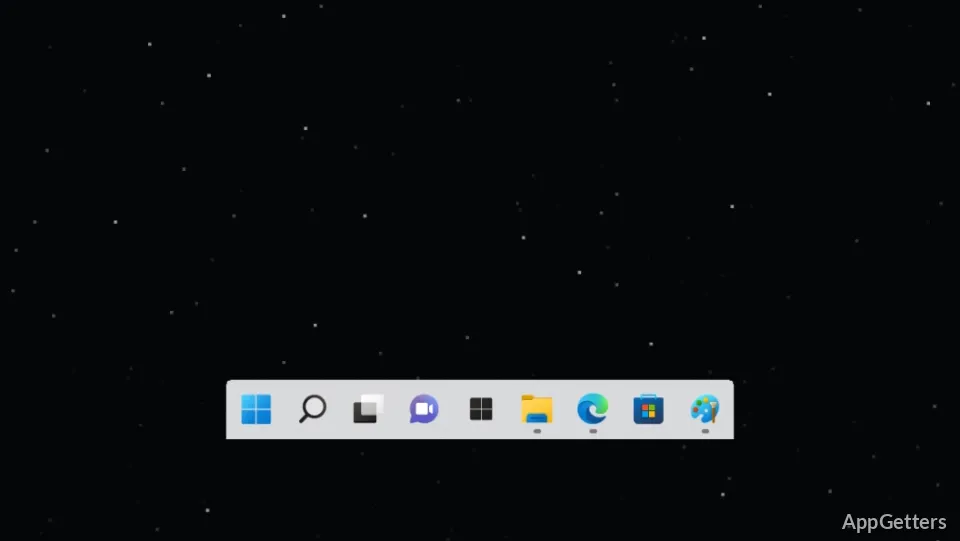
TaskbarX comes in handy for users who want their Windows taskbar to have a different look and feel than the default. In a standard Windows environment, the pinned icons on the taskbar are fixed to the left, and the spacing hardly changes, even if one uses different screen sizes or multiple monitors. This might make the desktop look a bit unbalanced, especially if a user is working on wide or ultra-wide screens, where the balance of the visuals is a major concern. TaskbarX is the bridge between just giving a system more features and making a user’s desktop look good. It lets users put their taskbar icons in the center or move them around so that their desktop look gets more in tune with the new UI ones. Actually, the major thing that it solves isn’t Windows failure but just the default Windows look that is very stiff visually.

Making the Windows Desktop More Visually Attractive

Usually, those who run TaskbarX on their computers are the ones looking for a nice, neat, and centered desktop appearance without having to install a new shell. Once it is done, the arrangement of taskbar icons is altered. The most popular way is to put the icons in the middle while still having the Start button and system tray at their usual locations. Apart from giving more symmetry, it also creates a visual flow, especially for those who use large displays or very simple desktop wallpapers. This change is definitely not an amazing one, but rather a kind of being-touched one. What the users are doing is not changing the way Windows works, but its appearance and feel. This applies when doing usual Windows work and multitasking as well.

Easy and Safe Customization that Doesn’t Use Resources

Running TaskbarX on a computer is not going to significantly increase your resource usage. It is, in fact, one of the main aspects of this software. The program is architecturally very restrained. It cannot make any major changes to the Windows system it is running on. In most instances, it is nothing more than just a background process handling positioning. Users can only change a few settings, like the animation style and spacing. The great thing about the program is that it will never impose a lot of system modifications on the user.

However, since TaskbarX is based on Windows functionality, users can at times see some glitches. These occur when there are massive updates as well as when the Explorer is restarted. Usually, the issue disappears after a reboot of the application. The trouble, however, is that the Windows shell is the main culprit and not TaskbarX, which has complete control.

Using TaskbarX under Different Conditions

TaskbarX is among the software frequently used by school students, casual desktop users, and home office staff. These users often spend long hours on their computers. With the multi-monitor TaskbarX feature, one can go a step further and make the taskbar icons evenly spaced. The feel of the scattered elements on the UI can be reduced to a minimum. Meanwhile, the minimal desktop users who are fans of a centered style really like it. It is similar to the one of other new operating systems that they have tried. What really makes the productivity challenge is that it goes beyond TaskbarX, because this tool is very limited. It mainly makes changes in the visual aspect or organization. Those who are in search of functional features such as task management or window control will be disappointed. Its main area of focus is only taskbar customization, and not overall improvement of workflow.

How TaskbarX Matches up to a Personal Windows Configuration

Probably, TaskbarX is a great choice if you are interested in simply improving the appearance of your desktop and making your workspace more neat and organized. It does this without changing the standard system layout. After all, it is an extra software, not something that you must have. It is a UI style change for those who are a bit obsessed with the perfect UI and visual appearance. Moreover, if you are the one who doesn’t mind doing some minor system changes, this tool will be your good friend in converting your whole taskbar into a centered, modern, and visually consistent appearance. This works especially well on wide screens, keeping everything balanced and visually consistent.

Software Details of TaskbarX 1.7.8.0

License
Free
Version
1.7.8.0
File Size
2.31 MB
Downloads
0
Language
English
Op. System
Windows
Developer
Last Updated
August 17, 2023

Version History

1 version
1.7.8.0
Latest
2.31 MB
August 17, 2023

Leave a Comment

Your email address will not be published. Required fields are marked *

Software Icon
Security Report

Loading scan data...

Scroll to Top