Looking for a free cleaner that also handles startup programs, duplicates and uninstalls? System Ninja finds junk files for removal and bundles several maintenance tools. The Windows utility also scans browser data, including cookies, history, and cache, across many popular browsers.
System Ninja scans browser data and junk files
The cleanup tools target temporary and other junk files, along with browser cookies, history, and cached data. Browser support includes Chrome, Internet Explorer, Firefox, Edge, Opera, Brave, Yandex, and Pale Moon, plus many others.
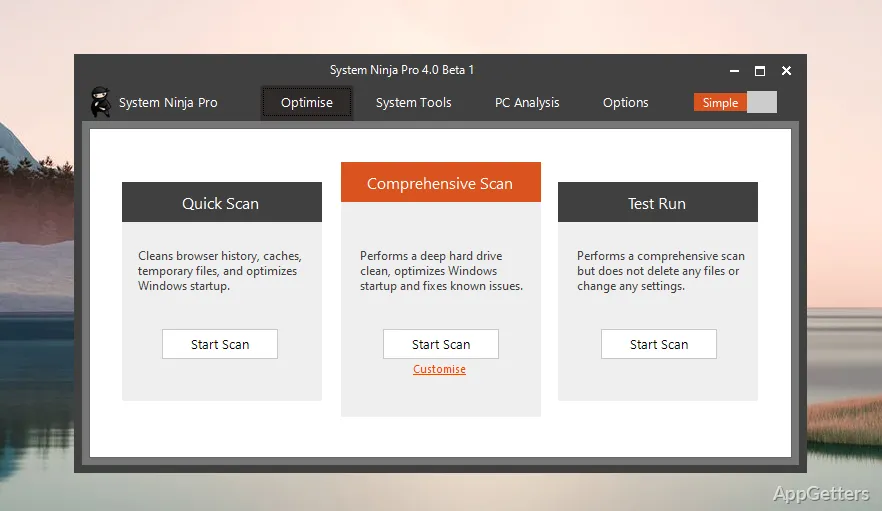
Run a scan to find removable data, then use the cleanup function to delete selected junk. Removing browser history and cookies also clears those stored traces; deleting cached files frees the space they occupy.
Startup items and running processes have dedicated tools
System Ninja includes a startup manager for removing unnecessary items from the programs that launch with Windows. Its process manager provides a separate place to inspect and manage running processes.
Additional tools find duplicates and inspect installed software
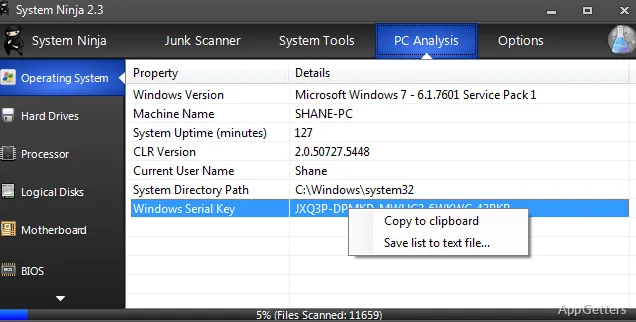
The app uninstaller provides a way to remove installed applications. A duplicate file finder locates repeated files, while the software and hardware analysis tool gathers information about the PC and its installed software.
Pros
- Cleans cookies, history, and cache from named browsers
- Includes a manager for unnecessary startup items
- Provides a duplicate file finder and app uninstaller
- Combines process management with software and hardware analysis
System requirements: Windows 7, Windows 8, Windows 10, Windows 11
Which browser data can System Ninja clean?
It can remove cookies, history, and cache from browsers including Chrome, Firefox, Edge, Opera, Brave, and others.
Can System Ninja manage programs that start with Windows?
Yes. It includes a startup manager for removing unnecessary startup items.
What tools are included beyond junk-file cleanup?
It also has a duplicate finder, an uninstaller for apps, a process manager, and a report on the PC's hardware and installed software.