EXE
Home » Software » Windows » Tools » PicPick for Windows
PicPick for Windows

PicPick for Windows

  • By Wiziple.NET
  • Free
  • Version: 7.4.1.0
  • 75.02 MB
  • Security Report:

Recording the screen and describing what is on it is something that many people do regularly. The tools built into Windows, however, are usually considered quite limited, and even basic screenshots are enough for social sharing only. If you have to mark up images, measure the elements on the screen, create tutorials or technical documentation, then you may need to use several different tools. The workflow in this case will be very fragmented and can slow down both private and professional projects. PicPick is a good example of a tool that can combine many of these functions in one Windows application. In fact, this product is more than simply a screenshot grabber; it also has several image annotation features, light image editing techniques, and even screen measurement tools.

At the same time, it is not a professional graphic editor, but it is rather designed to be a good companion for productivity and to help people who rely on visual communication through screenshots and screen-based references.

Going Beyond a Simple Screenshot Application

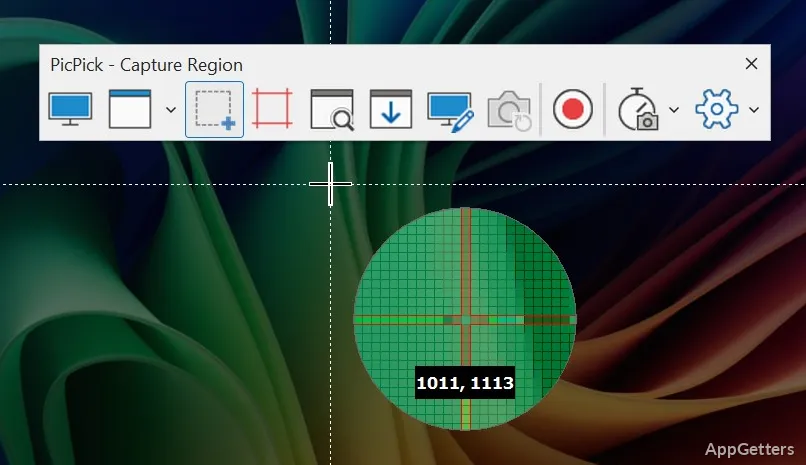
What makes PicPick so efficient is that it covers the whole screenshot process, while other programs only provide capture functions. Users are able to make full snapshots of the screen, create snapshots from the selected areas, or capture scrolling windows, and then, without closing the application, they switch to editing.

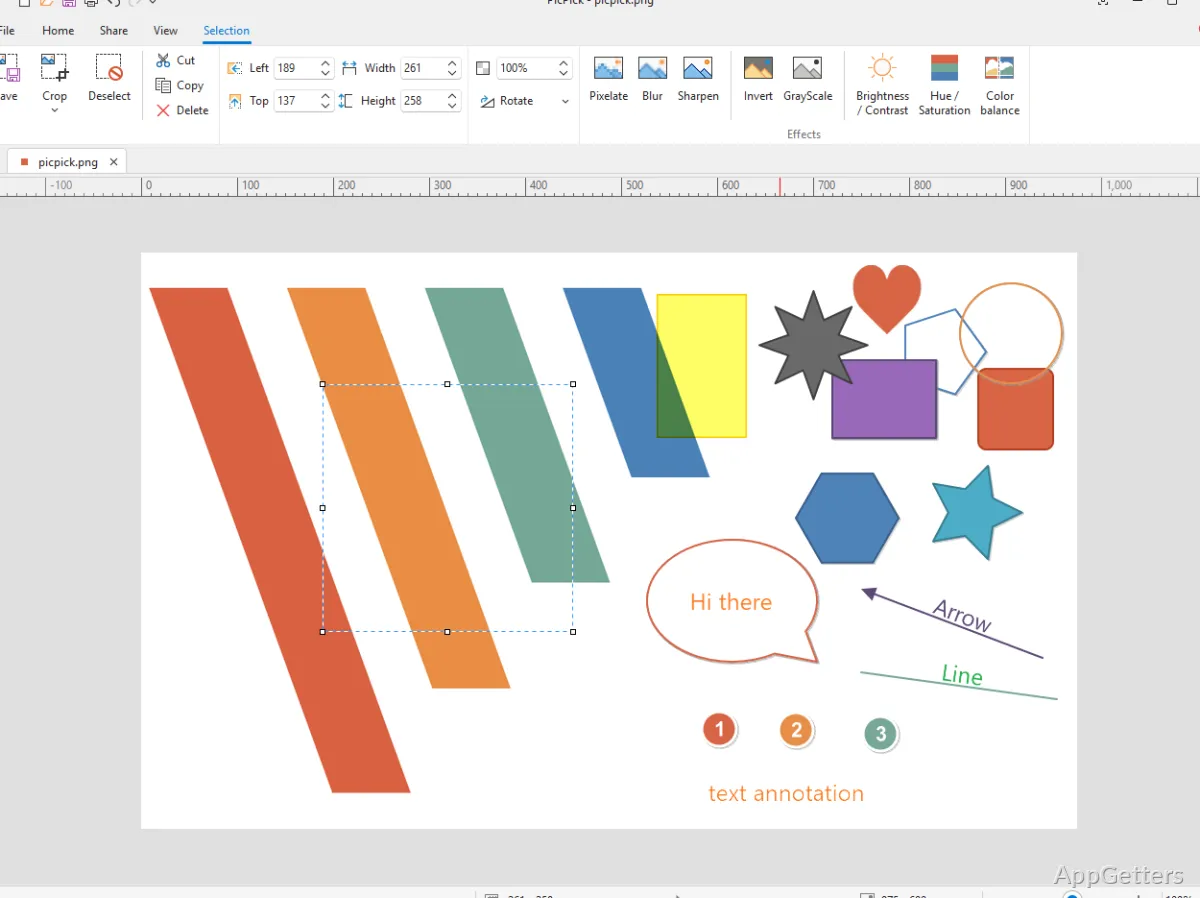
This is especially important for office workers, teachers, help desk people, and students who are routinely involved in producing educational content and visual explanations. Instead of saving the screens and then opening an additional program for editing, they can immediately use arrows, text, highlights, and simple shapes for annotation after the shots.

The concept of the software is that it makes the transition from capturing to sharing information as effortless as possible; hence, users who document stuff often find that it considerably decreases the time spent.

Nevertheless, it doesn’t aim to be a full-fledged image editor, but rather focuses on providing a fast and accessible package for the main functions.

The Useful Pieces in the Desktop Environment

PicPick fits perfectly into the Windows desktop environment. Ordinarily, it stays hidden. Only when a user presses the right key combination is the program “activated”. Then it is ready for the operation. It is equipped with shortcut integration, for example.

This is why, in a real work environment, such an approach to performing actions without opening a program in full is preferred. It is preferred over having a plethora of functions. A person responsible for writing software instructions, reporting bugs, or telling a classroom about something through the computer will typically make the most use of fast grabs. This helps maintain concentration with minimal interruption. PicPick comes into the scene quite often under these circumstances. Most of the features lie a few clicks away from the actual capture.

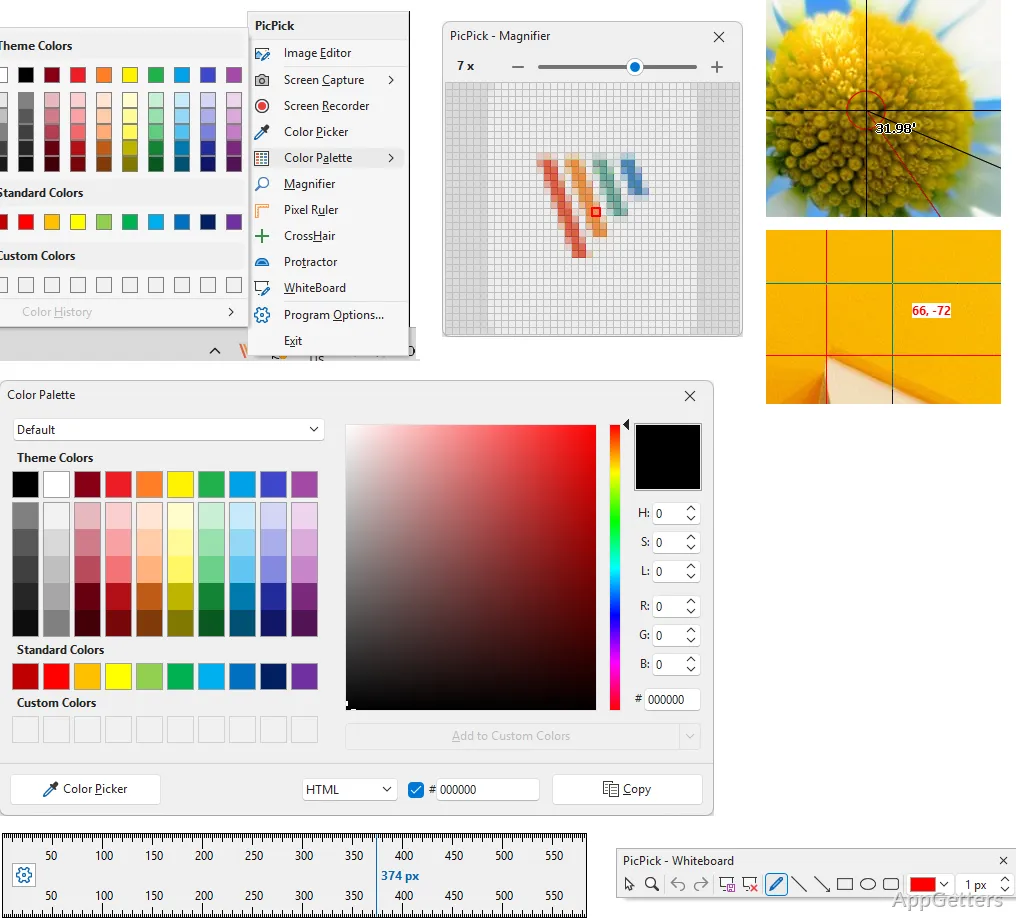
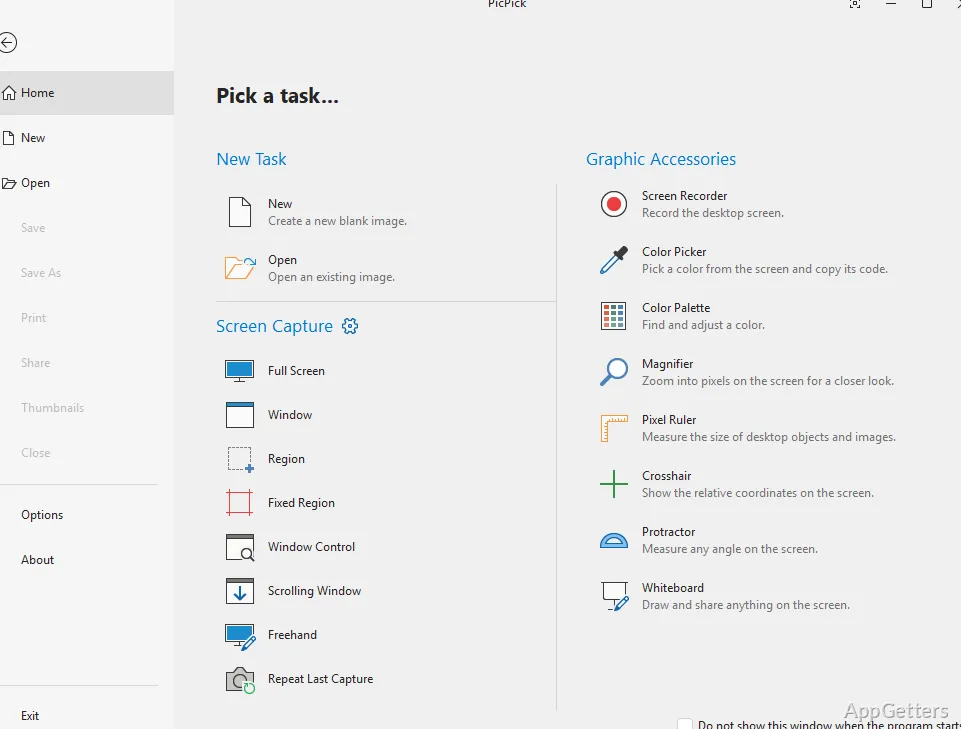
On top of the additional and specialized tools, such as pixel ruler, color picker, and coordinate measurement, it also has a feature set. This expands its possibilities beyond the domain of simple screenshots.

This may also be a reason for the tool to be deemed clumsy-looking to some, as it is packed full of utilities. At first, a manual arrangement may be necessary, and then the following steps will be clear to the user.

Simple Editing Without the Complexity of a Professional Design

PicPick is designed for people who want to share visuals quickly rather than make a full-fledged image. Cropping, highlighting, blurring, and annotation features stand out in their ease of access and popularity. They are widely used in tutorial demonstrations and presentations.

Editing a captured display is a simple and clear task thanks to the tool. Users do not have to waste time going through complicated menus. The software is designed to allow direct editing immediately after taking a screenshot. This kind of ease is a major selling point for the application.

Minimalistic design also assisted in giving the program low system requirements. Therefore, old Windows computers will still be able to cope with the application quite well. This is especially true in cases where it is used as a tool in schools or offices.

PicPick will not be the way to go if you are looking for advanced layering, professional retouching, or image compositing. It is more of a productivity tool, not a professional graphics suite.

Suitably Comfortable in Documentation and Everyday Visual Communication

The use of PicPick within Windows is especially effective when it comes to making screenshots and their annotation. It is also useful for visual explanation-type operations. It is geared primarily towards those who engage in visual communication regularly. PicPick is also for users who do not want to juggle different applications.

It will be the best friend for a teacher making a lesson. PicPick will also help office workers who are working on procedure documentation. It is useful for developers giving interface feedback. It also supports students making project papers. The software will not only help reduce the time moving away from capture to editing. It will also make the entire process friendly to beginners.

Software Details of PicPick 7.4.1.0

License
Free
Version
7.4.1.0
File Size
75.02 MB
Downloads
0
Languages
English English, Arabic, Chinese, French, German, Italian, Japanese, Portuguese, Spanish
Category
Op. System
Windows
Developer
Last Updated
November 21, 2025

Version History

5 versions
7.4.1.0
Latest
75.02 MB
November 21, 2025
7.4.0
74.85 MB
June 23, 2025
7.3.6
74.77 MB
May 16, 2025
7.3.4
74.76 MB
March 5, 2025
7.3.2
74.79 MB
February 27, 2025

Leave a Comment

Your email address will not be published. Required fields are marked *

Software Icon
Security Report

Loading scan data...

Scroll to Top