Making good diagrams usually takes more effort than you anticipate. Many Windows users want to create workflow diagrams, organize their ideas structurally, or illustrate things visually for learning or work. But they get overwhelmed by quite complicated design tools. High-end diagramming apps may seem too much, while simple drawing programs are without the required structure. This is the very place where many lightweight diagram tools want to come to the rescue. However, the truth is that the issue is not only how to draw shapes but also how to arrange the information in such a way that it remains readable and easy to modify over time. ClickCharts Pro is situated right in that middle ground. It concentrates on a simple way for making flowcharts without asking users for advanced design skills or technical setup.
Creating diagrams without making them more complicated
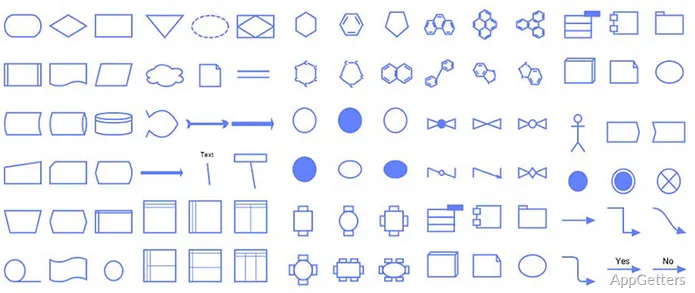
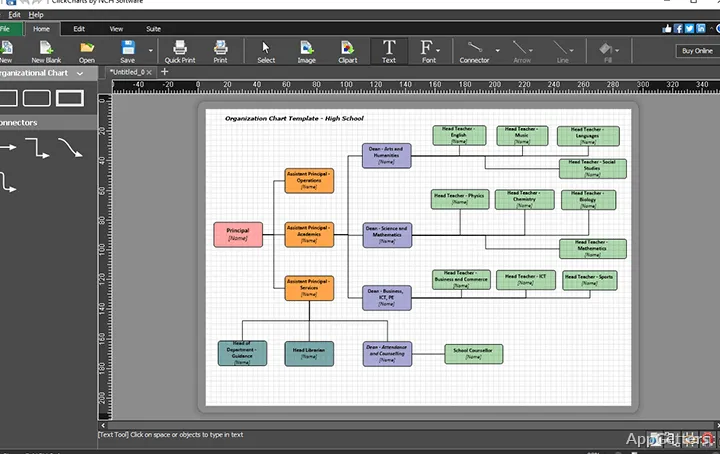
As a matter of fact, ClickCharts Pro is mainly focused on making the operation fast and clear rather than on design sophistication. Most often, people open the software either with an empty page or with a ready-made diagram type. Then they start dragging and dropping things to make their diagrams. They draw boxes, arrows, and other typical connecting lines fast. What is more, the software automatically makes sure that everything is positioned properly.
This is a great way for the students and the office workers to avoid the frustration that usually comes with using the more sophisticated diagramming tools. Users are not expected to know or deal with complicated features such as the layer system or specific design rules. Instead, everything moves towards the logical arrangement of ideas. But, at the same time, this also implies a lack of numerous configuration options as compared to high-end diagramming tools. This software is not intended to be a powerhouse for advanced formatting or very detailed visual control. This could become a problem in case you deal with very complicated projects.
Nonetheless, the question is, for common and simple charts, flowcharts, or sketching processes, it will be a solid partner. You can expect not to be disappointed.
Templates and structured workflow support
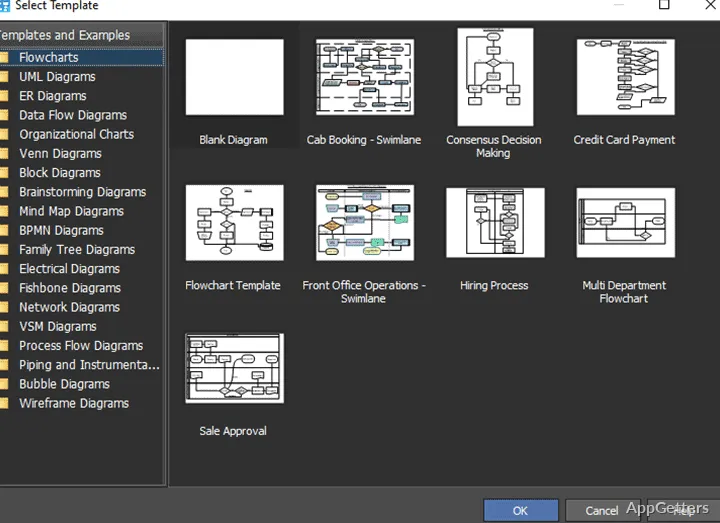
In fact, from the perspective of the user, templates are a wonderful way to not only overcome the wasteland of starting from a blank page but also to reduce the stress of working under the pressure of time. A whole lot of standard chart types, such as organizational charts, process workflows, or decision-making trees that are simple in nature, can be put together swiftly by tweaking an existing layout.
It is also an excellent method of work for novices who are at the stage of gaining familiarity with the fundamentals of diagrams and how they are put together. They can concentrate on learning and explaining the material that the diagram will contain rather than stressing about the layout of the diagram. Most of the time, the operations of making changes are quite simple. Elements get snapped into place. And when shapes are moved, connectors get updated automatically.
Naturally, in terms of the range of templates, this can appear rather restrictive depending on the complexity of the task. It is a fine choice for doing the academic or office standard diagrams. But if the user has needs of visualization that are more specialized, then they might very well feel that they are being constrained and see the software as less flexible than what they would like.
Usage on Windows in common situations and its pragmatic limitations
Speaking of systems, ClickCharts Pro is a fairly light application that will work well on most Windows configurations currently. It won’t need the very latest and most expensive hardware. It will most probably run just fine even on somewhat older machines. Given that, it is perfectly fine for users such as students, people working from home, or even workplaces where it is just not possible to install large design suites.
On the issue of reliability, the software is just fine with normal-sized diagrams. Export and save operations that the user performs are quite easily managed. Runtime is stable during the usual editing sessions. Yet, it is when you really start pushing the size and complexity of your charts that issues and limitations are going to surface. Very large and multi-layered charts are going to be more challenging to get your head around. Compared to other quite new diagram tools that are built for scalability, the interface may feel a bit inefficient.
The program is working. But if you are seeking the kind of diagramming that is really at the enterprise level, with tons of features that allow detailed system architecture work, this tool is certainly not one of those.
Where it makes the most sense, simple diagramming and teaching settings
ClickCharts Pro will work most effectively in situations where the main points of concern are clarity plus simplicity, rather than having a wide range of highly advanced design features. Students who are doing their homework, office staff who are putting together simple documentation of processes, or individuals creating mind maps and the like to help themselves internally will probably find that it suits their needs adequately for their normal usage.
It certainly is not a tool rampaging around the professional diagramming platforms with full features and capabilities. On the contrary, its main emphasis stays on making basic visualization tasks easy and pleasant. It avoids the hassle of going through a learning curve. Where the product lays its cards on the table can definitely be considered a plus. It is so simple and well-done. The speed at which one can use it and the ease of use become the main selling points. This is especially true in situations where advanced customization is not the priority.
Practically speaking, it is a good and trustworthy beginner’s diagramming software. Windows users can benefit from structure without facing complexity. This is particularly true in the education field and relatively light office contexts. In such cases, diagrams are generally simple, functional, and not technical to a large extent.