Numerador Custombit places sequential numbers and variable data on document layouts for printing. Its visual editor positions fields over a background image, which can serve as a guide for preprinted paper or print as part of the job.
Positioning number fields
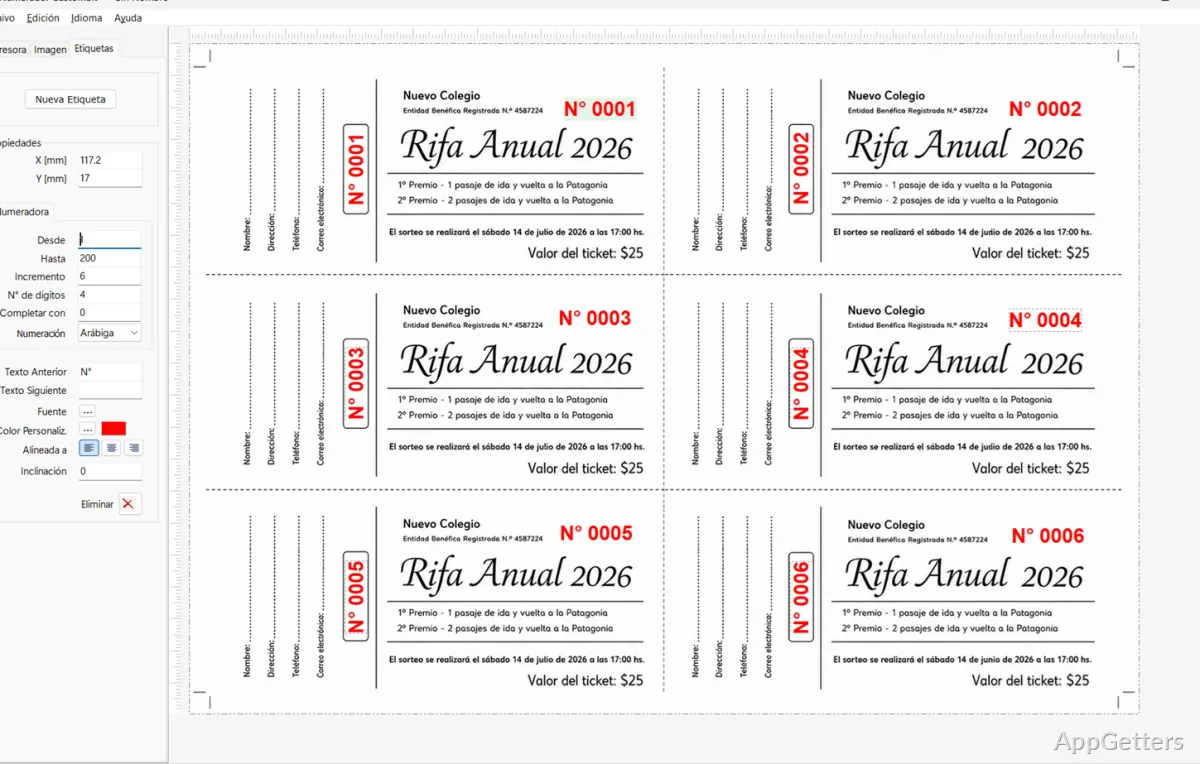
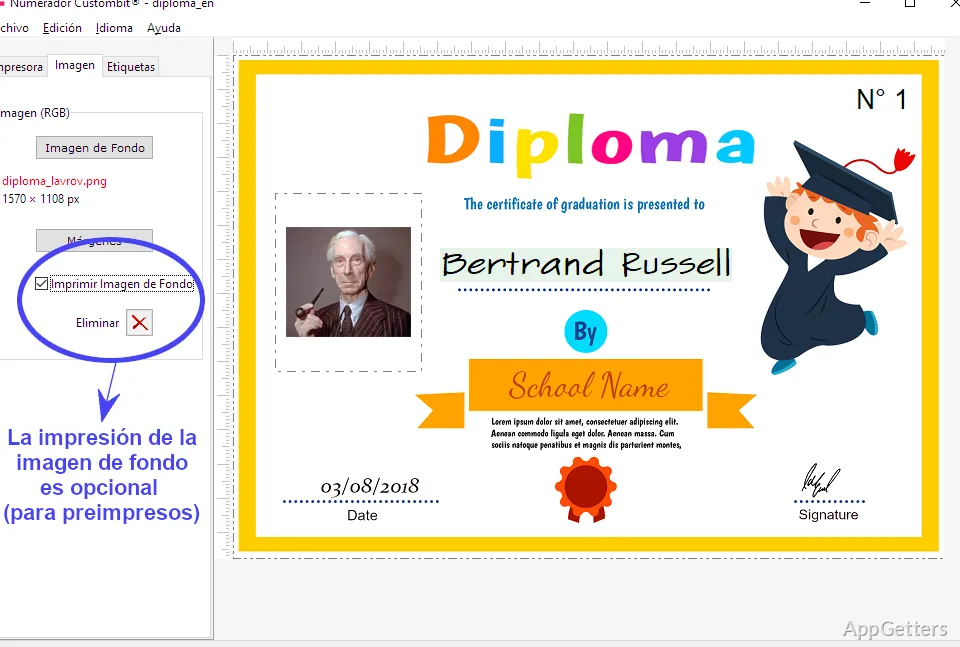
In the editor, each numbering label marks a spot where a value will print. Place labels over the background by dragging them, entering X and Y coordinates, or nudging them with the arrow keys. The background image can be a layout reference only, which suits forms or tickets already printed on paper.
Set the starting and ending values, then choose an increment or decrement. Number labels also have controls for digit count and padding, text before or after the number, font and color, alignment, and rotation. The sequence can use Arabic or Roman numerals.
What variable data can it print?
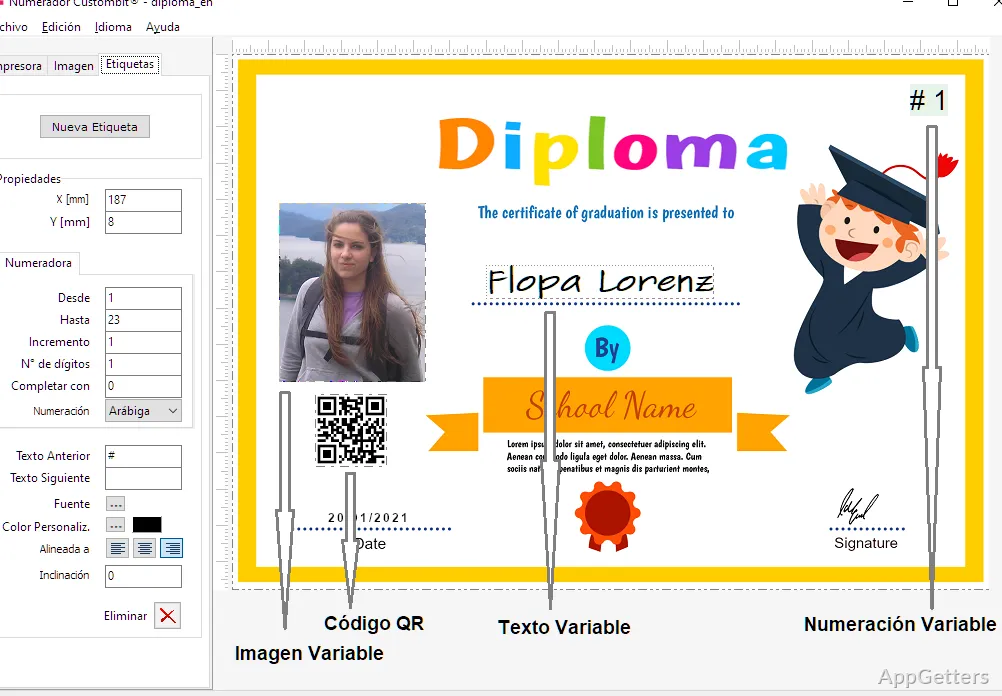
Alongside numeric fields, a layout can include sequential barcode labels in Code 39 or Code 128, plus variable text, images, and QR codes. Variable data can be entered manually, pasted from another list, or imported from a CSV file by selecting a column. Numerador Custombit then uses the values in order, assigning each document its own content.
- Use text fields for items such as names or other changing details.
- Place image and QR code fields alongside number labels on the same layout.
Printing a numbered run
Choose an installed physical or virtual printer and print the full sequence, a page range, or a single page. Multiple copies of each sheet are supported, with an interleave option for arranging copies. Separate sequences at different positions on a sheet can also produce consecutive stacks after cutting.
Backgrounds can be loaded from formats including PNG, JPEG, BMP, TIFF, EMF, WMF, and PDF. For preprinted stock, leave the background out of the printed output; alternatively, include it in the job.
Pros
- Sets number ranges, increments, digit counts, prefixes, and suffixes
- Prints sequential Code 39 and Code 128 barcodes
- Loads variable text, images, and QR code data from CSV
- Supports selected page ranges and interleaved copies
System requirements: Windows 10, Windows 11
Can a sheet contain several numbered tickets?
Yes. Place number labels at each ticket position; separate positions can use independent sequences.
Can the number appear as a barcode?
Yes. Numerador Custombit supports sequential Code 39 and Code 128 barcode labels.
How can variable values be supplied?
Enter them manually, paste a list, or import a CSV column for text, image, or QR code fields.