Simulated user activity from Move Mouse keeps a Windows session from locking or going idle. Set it to repeat mouse actions on a timer, or build a sequence that also clicks, scrolls, launches applications, and runs commands or PowerShell scripts.
Start a repeating action
Move Mouse uses a countdown to time its actions. Start it from the main window or double-click its system tray icon; it then repeats the configured actions at the chosen interval. The main window’s outer ring indicates its state: blue when idle, green while counting down, red during an action, and yellow when automatically paused.
Arrange actions in a sequence
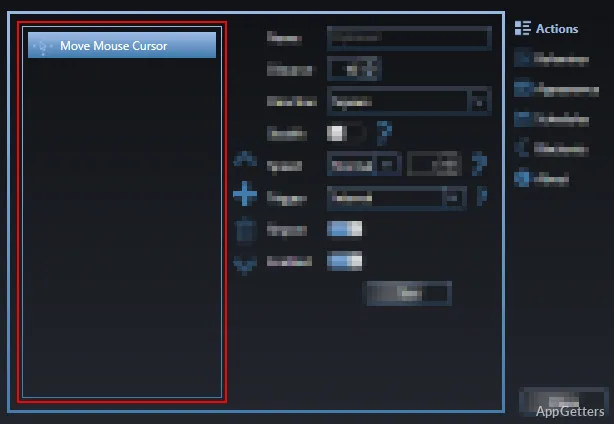
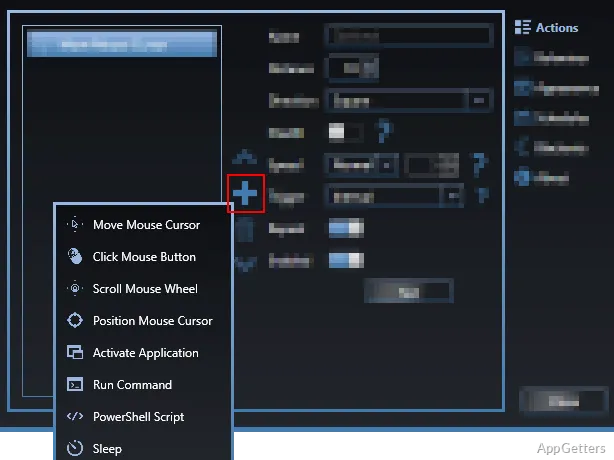
The Actions settings let you add, remove, enable, disable, and reorder steps. Each step can have its own trigger: run it when Move Mouse starts, at every interval, or when Move Mouse stops. Interval actions can repeat each time or run only once.
- Move the cursor in a chosen direction or pattern, set its distance and speed, or use Stealth to reset session idle time without visibly moving the pointer.
- Click a mouse button, scroll the wheel, or place the pointer at specific screen coordinates. The tracking option records a location as you move the pointer there.
- Activate a running application by process name or window title. Other actions launch a command with arguments or run a Windows PowerShell script.
- Add a sleep action to pause the sequence for a set duration or a randomized time.
Set when Move Mouse runs
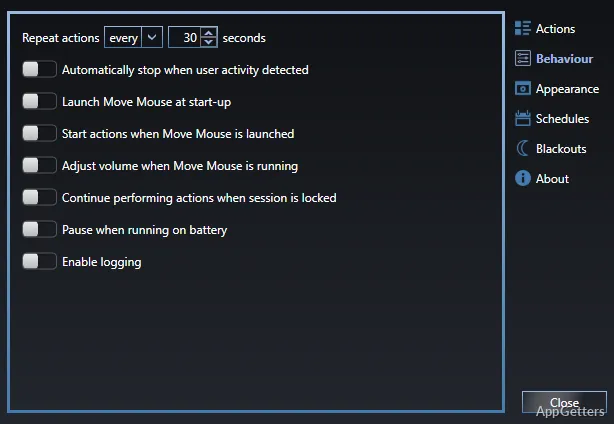
Behaviour settings control the timing and automatic pauses. Choose a fixed interval or a randomized range, pause when keyboard or mouse activity is detected, and set an inactivity period before resuming. Move Mouse can also start when you sign in and begin its actions as soon as it launches.
- Pause automatically on battery power, or allow actions to continue while the session is locked.
- Use a blackout window to put Move Mouse to sleep during a chosen period.
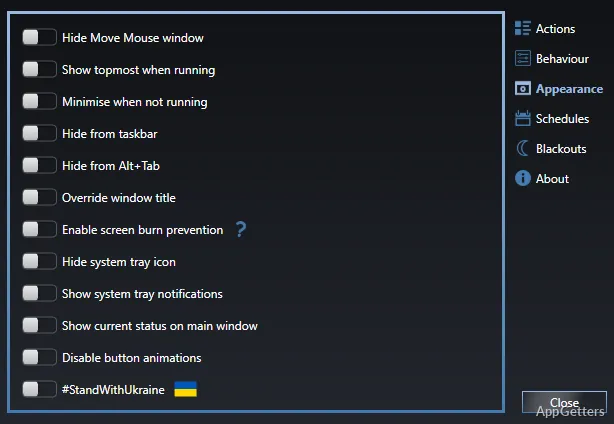
- Appearance options can hide the main window, remove it from the taskbar or Alt+Tab list, and minimize it when idle or paused.
Pros
- Actions can run at startup, on each interval, or when stopping
- Cursor movement supports a stealth setting that keeps the pointer still
- Can pause for detected keyboard or mouse activity and resume later
- Includes actions for activating applications and running commands or scripts
Cons
- Waiting for a long-running command or script can make Move Mouse hang
Can Move Mouse keep the cursor from visibly moving?
Yes. Enable Stealth for a cursor-movement action; it resets session idle time without visibly moving the pointer.
Can Move Mouse pause while I use the computer?
Yes. Enable automatic pausing when keyboard or mouse activity is detected, then configure it to resume after a period of inactivity.
Can it do anything besides move the pointer?
Yes. Its actions include clicking, scrolling, positioning the cursor, activating a running application, launching commands, and running PowerShell scripts.