EXE
Home » Maintenance » HiBit Uninstaller for Windows
HiBit Uninstaller for Windows

HiBit Uninstaller for Windows

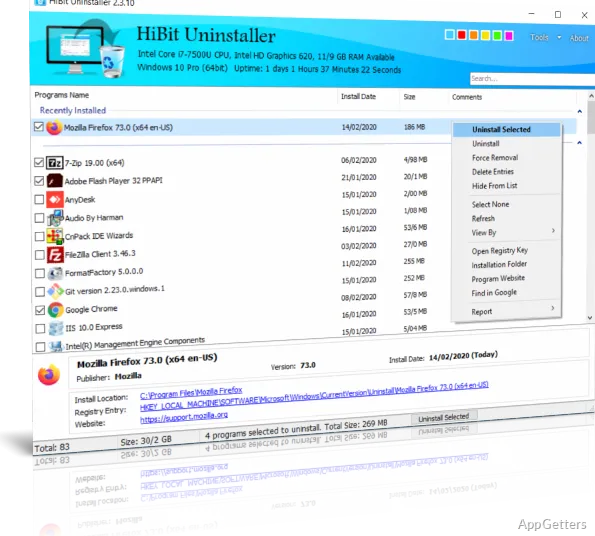
Removing software on Windows is not always straightforward. Many users find that uninstalling through the default Windows program removal utilities still leaves behind pieces of the program. Such as folders, registry entries, background services, or startup items. These leftover fragments accumulated over time can slow down the system, cause software conflicts, or just take up unnecessary disk space. HiBit Uninstaller comes to the rescue by supplying a comprehensive and highly controlled method to remove programs and their leftovers completely from Windows.

Why Standard Uninstallation Often Leaves Behind Problems

Generally, the Windows default uninstallers may be good enough for simply removing software; however, they often fail in completely cleaning the associated files. In order to operate, software sets up a lot of shared components, registry keys, or background operations. These remain untouchable during program removal. Actually, this is the case especially for the old software or some utilities that are tightly integrated into the system.

Often, users complain about the fact that there are startup entries the user cannot remove. Empty folders in the system remain, and the registry build-up can be seen slowly but steadily. Such leftovers, despite not giving rise to immediate problems, might eventually lead to performance degradation and even make system maintenance harder. People installing and removing software very often keep facing this problem sooner or later. This requires a more all-encompassing approach to the issue.

How HiBit Uninstaller Handles Program Removal

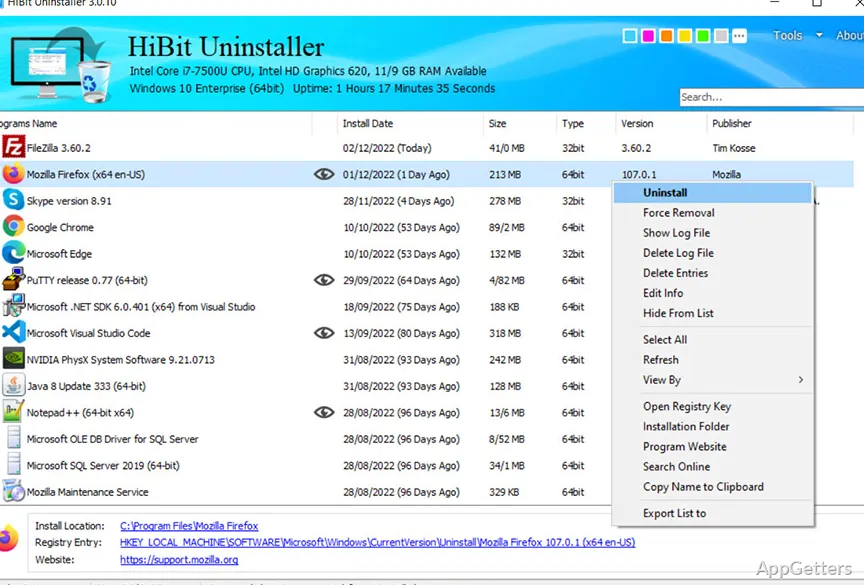
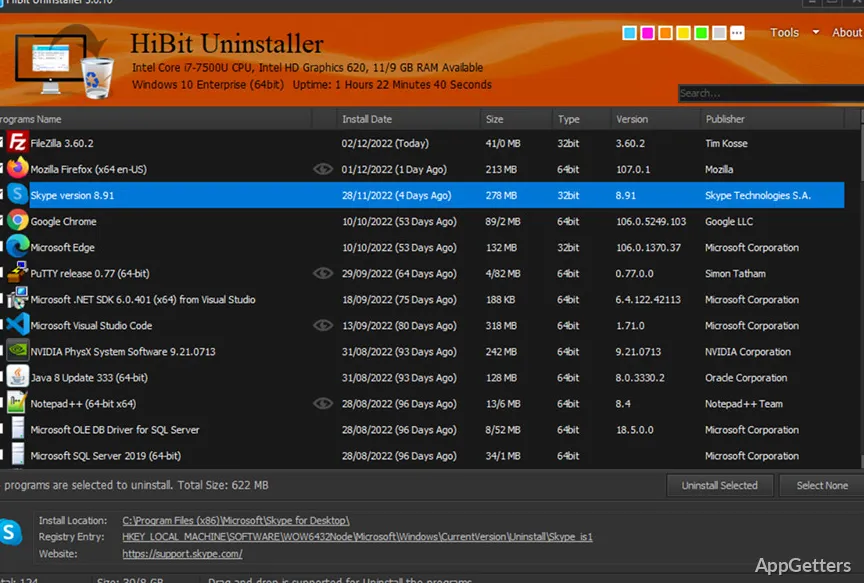
HiBit Uninstaller not only performs conventional uninstallation but also conducts a thorough scan of the system after that. Basically, the first thing it does is use the uninstaller of the application itself. That is followed by searching the areas in the disk and registry that the uninstaller normally misses. Users can readily decide which of the leftover files and registry items they want to get rid of.

This apparently minor adjustment makes the product very attractive when dealing with problematic or partially uninstalled applications. It won’t be a surprise that the software works well with those applications that leave their “traces” when uninstalling. Like trial software, older utilities, or poorly maintained software. The users will value the simple presentation of the programs in the list of installed items and the swift navigation after them for removal.

In fact, the users most enjoy having the power of this tool at hand. Not simply for removing but for keeping control of the process. Giving the users the chance to have a look at the leftovers before getting rid of them saves them from inadvertently deleting the shared system components.

Additional Tools for System Cleanup and Management

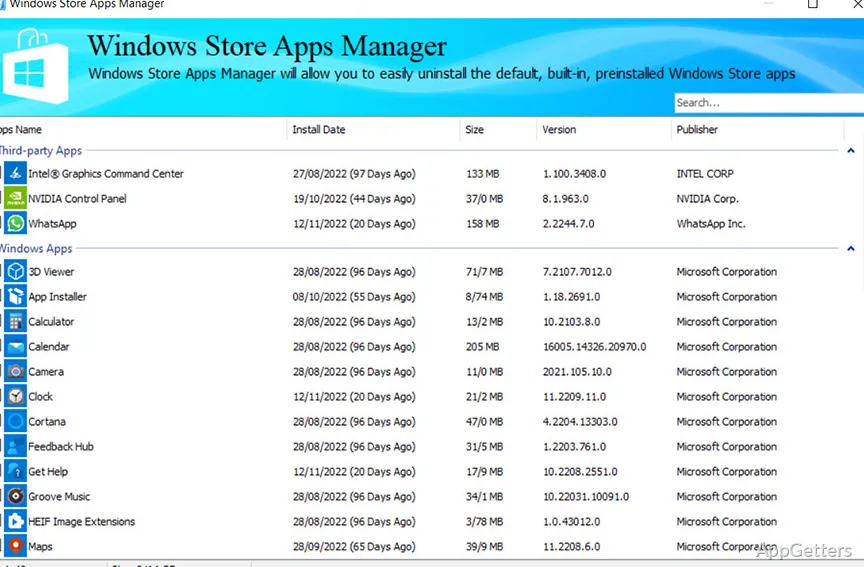
Besides uninstallation, HiBit Uninstaller is packed with quite a few secondary utilities helping with overall system care. Regular usage will reveal the possibilities of these utilities in system control. They make the system more responsive by managing startup items, removing unwanted browser extensions, and controlling system services that the user may have no idea of their presence.

Performance loss and slow boot times are very frequently attributed to the apps going to startup themselves without the user’s permission being asked clearly. Browser extension management has become as important nowadays as removing add-ons. Which can be a source of security risks or at least can worsen a user’s browsing experience.

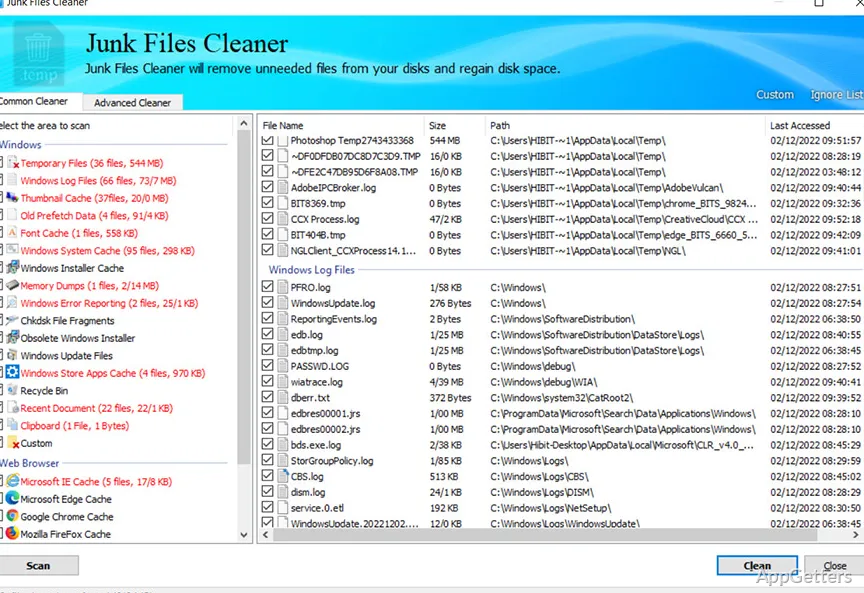
Besides these, there are utilities to do the cleanup work. Identifying temporary files and system junk. They are no match for specialized cleaning programs, but at least they can be used for the single purpose of cutting down house chores. More than anything, the layout and the way things are built are geared towards giving the users a one-stop shop for carrying out multiple system management and maintenance tasks. Which, if left to their own devices, could be handled by a separate program.

Practical Strengths and Real-Life Limitations

HiBit Uninstaller has won many fans because of its cleanness as well as efficiency in dealing with typical uninstall chores. It is light on resources, starts and finishes quickly, and it does not require an intricate setup. Students, home users, and casual PC users will find in it an easy and reliable way of keeping their PC clean without having to possess formal technical knowledge.

On the other hand, there are some shortcomings. It does not undergo enterprise-level complex software environments or deployment without issues. There is also the factor of the aggressive cleaning requiring very close attention in order to avoid deleting the components shared by other programs. True, the software provides safeguard protocols and prompts. But users must still have a minimal understanding of their deletions.

Nevertheless, it has successfully met the expectations of most Windows users who perform maintenance work and present themselves to the world. Where users feel they are in charge of the system rather than the other way round.

When HiBit Uninstaller Becomes a Practical Maintenance Tool

If applications are that component of Windows systems that are being set up, tested, and taken down regularly, then that is exactly the kind of scenario where HiBit Uninstaller is made to operate best. Keeping a neat system is the main attraction of HiBit Uninstaller. It removes the hassle of manually searching leftover files or registry entries. This is what users appreciate most. Cleaning up after prolonged use results in a system that exhibits less bloat as well as a more dependable behavior.

Software Details of HiBit Uninstaller 4.0.10

License
Free
Version
4.0.10
File Size
4.32 MB
Downloads
0
Languages
English English, Farsi, Russian, Turkish
Category
Op. System
Windows
Developer
Last Updated
February 20, 2026

Version History

5 versions
4.0.10
Latest
4.32 MB
February 20, 2026
3.2.70.100
3.95 MB
August 25, 2025
3.2.50
3.95 MB
January 16, 2025
3.2.30
3.36 MB
July 8, 2024
3.2.20
3.34 MB
May 20, 2024

Leave a Comment

Your email address will not be published. Required fields are marked *

Software Icon
Security Report

Loading scan data...

Scroll to Top