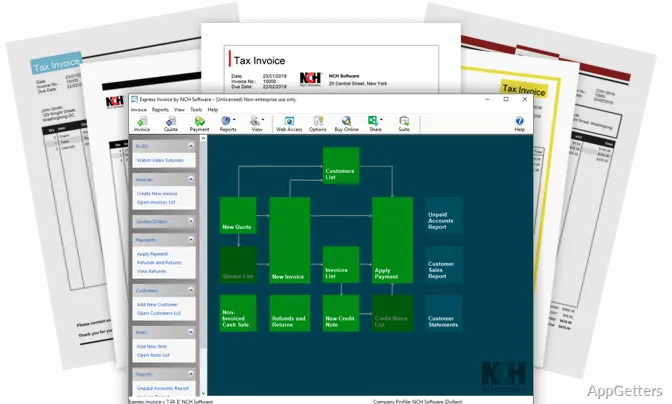
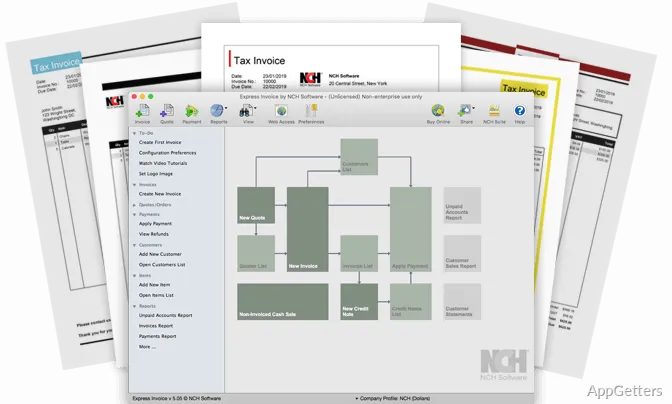
Invoices, quotes, and orders are created in Express Invoice Free Invoicing software, which keeps their billing details together with customer records and payment activity. It also supports recurring billing, invoice templates, and reports for reviewing sales and unpaid accounts.
How do you make an invoice?
Set up business information, choose an invoice template, and enter the sale. Express Invoice lets you add a logo, heading text, and notes to the form. Customer details and a saved item list can be reused, so common products or services and their pricing do not need to be entered from scratch each time.
The same workflow covers quotes and orders. Once a document is ready, save it as a PDF or send it to a client by email or fax; invoices can also be printed. Invoice and quote creation works offline, so an internet connection is not required for preparing those documents.
How does recurring billing work?
For repeat charges, schedule recurring invoices and set their sending frequency. The program can also send statements to customers with overdue balances and issue payment reminders. These options keep routine billing and follow-up within the invoice workflow.
Where can you track customers and payments?
Customer records and invoice histories are available alongside payment activity. This gives billing staff a place to see which invoices remain unpaid and to follow customer balances without assembling those details from separate records. Multiple businesses and tax rates are supported, which matters for users managing more than one business or applying different tax rates.
Which reports can you run?
Reports cover invoices, quotes, orders, payments, returns, refunds, sales, customers, and item activity. Aging and sales tax reports provide views of overdue balances and tax totals, while salesperson and customer-sales reports break down activity by account or sales role. The reporting tools also include unpaid-invoice and accounting reports.
- Add Inventoria integration to maintain inventory data alongside billing.
- Use the item list to add products or services to invoices.
Pros
- Creates invoices, quotes, and orders from saved customer and item details
- Schedules recurring invoices and statements for customers with overdue payments
- Sends or saves invoices as PDF files, and supports printing, email, and fax
- Reports cover unpaid invoices, sales tax, customers, and salesperson performance
System requirements: Windows 7, Windows 8, Windows 8.1, Windows 10, Windows 11
Can Express Invoice create quotes as well as invoices?
Yes. It creates quotes and orders in addition to invoices.
Can invoices be created without an internet connection?
Yes. Invoice and quote creation works offline.
Can the program send invoices to customers?
Yes. Invoices can be emailed or faxed, saved as PDFs, or printed.