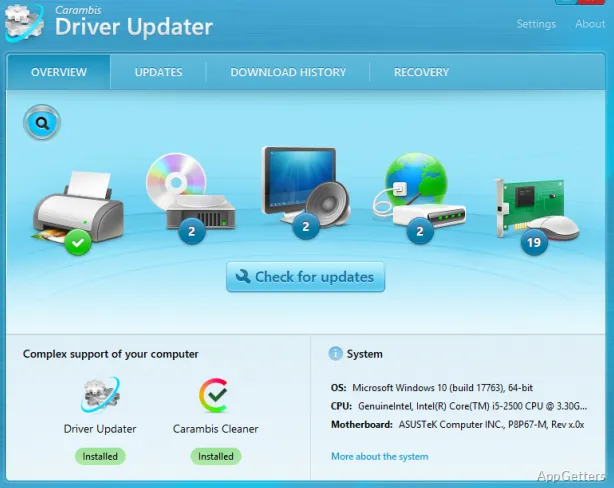
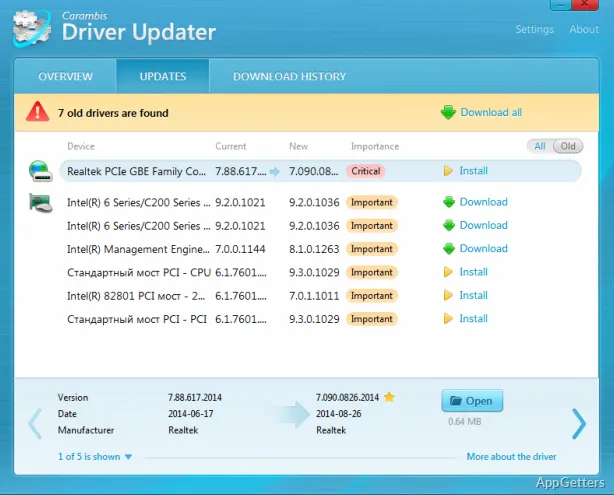
Updating drivers on the Windows platform can be a challenging task sometimes. Some updates happen without user intervention, while other updates are skipped, become obsolete, or are even hard to detect. This may result in scenarios of hardware malfunction, degraded performance, or incompatibility after a system upgrade. Driver Updater programs try to make this service easier for the users by scanning the computer, detecting drivers that are outdated or missing, and giving them a platform for update management.
Making Driver Management Easy for Regular Users
In fact, driver updater programs are there to make searching redundant. There is no need to visit various hardware manufacturer sites. After a single scan, users get the report about the present driver versions compared to the ones available in the database.
For anyone not familiar with computers, and for casual users, such a treatment makes driver maintenance operations simple and less of a guessing game. Most of the time, the software clearly shows what drivers you have and which ones need an upgrade. This also comes in handy when the system is made of different brand components. But keeping the information digestible to users means some crucial update data may not be revealed at times.
Effects on System Dependability and Performance
If you use driver updater tools cautiously, they have the potential to boost the reliability of your computer. Sometimes, getting better or the latest drivers can address issues of the incompatibility of hardware. At the same time, it is able to enhance the performance of the system.
You may experience some improvement in a practical scenario, like playing games or watching a video, when the updated driver is utilized. On the contrary, it is really not necessary that you will always see some improvement after updating the drivers. Newer versions of drivers can cause unexpected problems, maybe in cases when the drivers haven’t been completely optimized for a particular system configuration. This may result in the necessity to approach the driver update with some knowledge rather than consider it beneficial universally. This is where the importance of having at least some information about the effects of these changes becomes apparent.
Automation Vs Control
One of the biggest benefits of driver updater software is the level of automation it provides. Quite a few programs allow users to get all their updates downloaded and installed with just one click. This definitely consumes less time compared to the manual methods. This especially makes sense for those users who operate several computers.
But once you have the automation, it’s impossible to assume the full handcrafted update process. The selection of updates was made with full attention, as users were making their decision directly. As a result, automated updating may frequently benefit from user input, for instance, allowing the user to consider and accept or decline updates one by one. However, the availability of such a feature differs greatly from tool to tool. For users who wish to freely navigate each driver individually, automated procedures are often even less simple and unquestionably less transparent, notably about the critical pieces. Hence, automation is most of the time quite simply a different method that has its own spectrum of pros and cons.
Limitations as well as Considerations in Daily Use
Driver updater programs can be very good at what they do, but that does not necessarily make them a necessity for all users. In fact, Windows Update has got it pretty well covered, especially for common drivers of base hardware, and it is very tightly integrated with the rest of the system. People who have a newly bought or well-supported system will get most of what they need without having any additional driver update programs.
Also, there is the matter of source credibility. Different driver databases may have different levels of correctness. In the case that a wrong match is found and the driver is installed, it could end up doing more harm than good. For this reason, users should not consider these tools as a major replacement for driver installations from hardware manufacturer websites. They are better suited as a tool for occasional convenience. It may well be safer in some cases to just do a manual update of drivers.
Where Driver Updaters Fit in Routine System Maintenance
Driver updater tools are ideally suited to situations where you value your time and are unwilling to sacrifice your convenience. They also make excellent companions for students and other home users. They are useful for anyone who keeps their PC running. Especially those without strong knowledge of driver update issues.
Driver updater programs generally supplement your Windows operating system’s built-in update facility. They act as spotters for gaps that the built-in system might miss. Thus, they provide you with a little extra mixing of controls present in both systems going on simultaneously.
Though this does not mean that you should carry out your system management very lightly. The tools could help alleviate the difficulties in keeping one’s computer hardware functioning in tip-top condition and without too much exertion on your part. For a user who appreciates a one-stop and simplified manner of managing drivers, they represent a reasonable point. They fit within a comprehensive driver update routine on Windows.