
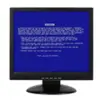
One of the most frustrating aspects of experiencing a Blue Screen of Death (BSOD) on a Windows machine is that the system shuts down suddenly. A blue screen appears. After the system restarts, users are left with a barely visible error code. They may manage to write it down. This is especially frustrating for most home users and students. They then start to guess the cause of the problem. BlueScreenView helps to solve this problem. It provides a readable and useful output of system crash records that are normally hidden from the user.
Extracting Meaning from Crash Dump Files
What BlueScreenView actually does is locate the minidump files that Windows generates automatically in the event of a crash. These files are normally hidden in system folders. They are not intended for the general users’ attention. The program loads these crash logs into an easy-to-understand user interface. Each crash is displayed with some of the most relevant pieces of information. These include error codes, time of the event, and the drivers involved.
Another nice feature of this software is the speed with which it detects recurring patterns. Instead of the user having to open each file to see the content, the software displays all the crash records in one list. When there is a problem that occurs regularly, the user can still figure it out. This can be done even without specialized knowledge. The same driver or part of the system can be identified as the cause.
Role in Troubleshooting
The most common time a computer user would benefit from BlueScreenView is when a driver has been updated. It also applies when a new piece of hardware has been installed. This happens just before the computer starts crashing. The program would then provide the user with a reasonable level of confidence. It confirms that the change is the one that causes the problem. Typically, it is not going to be a “problem-solver” itself. It is rather a mind-lightener for the user who is doubtful about what might be the cause.
This means a lot to users who are either students or regular home users. They are freed from the long frustration of a process of trial and error. This process often never ends. Rather than blindly reinstalling several components, they can focus their attention on one. That one has the greatest chance of being the culprit. IT students or technicians who are more knowledgeable can also employ it as a diagnostic tool. After that, more sophisticated diagnostics can still be performed.
BlueScreenView Advantages and Disadvantages After Using
Among many other features, the main advantage of BlueScreenView is that it is very straightforward. It is portable software. This means the users are not asked to install it. It launches immediately. When running it, there is no need to change any settings. Its look is basic, but still very serviceable. The focus remains on the information, not the appearance. This makes it usable even on really old or rootkit-infected computers. In such cases, one would hesitate to bring debug heavyweights to life.
On the other hand, its drawbacks are just as apparent. Even though the data it lays out is in an orderly fashion, the user still has to do some sort of “decoding” on their own. They may also need to make a trip to an online resource. Besides, it is completely backward-looking. It only tells the story of the previous crashes. There is no sense of monitoring the system in real-time. It also does not give any warning of an impending crash.
Integration with a Typical Windows Troubleshooting Process
BlueScreenView would be the ideal choice only when one has a clear and obvious crash to be analyzed. It enables one to move quickly from a general idea that things have gone wrong. It leads to a fairly definite idea of what could have caused it. A non-expert user will be able to distinguish among the many possible options given. This can be done with ease. A more experienced user will appreciate its quickness and compactness. These serve as a time-saver at the early stages of the analysis.
Besides, it is not a thorough diagnostic suite and does not want to be one. On the contrary, it has a narrow but vital role. It grants visibility and comprehension to the crash data in Windows. In regular use, that alone can change the user’s experience. It shifts from guessing the next move. It moves to making a decision based on the available information. This happens when a system is malfunctioning.