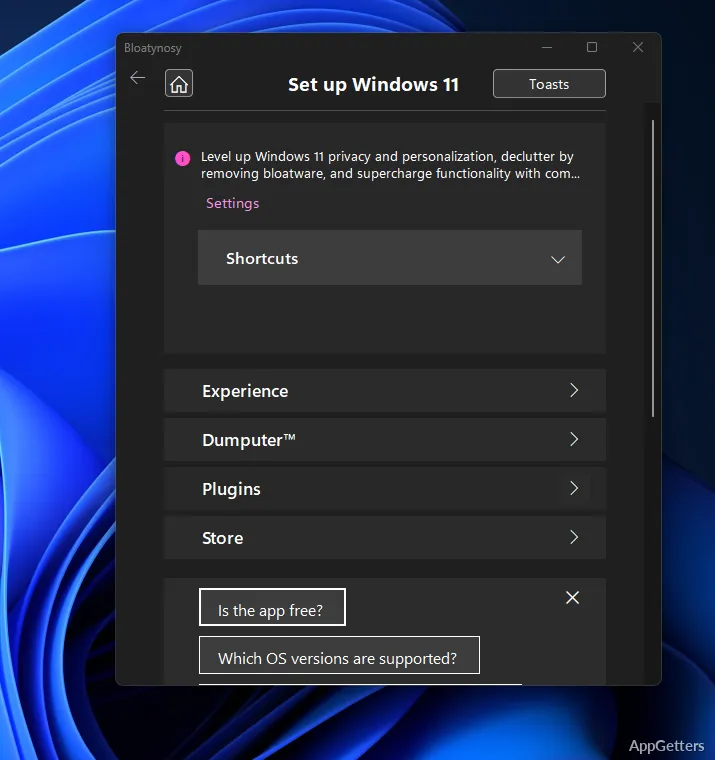
Each time a new Windows version is launched, more and more background services, preinstalled applications, suggestions, and interface elements that not everyone would want are added to the system. After a certain point, people who don’t pay much attention to such changes hardly notice the longer boot times, extra alerts, discovery of unwanted apps, or even the privacy issues that everyday usage could pose. This is the time when people begin to discuss desktop utility applications such as Bloatynosy Nue.
Bloatynosy Nue allows one to make Windows modifications and tidy up work much more easily, without calling for a very high technical understanding. The product doesn’t compel the clients to do their own manual hunts through system menus or registry entries. Instead, it presents most commonly performed tweaks through a much easier-to-use interface.
For those who want a neat Windows atmosphere, the change that a piece of software can bring is not a skin-deep one. Besides giving people more direct Windows control, the tool mainly concentrates on eliminating irritation in Windows usage day by day.
Windows Tweaks Made More Accessible
Making advanced system settings accessible is a prominent benefit of Bloatynosy Nue. Many optimization utilities make Windows too complex by introducing scripting or command-line stuff, with which casual users won’t feel pleased. However, the tool has a more step-wise method.
In normal operation, the UI is user-friendly, as it centers on the most common annoyances rather than on specialist terminology. By this, folks can look at the possible changes that have to do with startups, telemetry, default apps, UI, and many such items. They can do this without going deep into OS settings.
If you are a student or home user holding an old laptop to do a few things, then small performance changes should not be far from your reach. In such cases, the program can minimize your dependence on Internet tutorials that last for ages. However, this doesn’t mean that you should go blazing through all these settings, as some of them still possibly need careful handling.
Real Usage Benefits Besides Performance
Not all the debloat apps succeed in substantially boosting your computer’s speed, and many keep their work in a more subtle manner. Bloatynosy Nue’s toolset, in general, is more of a polished workflow helper than an assured speed-up tool.
You will notice that multitasking in the background can be less distracting. The Start menu operation will be more orderly, and system clutter can be reduced. That way, you will find it quite comfortable to perform research, surfing, writing, and light creative work at least. Also, it’s a good utility on a Windows fresh install.
However, don’t expect miracles. You will hardly see a new Windows-induced performance fall. On occasion, Windows updates can also bring back things you removed before without your knowledge.
Those Who Would Benefit Most Are the Ones Who Prefer Clean Windows
Bloatynosy Nue is a great selection for Windows users who want more control capabilities. It does this without changing Windows altogether or using complex scripts. It’s kind of a compromise between the two extremes: minor tweaks and hardcore system admin tools.
If you are a Windows tweak freak, you will also certainly find the shortcut handy. Natives may prefer consolidating various patches into one piece of software. Precisely, it would be a good fit for dated PCs, laptops, and those systems where background stuff would certainly be noticed.
The main strength lies in the field of making Windows more usable and less disturbing. That is the very reason why it has become quite popular among users. This is in contrast to many tools that promise something almost impossible to attain.
As a matter of fact, Bloatynosy Nue in your regular habit will work best as a sidekick for maintenance and personalization. It is not something that would pull all your Windows issues away at the snap of your fingers.
What does Bloatynosy Nue do?
It removes bloatware, disables telemetry, and targets improved system performance.
What changes does it focus on?
Its stated focus is removing unwanted software and turning off telemetry.