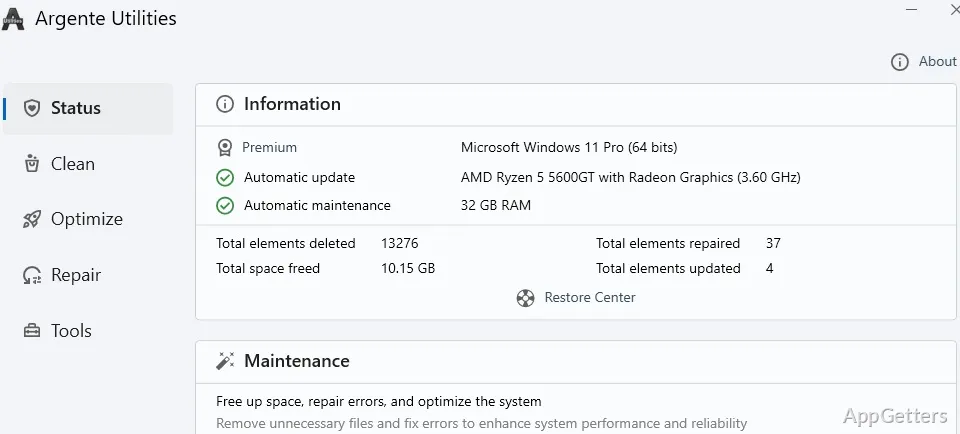
Want to clean unnecessary files, address registry errors, or control which programs start with Windows? Argente Utilities brings those maintenance tasks together with tools for managing processes, installed apps, privacy data, and common Windows issues.
One-click maintenance and cleanup
One Click Maintenance provides a combined route through PC upkeep. For more targeted cleanup, Disk Cleaner analyzes local disks for unnecessary files, while Registry Cleaner handles Windows registry cleanup. The suite’s advertised maintenance tasks also include clearing junk files and addressing registry errors.
Privacy Cleaner searches for Windows history and privacy data to remove.
Which startup and process controls are included?
Startup Manager manages programs that load when the computer starts, so users can change which applications launch automatically. Process Manager provides controls for managing and stopping running processes.
Uninstall Manager handles installed applications. System Optimizer offers a separate system-tuning tool, while System Manager provides controls for adjusting Windows to suit individual needs.
Repair, security, and extra tools
System Repair targets common Windows errors. Spyware Cleaner scans for malware and spyware, and Spyware Immunize is intended to block programs that try to compromise the computer.
The Argente Tools collection adds small utilities: a converter, encryption for text and files, and a secure file shredder. For a focused task, such as encrypting a file or removing one securely, these tools are available alongside the maintenance suite.
- Use One Click Maintenance for a combined upkeep pass.
- Choose Disk Cleaner, Registry Cleaner, or Privacy Cleaner for a specific cleanup task.
- Open Startup Manager to manage applications that launch with Windows.
Pros
- One Click Maintenance groups system upkeep into a single workflow
- Disk Cleaner searches local drives for unnecessary files
- Startup Manager controls programs that load when Windows starts
- Argente Tools includes conversion, encryption, and secure deletion utilities
System requirements: Windows 7, Windows 8.1, Windows 10, Windows 11 · 32-bit and 64-bit
What does Argente Utilities include?
It includes disk, registry, and privacy cleaners; startup, process, and uninstall managers; system repair and security tools; and small utilities for conversion, encryption, and secure deletion.
How do I manage programs that launch at startup?
Use Startup Manager to manage the programs that load when the computer starts.
Can I clean a specific area without using One Click Maintenance?
Yes. Disk Cleaner, Registry Cleaner, and Privacy Cleaner are separate tools for their respective cleanup tasks.