EXE
Home » Effects » AKVIS Sketch for Windows
AKVIS Sketch for Windows

AKVIS Sketch for Windows

  • By AKVIS LLC.
  • Trial
  • Version: 28.0
  • 172.18 MB
  • Security Report:

Many people aspire to convert regular photos into realistic pencil sketches or watercolor drawings at some point. Especially when doing creative work such as making visuals for social media or printing personalized items. Although very simple photo editing programs are able to reproduce sketch effects, the results hardly ever come out as natural. People tend to complain that they look fake and dull. Windows users who want a better artistic transformation than typical photo editing programs often call on professional applications like AKVIS Sketch. It enables them to turn pictures into hand-drawn style artworks. Users’ biggest problem lies in the fact that they want to get the right proportion of realism and stylization.

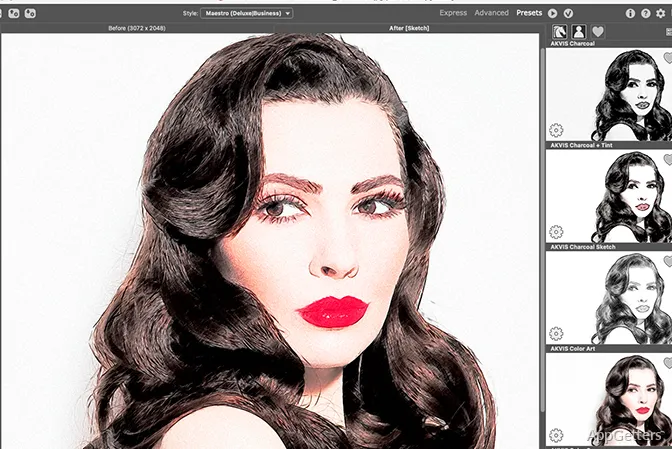
If you use too much automation, you can lose details necessary for recognition. But if you do everything manually, you end up spending too much time. AKVIS Sketch offers another alternative that allows users to control the level of final artistic effects. Or to choose from various drawing styles preset by professionals without having to learn how to draw.

Changing Photos into Pencil Drawing Style

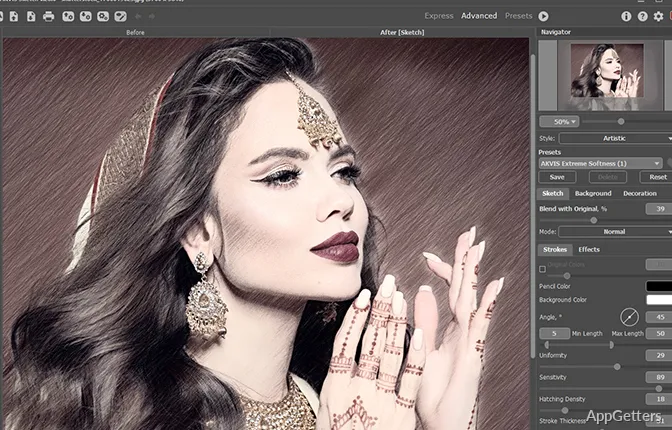
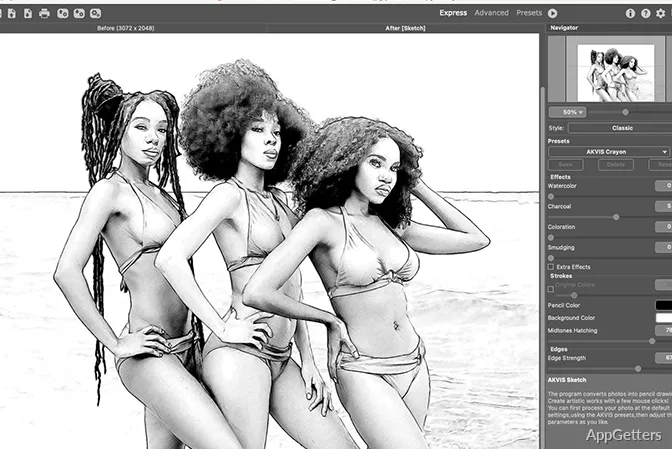
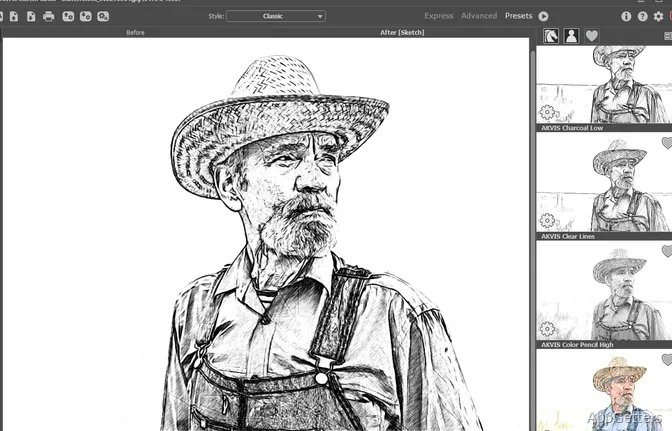
Pencil and watercolor painting are the main media that AKVIS Sketch digitally emulates. To apply a sketch effect, the user first opens the photo. Then the software detects edges, shadows, and contrast. It transforms them into lines as if they were hand-drawn. The machine result is a multi-layered image that looks drawn by hand. It is not a simple enhancement done by a filter at its simplest level.

Handling how to make edges stand out is the secret of the program’s real-world users who benefit the most from its usage. Blithely outlining things for mere purposes of recognition is not what AKVIS Sketch does. It actually differentiates strokes according to the depth of the image and how the light is shining on the subject. When converted into pencil form, portraits, sceneries, and architectural shots may look more like they were sketched naturally. One can also freely try out several kinds of effects. And decide which of the drawings is the most “soft” or “structured”.

This, however, does not mean that the program can deliver amazing results at all times. The authentic image after all is what matters the most. Sketches made of low-res or dark photos may end up not working for parts that require fine detail. These areas are hardly visible in the sources.

A Real-World Example and Everyday Use

AKVIS Sketch is a favorite of photographers, designers, and casual users. They like to transform pictures into paintings without experiencing the pains of producing a single line themselves. Other variants of usage can be present when producing with a card with a face, both on paper, a gift, contents for social networks, and decorated prints.

It is used in professional design scenarios as a stylistic change tool at first and foremost. Not replacing the main design software. Sometimes designers use the application while pre-sketching their work. This will also undergo changes using powerful editing tools. This helps them conserve time. Yet still be able to express themselves creatively in the final steps of production.

The program has this ability to make a batch. This comes in handy if you want to apply the same sketching style to all your images. Nevertheless, users almost always make a point to individually check all the output images. This is to ensure visual consistency. Especially if a photo series has been shot under multiple lighting conditions.

Completeness, Modifications, and Difficulty

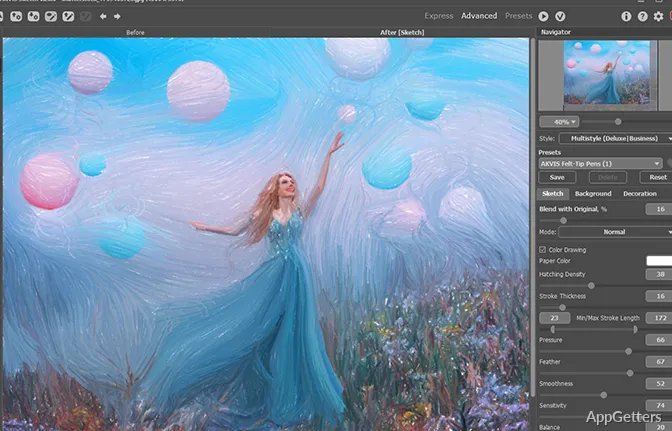
Users have at their disposal many adjustable options. These can be used to control various aspects of how the finished sketch looks. Choices are available for stroke size, how well the surface texture is visible, lighting, and the hue of the colors.

Though the layout is fairly simple, there is still a need to be adventurous to fine-tune the program for your requirements. Those unfamiliar with the program will likely first depend on a few presets. These can get you off to a fast start. But they are rarely going to deliver exactly what you need. After some time using the software, beginners will know what each of the controls does. They will understand how it modifies line behavior and the depth of shading.

Speaking of performance under Windows, the program runs very smoothly for the most part. When working with high-definition images, processing times might cause some delays depending on the machine specs.

Situations When AKVIS Sketch Is Used

For a Windows-based computer user looking for software that concentrates on converting photos into artistic images in sketch style without manually drawing or painting, AKVIS Sketch is a strong choice. Besides turning it into a part of creative photography, personalized artwork, and light experimental design works, there is no reason for the user to do so.

Individuals who wish to do full-scale illustration and people who require advanced photo manipulation suites would be better off looking for different software. It transforms images in a specialized manner rather than providing broad editing features. This gives the program power.

Software Details of AKVIS Sketch 28.0

License
Trial
Version
28.0
File Size
172.18 MB
Downloads
0
Languages
English English, Spanish
Category
Op. System
Windows
Developer
Last Updated
January 17, 2025

Version History

2 versions
28.0
Latest
172.18 MB
January 17, 2025
27.0
115.89 MB
May 25, 2023

Leave a Comment

Your email address will not be published. Required fields are marked *

Software Icon
Security Report

Loading scan data...

Scroll to Top