Downloaded a file and not sure your antivirus is right about it? VirusTotal Uploader adds a Send to VirusTotal option to Windows, so any file can be checked by about 70 antivirus engines on Google's VirusTotal service without opening a browser.
How do you submit a file?
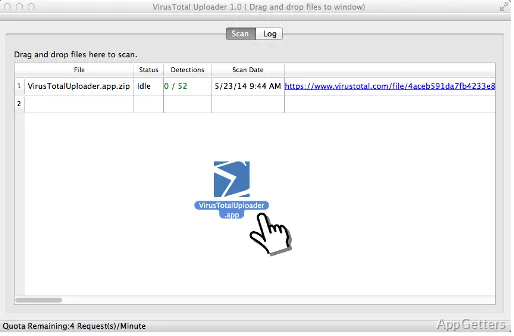
Choose a file in the program window or use the Windows Explorer right-click menu to send it to VirusTotal. The uploader passes the selected file to the online service for analysis; the antivirus checks are performed there, not on the PC by the uploader.
Large or already-known files are matched by their hash first, so a report often appears instantly without uploading again.
- Select a file in the uploader, or right-click it in Windows Explorer.
- Send it to VirusTotal for multi-engine analysis.
- Review the resulting vendor findings.
What do the scan results tell you?
The report shows how individual security vendors classify the submitted file. Seeing those results together makes disagreements visible: one engine may flag a file while others report no detection. That difference gives context for interpreting a result, but the report is not a guarantee that a file is safe.
What happens to a submitted file?
Uploaded files are stored by VirusTotal and shared with security vendors and researchers, so never submit private documents, contracts or files containing passwords. The uploader checks files on demand and gives no real-time protection.
Pros
- Submit files from the program window or Windows Explorer’s context menu
- Compare findings from multiple antivirus engines in one report
- See file classifications from individual security vendors
Cons
- Uploaded files are shared with security vendors
- Needs an internet connection
- No real-time protection
System requirements: Windows 7, Windows 8, Windows 8.1, Windows 10, Windows 11
Can I submit a file from Windows Explorer?
Yes. Right-click the file and choose the VirusTotal option to send it for analysis.
Are uploaded files kept private?
No. VirusTotal keeps submissions and shares them with security companies, so do not upload personal or confidential files.
Does one detection mean the file is malware?
Not necessarily. A single flag among many clean results is often a false positive; many detections are a strong warning.