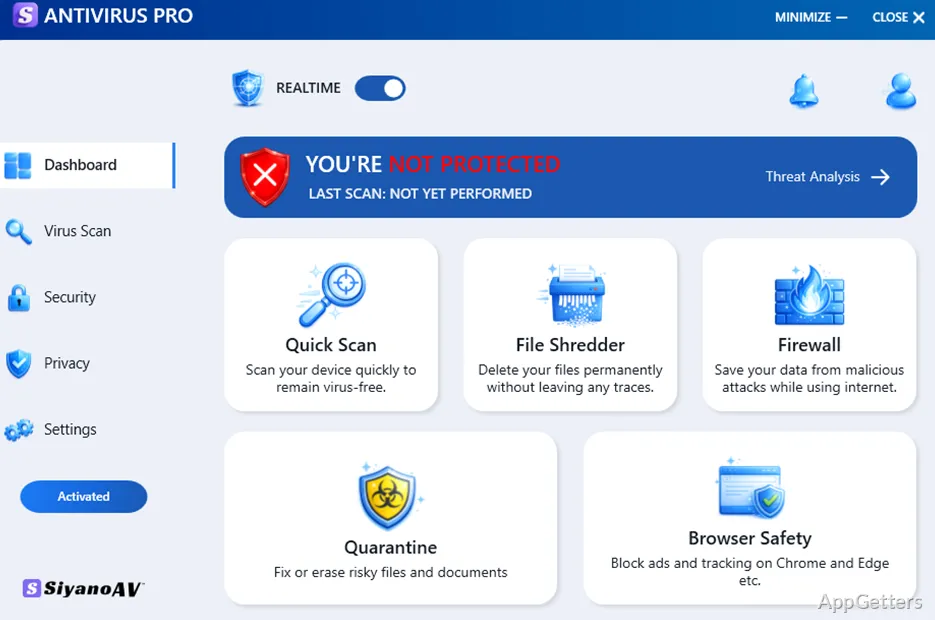
The main window keeps malware-scan and real-time protection controls close at hand. SiyanoAV Antivirus Pro scans a Windows PC for malware, blocks ransomware, and monitors for threats as the computer is used.
Run a malware scan when needed
Start a scan from the program’s controls to check the PC for malware. This on-demand check gives users a way to look for threats outside the ongoing protection provided by real-time monitoring.
SiyanoAV Antivirus Pro presents scanning and protection through simple controls, keeping the main security tasks accessible without requiring a complex setup.
Real-time protection watches for threats
Real-time scanning monitors the system during everyday use and is intended to stop harmful files before they can be accessed. The product also advertises ransomware blocking, addressing malware that targets a user’s files.
- On-demand scans check for malware when started.
- Real-time protection monitors for threats continuously.
Use scan and live protection together
The two protection modes cover different moments: a manual scan checks the PC when requested, while real-time protection remains active during regular use. SiyanoAV Antivirus Pro brings both functions together in its control interface.
Ransomware blocking adds a specific focus to its malware protection. The available product details do not identify separate scan modes or scheduling controls, so the main confirmed tasks are initiating a malware scan and relying on real-time monitoring.
Pros
- Scans for malware on demand
- Real-time protection monitors for threats
- Includes ransomware blocking
System requirements: Windows 7, Windows 8, Windows 8.1, Windows 10, Windows 11 · 32-bit and 64-bit · Processor: 1 GHz or faster · Disk space: 1.5 GB · RAM: 1 GB (32-bit) or 2 GB (64-bit) · Screen resolution: 1366 × 768
Does SiyanoAV Antivirus Pro scan for malware?
Yes. It provides malware scanning that users can start from the program’s controls.
Does it provide real-time protection against ransomware?
The product advertises real-time protection and ransomware blocking.
Do I need to start a scan for protection to run?
No. On-demand scans are started by the user, while real-time protection monitors for threats during use.