Downloaded an installer you're not sure about? The free VirusTotal Scanner checks it against VirusTotal's dozens of antivirus engines before you open it. The desktop workflow focuses on selecting a file, looking up its hash, and viewing the scan results online.
Look up a file by its hash
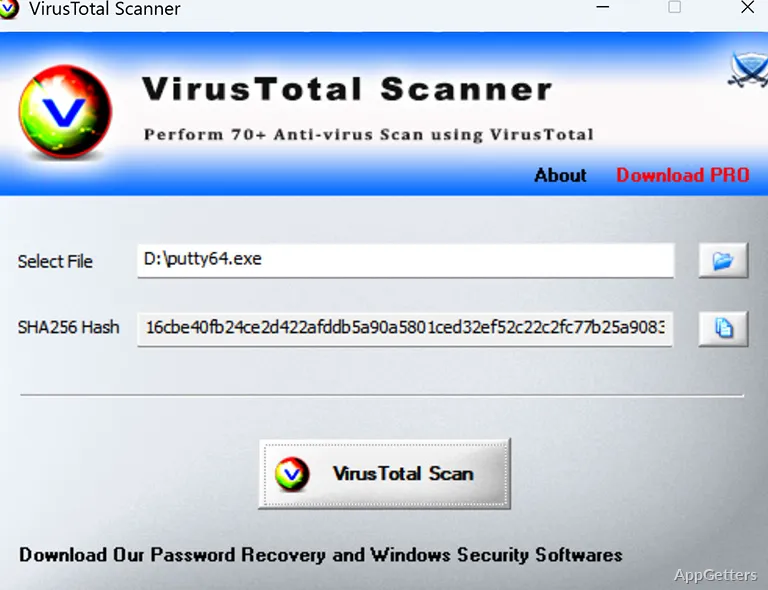
Choose a file in VirusTotal Scanner by browsing to it or dropping it onto the window. The program displays the file’s SHA-256 hash, then uses that hash to search VirusTotal for a scan report. This lookup avoids sending the file itself to the service.
When VirusTotal has a matching report, the tool takes you to the results online. A file without an existing report may not have scan findings available through this lookup.
Start a scan from File Explorer
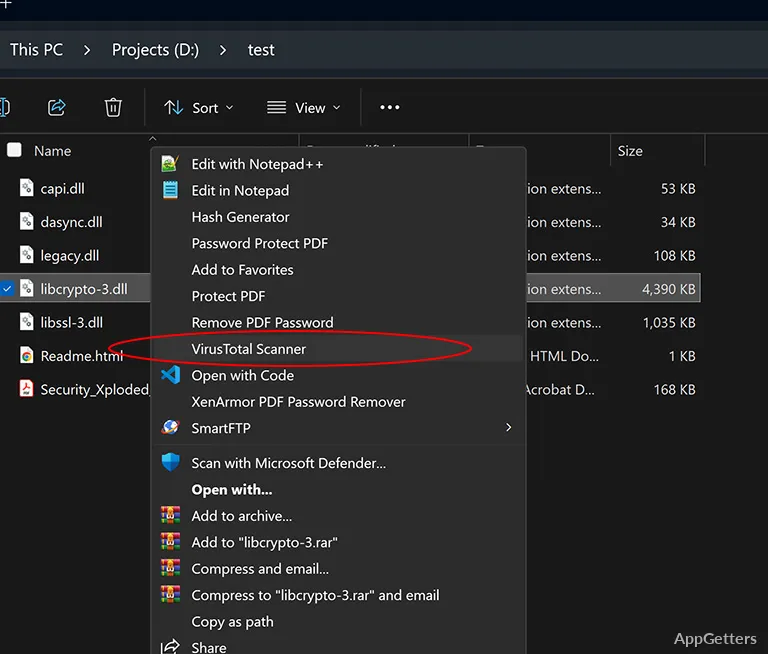
For a quick check, use the right-click context-menu option on a file to launch VirusTotal Scanner directly. Drag-and-drop and the browse control offer other ways to choose a file when the tool is already open.
- Select a downloaded file or installer to check its VirusTotal record.
- Use the displayed SHA-256 value to identify the file being queried.
Read the multi-engine report
VirusTotal’s report shows findings from multiple antivirus engines, including which ones flagged the file. The results provide several detection verdicts in one report; the scanner itself does not run in the background or alert on new downloads.
VirusTotal Scanner also supports URL checks.
Pros
- Looks up files by SHA-256 hash without uploading them
- Offers file selection by drag-and-drop or browse
- Can launch a scan from a file’s right-click menu
- Displays detailed VirusTotal scan reports
Cons
- Shows results only for files VirusTotal has already scanned
System requirements: Windows 7, Windows 8, Windows 10, Windows 11 · 32-bit and 64-bit
Does VirusTotal Scanner upload the selected file?
Its hash-based lookup searches VirusTotal without uploading the file itself.
How do I select a file to scan?
Drag a file into the window, browse for it, or launch the tool from the file’s right-click menu.
Can VirusTotal Scanner check URLs?
Yes. URL checks are among its stated scanning tasks.