Want to decide when Windows updates download or install instead of having them start on their own? StopUpdates10 provides hard-block and pause modes, with controls for restoring updates and suppressing upgrade notifications.
Hard Block and Soft Block
The main screen offers two ways to change update behavior. Hard Block stops Windows Update from downloading and installing updates. Soft Block pauses installation while leaving Windows Defender and Windows Store app updates available.
Choose the mode that fits the situation, then use StopUpdates10's restore control when updates should resume. Soft Block can pause updates for an extended period, and the program lets users pause and resume again instead of limiting them to a single pause.
Feature and quality update pauses
StopUpdates10 distinguishes feature updates, which move Windows to a new release, from quality updates, which deliver cumulative changes to the existing release. Separate pause dates and times can be set for the two categories, so one type of update can remain paused while the other follows a different schedule.
Updates Guard and upgrade notices
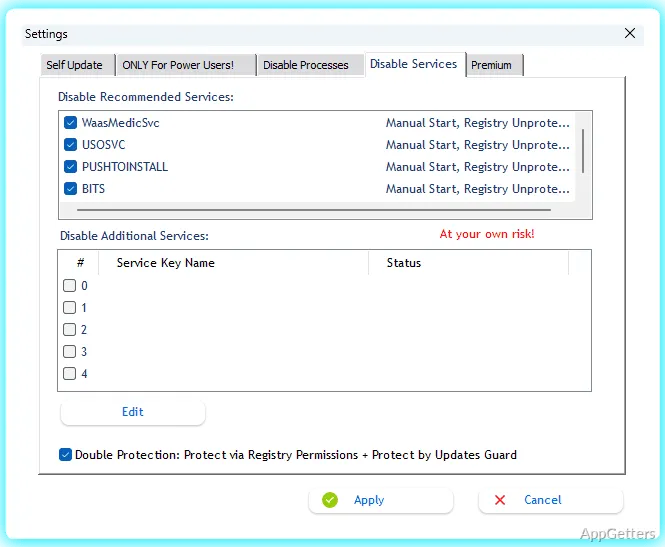
Updates Guard runs as a background service, so the StopUpdates10 window does not need to stay open. It watches the Windows Update service and disables it if the service starts or its automatic-start setting changes. This monitoring is intended to keep the selected block in place.
The program also blocks forced upgrades and upgrade notifications. On Windows 7 and 8, it can disable end-of-support and end-of-service notices.
Pros
- Hard Block stops Windows Update activity, including downloads and installations
- Soft Block lets Windows Defender and Store app updates continue
- Separate pause dates are available for feature and quality updates
- Updates Guard monitors the Windows Update service in the background
Cons
- Soft Block pauses installation but does not stop update downloads
- Individual updates cannot be selected for blocking or approval
System requirements: Windows 7, Windows 8, Windows 10, Windows 11 · 32-bit and 64-bit
What is the difference between Hard Block and Soft Block?
Hard Block stops Windows Update downloads and installations. Soft Block pauses installation while allowing Windows Defender and Store app updates to continue.
Does Updates Guard need the StopUpdates10 window to stay open?
No. Updates Guard runs in the background and monitors the Windows Update service.
Can feature and quality updates have different pause schedules?
Yes. StopUpdates10 provides separate pause dates and times for feature and quality updates.