EXE
Home » Maintenance » Revo Uninstaller for Windows
Revo Uninstaller for Windows

Revo Uninstaller for Windows

  • By Revo Group
  • Free
  • Version: 2.6.8
  • 11 MB
  • Security Report:

Uninstalling programs the usual way on a Windows computer doesn’t often mean that the computer is completely clean of the uninstalled program. Files, registry entries, and the services running in the background may stay for some time after the program has been removed. The slow accumulation can clutter one’s system. Eventually, this can cause a decrease in system performance, the occurrence of conflicts, or make system management even more difficult. People who install and uninstall software frequently may find the shortcomings of Windows’ default uninstaller becoming quite apparent. Revo Uninstaller is aimed at tackling the problem of software leftovers and giving the user control over the uninstall process.

A More Complete Approach to Removing Software

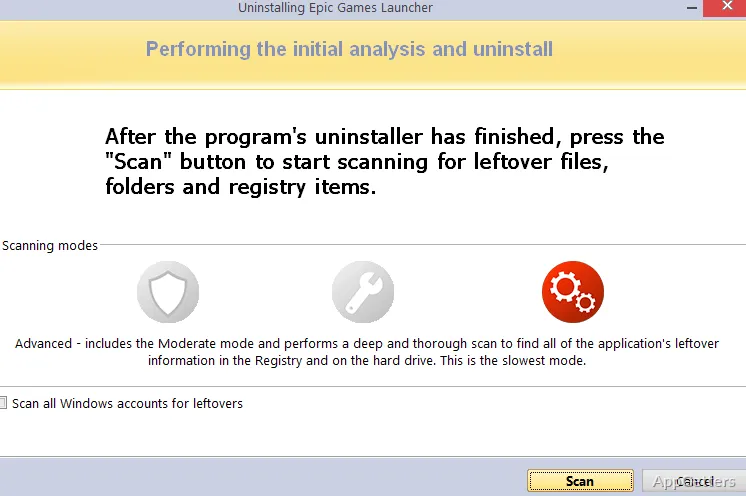
The way Revo Uninstaller works is by first using the program’s regular uninstaller and then going through a post-removal cleanup. It is a method that works well in practice.

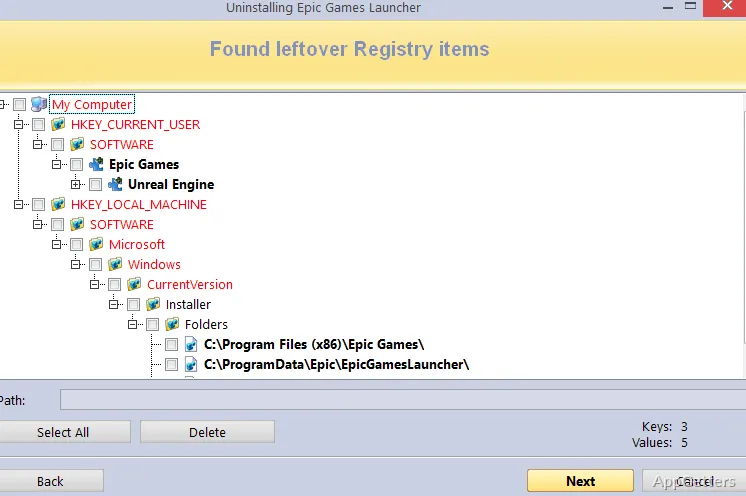
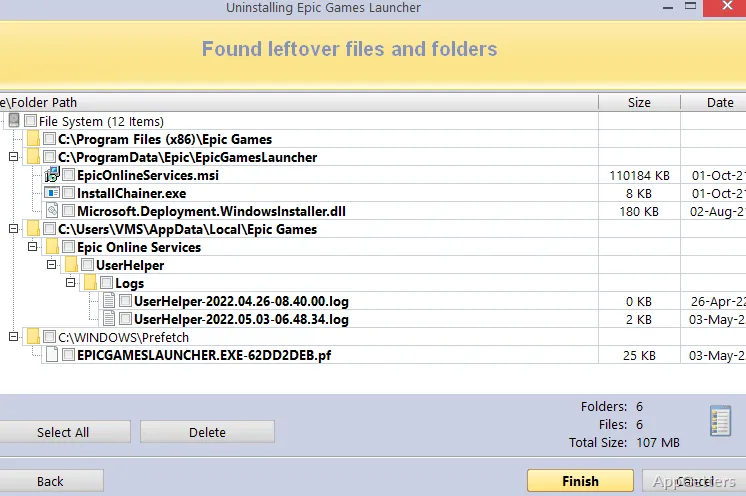
After the program has been uninstalled, it does a thorough search of the system for files, registry entries, and folders that are related to the program. These were not removed by the default uninstallation method. The user gets to see the list of leftovers and can choose what to delete.

In fact, this method of running a second scan is a good example of what extra functionality can be made available. It provides the user with a quick and safe way to clean up leftovers after any uninstallation. One of the main reasons why users have to revert to a reinstall or a system restore after a failed uninstall is due to the presence of components left over in the registry. This also applies to other similar scenarios.

Besides this, it will make the user aware of potential leftover startup items or registry traces that may have gone unnoticed. Getting to know and then getting rid of these items will be a help in keeping one’s system clean. This avoids the requirement for manual searching in the system directories or using the registry editor.

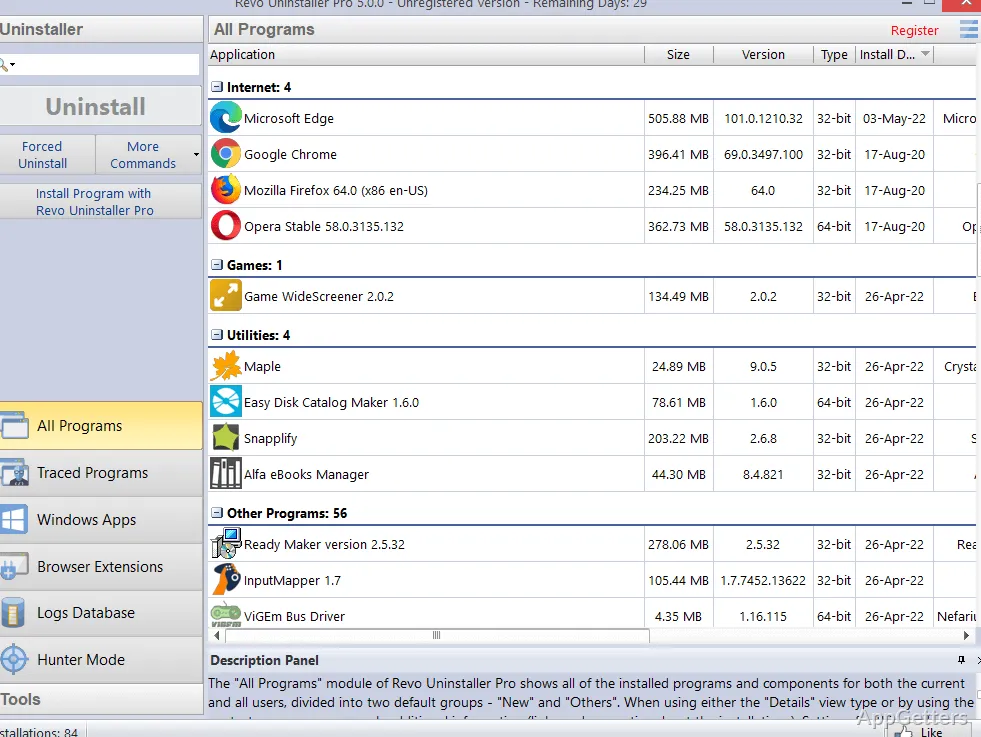
It has an easy-to-use interface. All the programs that are installed on the computer are shown in a list, with the ones that you can remove at a glance.

Everyday Workflow and Practical Usability

Revo Uninstaller is a solid addition to Windows for more or less all day-to-day scenarios of the very regular user of the OS. It is especially helpful for those users who are more grabby and more exploratory in terms of collecting and testing software on their machines. It is also helpful for those users who have to organize the software on the devices for the largest number of people within the network setup.

Thinking about it, it means that this is the kind of program that will give you a much more informed uninstall experience. It leaves little to no traces of your backed-out programs. You will not have to worry whether the program has been left on your hard drive instead of having been properly removed.

It is very convenient, especially because you can use it when you do not have access to the registry. It is also useful if the registry editor is not able to open such an entry.

Supporting Tools for System Maintenance

Most of the time, people do not really come across the cases where they want to take a sledgehammer to a computer. Instead of that, they do nice and careful routine maintenance each day and every day. That is what Revo Uninstaller is perfect for. It is not some kind of specialist program that only geeks can use. It is a useful set of utilities that you are able to use to give a really good spring cleaning to your computer. This removes all the accumulated stuff that you no longer need from your past web activities, as well as computer use in general.

Giving you an overview of what “running” is when the computer on which you have installed one or more applications here and there boots up is just one of the features of the set of tools. Disabling or enabling startup entries can also be done through the Windows Task Manager. It is just that the additional information that Revo Uninstaller is able to provide will really help in making decisions.

The makers of Revo Uninstaller have understood that the majority of users do not want to be overwhelmed. They prefer to avoid too many features, settings, and complex programs. They want something that works out of the box with minimum fuss. It also makes the job not only doable for the not-so-technical, but also gratifying.

Strengths and Restrictions in Regular Use

Revo Uninstaller has lots of pros which outweigh the cons. It is among the tools that every computer user should have and rely on for regular safe uninstall. It is also useful for occasional deep scanning and cleaning.

While there are some disadvantages, first and foremost, you will actually need to be cautious when removing leftover entries. This is especially important if you use other programs that share files. For this reason, if you are not very knowledgeable and cannot identify shared files, you should not delete them. If you have started with the free version and are quite satisfied, do remember this. A few of the features you may be interested in will be in the paid versions. No hitch in trying and then deciding!

Where Revo Uninstaller Fits in a Windows Maintenance Routine

Revo Uninstaller is a perfect fit for those who do not like to be in the dark. It shows what is happening on their hardware or with software. You may want to just keep your PC clean and nice all through. If you do not, then at least the software removal and installation can be managed. Broken processes without the oversight of the user are the last thing anyone wants!

The program will be happy to meet the expectations of those individuals. It may well become an essential part of their system maintenance routine, by virtue of its reliability. Its ability to keep the Windows environment clean adds to its value. It also keeps the whole system in a fully operational, trouble-free mode.

Software Details of Revo Uninstaller 2.6.8

License
Free
Version
2.6.8
File Size
11 MB
Downloads
0
Languages
English English, French, German, Italian, Portuguese, Spanish
Category
Op. System
Windows
Developer
Last Updated
February 23, 2026

Version History

5 versions
2.6.8
Latest
11 MB
February 23, 2026
2.6.5
10.99 MB
December 9, 2025
2.6.2
10.99 MB
October 28, 2025
2.6.0
10.98 MB
June 17, 2025
2.5.8
10.97 MB
March 31, 2025

Leave a Comment

Your email address will not be published. Required fields are marked *

Software Icon
Security Report

Loading scan data...

Scroll to Top