Need an archiver that encrypts attachments straight from Outlook and handles more than 60 formats? PowerArchiver combines file compression and extraction with encryption, Office integrations, and command-line tools.
Create or unpack archives across formats
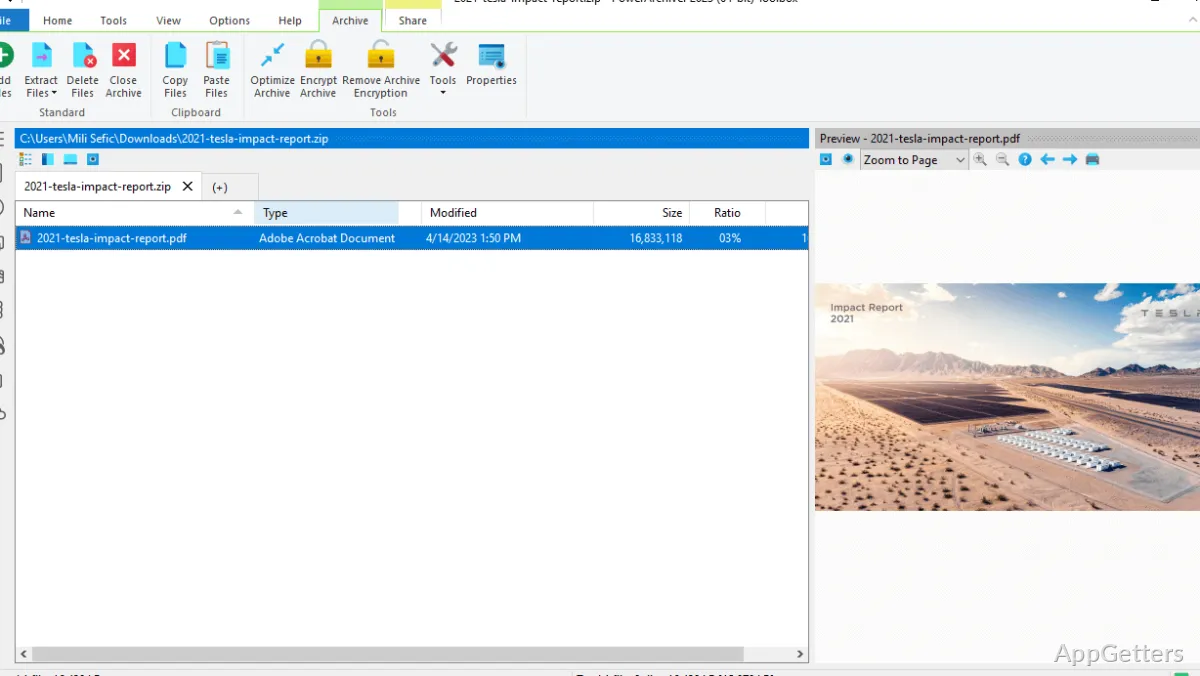
PowerArchiver handles common archive types such as ZIP and 7Z, along with RAR, TAR, ISO, CAB, and many other formats. Add files to an archive to compress them, or open an existing archive and extract its contents.
Drag-and-drop supports moving files into an archive workflow. For recurring or automated tasks, PACL provides command-line controls for scripting archive operations.
Protect archives with encryption
AES-256 encryption is available for archive protection through Microsoft CryptoAPI. PowerArchiver also supports filename encryption, which conceals archive contents and their names, and PAE2 containers, which check integrity during extraction.
OpenPGP signing and verification provide a way to check whether an archive has been altered. Secure FTP, FTPS, and SFTP add encrypted file transfer options.
Work with archives from Office apps
Add-ins connect PowerArchiver with Outlook, Excel, and Word. From those applications, users can encrypt email attachments or compress workbooks without switching to the archive manager.
PowerArchiver also includes a proprietary compression codec for documents, images, and audio, plus cross-file deduplication for archive sets such as backups and version collections.
Pros
- Handles more than 60 archive formats
- AES-256 encryption through Microsoft CryptoAPI
- Office add-ins support Outlook, Excel, and Word
- PACL command-line tool supports scripted archive tasks
System requirements: Windows 7, Windows 8, Windows 8.1, Windows 10, Windows 11 · 32-bit and 64-bit · 2 GB RAM minimum; 4 GB recommended · ~150 MB disk space
Which archive formats does PowerArchiver support?
Over 60 formats, from ZIP, RAR and 7Z to ISO images, CAB and TAR.
Can PowerArchiver encrypt files before sending them?
Yes. Create an encrypted archive with AES-256, or use the Office add-ins to encrypt Outlook attachments.
Can archive tasks be automated?
Yes. PACL provides command-line controls for scripted archive operations.