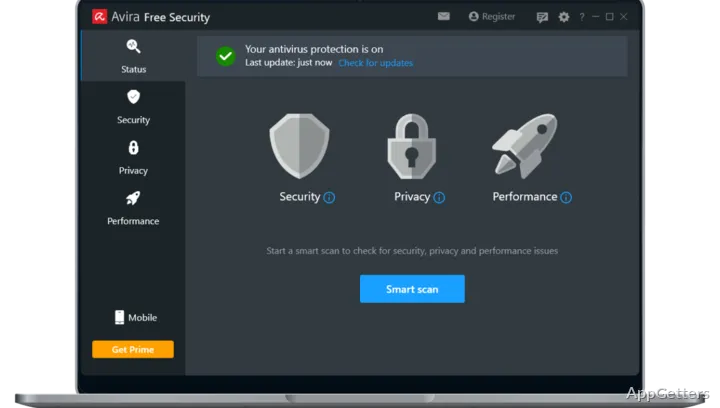
Malware and infected websites are blocked while security, privacy, and performance tools sit in one Windows app. Avira Free Security also includes tools for managing passwords, updating software, and clearing storage space.
How does Avira protect the PC?
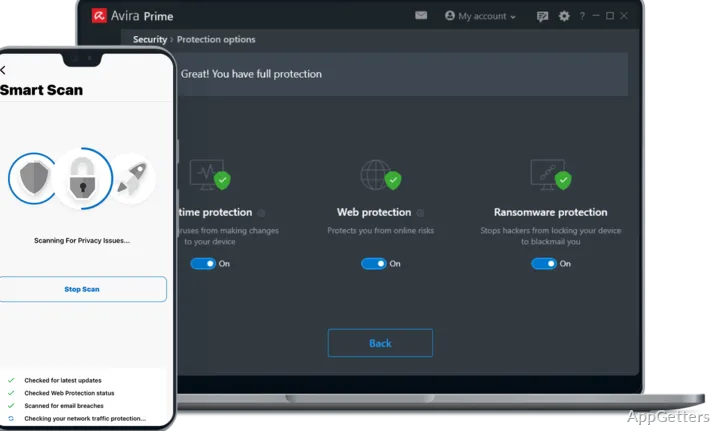
Avira Free Security provides automatic protection against cyberthreats, including viruses, trojans, ransomware, and spyware. It also blocks infected websites, addressing threats encountered during browsing as well as those that may reach the computer through files.
The app brings security, online privacy, and performance checks together. From its tools, users can check the device for issues and act on findings.
What comes with the password and update tools?
The password manager creates and stores strong, unique passwords for online accounts. A software updater checks for updates to programs and drivers, reducing the need to track each one separately.
- Password Manager: generate and store account passwords.
- Software Updater: keep programs and drivers current.
- Privacy tools: fix privacy settings on the PC.
Can it clean up storage or protect browsing?
Cleanup and optimization tools can remove junk files, find duplicate files, and free storage space. The app also includes access to a free VPN for more private browsing; unlimited VPN access is part of Avira Prime.
Pros
- Blocks malware and infected websites
- Includes a password manager for strong, unique passwords
- Checks for outdated software and drivers
- Combines security, privacy, and cleanup tools
Cons
- Unlimited VPN access is reserved for Avira Prime
- Advanced ransomware blocking is a premium feature
System requirements: Windows 10, Windows 11
Does Avira Free Security include a password manager?
Yes. Its password manager creates and stores strong, unique passwords for accounts.
Can it update programs and drivers?
Yes. The Software Updater checks for program and driver updates.
Does the app include a VPN?
It includes free VPN access. Unlimited VPN access is a premium feature.