Want the free 7-Zip archiver on a USB stick, ready on any PC without installing it? 7-Zip Portable brings 7-Zip’s archive tools in a package that can run from removable storage or a folder without a conventional installation. Use it to create archives, unpack files, and move the same tool between PCs.
File manager and archive browsing
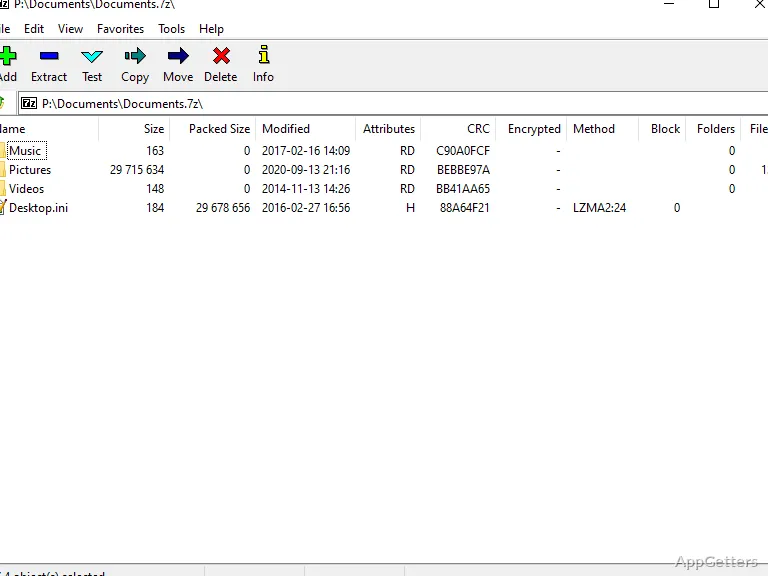
Browse the PC’s folders in the file manager, then open an archive to view its contents. Select files to extract them or choose items from a folder to add to a new archive. The interface also includes toolbar shortcuts for common archive tasks.
Because the package is portable, it can be kept on a USB drive, external disk, or CD and launched on another PC. The application is designed to work without leaving personal information on the host computer.
Archive formats and compression
Create archives in 7z, ZIP, GZIP, BZIP2, and TAR formats. For 7z files, the program uses LZMA compression and can produce self-extracting archives. ZIP and GZIP are available when recipients need those formats.
The format support also covers unpacking a broader range of existing archives and package files.
- Create or extract: 7z, ZIP, GZIP, BZIP2, and TAR.
- Extract only: RAR and ISO, Windows CAB and CHM files, Linux RPM and DEB packages, NSIS installers, and older ARJ, LZH, Z and CPIO archives.
Portable use and languages
The portable package keeps the archiver in a folder that can travel with the files being worked on. It also integrates with the PortableApps.com Suite. The application interface is available in multiple languages.
Pros
- Creates 7z archives using LZMA compression
- Creates and extracts ZIP, GZIP, BZIP2, and TAR archives
- Can create self-extracting archives in 7z format
- Portable package can run from USB storage or CD
Cons
- RAR archives can be opened but not created
System requirements: Windows 7, Windows 8, Windows 8.1, Windows 10, Windows 11
Can 7-Zip Portable create self-extracting archives?
Yes. It can create self-extracting archives in 7z format.
Which formats can it create?
It can create 7z, ZIP, GZIP, BZIP2, and TAR archives.
Can the portable package run from a USB drive?
Yes. It can run from removable storage, including a USB drive, as well as from a folder or CD.